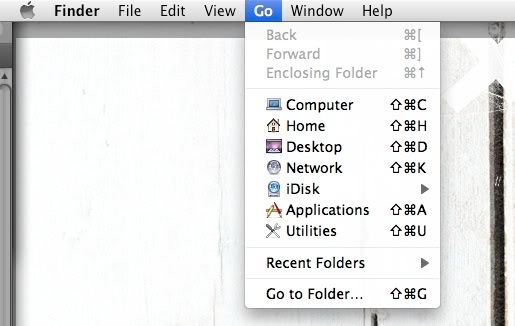
command-k does nothing
Sorry if this has already been addressed....
I'm trying to connect to my Vista machine from Powerbook running 10.5.2. In Finder, nothing happens when I do command-K and in the Go drop-down menu, there is no "Connect to Server" option.
Other threads discussed using these to connect but why are they not showing up for me?
Please help!
I'm trying to connect to my Vista machine from Powerbook running 10.5.2. In Finder, nothing happens when I do command-K and in the Go drop-down menu, there is no "Connect to Server" option.
Other threads discussed using these to connect but why are they not showing up for me?
Please help!
12" Powerbook G4, Mac OS X (10.5.2)