
iBook Indigo Clamshell & OSx 10.4

Hi All

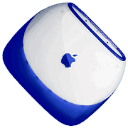
Just got this iBook G3/366 Indigo Clamshell - Firewire - It came with out an operating system. I was able to purchase from eBay a set of cd's for the iBook - Software Restore Disk, iBook Software Install v 9.1 and Mac OS X 10.0.3. The iBook run's OK now but what I want to do is to up grade to 10.4.xx.

As this iBook came with just the CD Rom I am trying to use my iMac as a 'Hard Drive' via the firewire cable - this I have done between an iMac & eMac - The version of Tiger I have is 'MACOSXv10.4.6RTL' It say's that I can run up to x10.4.11 - That came from http://www.everymac.com/systems/apple/ibook/stats/ibook_366.html

Question - How can I install the 10.4.xx version of OS X on to this iBook.

The iBook only has 64mb RAM, this I will be upgrading.

Regards
Lee

17" Intel iMac, Mac OS X (10.4.11)
Posted on Sep 7, 2008 11:50 AM

Reply
9 replies

Sep 8, 2008 1:05 PM in response to GrayOwl

I havn't tried the firewire installation from a G4 to a G3 Clamshell yet.
http://support.apple.com/kb/HT1661?viewlocale=en_US

Start you Clamshell and press T, to start into firewire mode, hook it up to your emac and boot from the eMac DVD drive. The installation programm shows up your eMac HD and the Clamshell HD (orange icon) as the target - choose the iBook HD.

When you plan to upgrade your Clamshell, it might be a better option to place a DVD ROM drive instead of the CD-ROM. Even the 366MHZ firewire Clamshells are able to play DVD movies.

If the installation fails from the G4, try a external DVD firewire drive for the Tiger DVD.
Interesting: The iBook is able to boot from some USB DVD drives. Indeed, my 300MHZ Blueberry iBook booted via USB from a Philipps LightScribe DVD-burner which is in an external 5.25 " NoName enclosure with USB and FireWire ports which has a Polific PL-3507 chipset.

Sep 9, 2008 1:42 PM in response to bund

Hi Again

Have had a go with the way you said and this is what I got:

Started Clamshell and pressed T, started in firewire mode, hooked it up to my eMac inserted DVD in drive and it came back with: the disc inserted is not readable by this computer - the eMac has a 'Combo' Drive - and then spat it out.

Did not work when I connected the Clamshell to my iMac

Would it work if I burnt a copy of OS X onto an external HD and then booted from that????

Regards
Lee

Sep 22, 2008 3:54 PM in response to GrayOwl

Hi, I have the same model as you and have 10.4.6 running on it.

Here's how I did it:

Clone a working copy of 10.4 using Carbon Copy ( http://www.bombich.com/software/ccc.html) or Super Duper ( http://www.shirt-pocket.com/SuperDuper)

Then restore the clone via FireWire Disk Target method.

1. Clone
2. Boot iBook holding T, connect to other Mac over FireWire
3. Restore clone to iBook's hard drive.

Jan 1, 2009 2:01 PM in response to GrayOwl

Hello,

could you tell me exactly how you upgraded your clamshell? I have one and I am being forced to upgrade to 10.4 if I want to use my new iPod. I am trying not to buy the new system. My sister bought a Macbook and so has a 10.4 copy. Can I use that for my computer? I also do not have a DVD drive so could you explain exactly how you connected the computers to make it work? Any help would be appreciated.

Laura

This thread has been closed by the system or the community team. You may vote for any posts you find helpful, or search the Community for additional answers.

iBook Indigo Clamshell & OSx 10.4

Welcome to Apple Support Community
A forum where Apple customers help each other with their products. Get started with your Apple Account.