MacBook Pro Display has Large Pixel Blocks and Lines, Freezes Screen
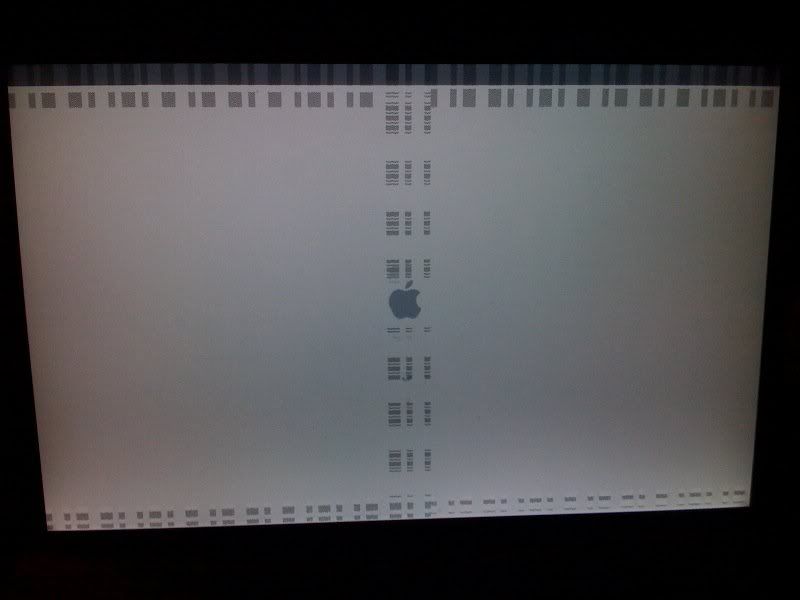
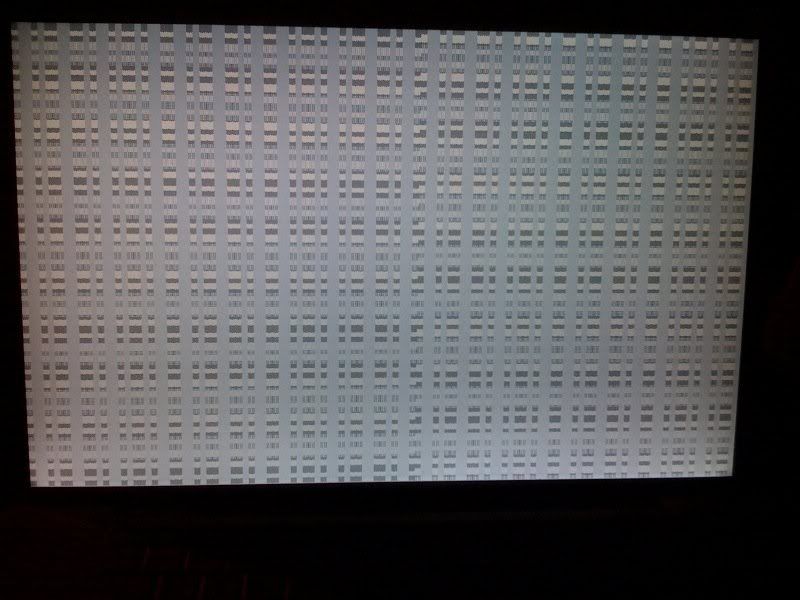
I have MacBook Pro that has started showing large, blocks of pixels that at times cover the entire screen, and sometimes only cover certain areas, but it has gotten to the point that I can't use the computer at all. It happens sometime at startup and sometimes while in use. I am traveling and haven't had time to go the Apple Store for help.
Here are two photos of the issue:
http://i17.photobucket.com/albums/b95/nitsua74/applescreen_1.jpg
http://i17.photobucket.com/albums/b95/nitsua74/applescreen_2.jpg
Any help would be greatly appreciated. I'm a bit freaked out.
Message was edited by: Austin Wondolowski
Here are two photos of the issue:
http://i17.photobucket.com/albums/b95/nitsua74/applescreen_1.jpg
http://i17.photobucket.com/albums/b95/nitsua74/applescreen_2.jpg
Any help would be greatly appreciated. I'm a bit freaked out.
Message was edited by: Austin Wondolowski
MacBook Pro 17", Mac OS X (10.5.5)