If you want Numbers to tell you what rank a particular number is then you can use RANK like this:
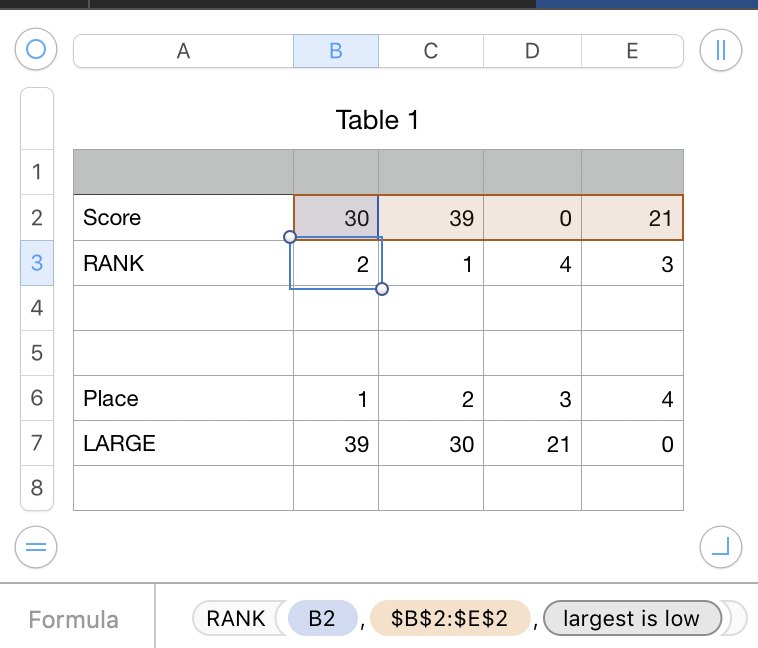
The formula in B3, filled right:
=RANK(B2,$B$2:$E$2,0)
If you want Numbers to list the scores in rank order, then you can use the LARGE function.
The formula in B7, filled right:
=LARGE($B$2:$E$2,B6)
Substitute ; for , in the formulas if your region uses , as a decimal separator.
Note that extensive, up-to-date, and searchable explanations of Numbers functions, in many different languages, are available at Help > Formulas and Functions Help in your menu. If you are offline, you can get the same information via the function browser when you have the right panel open. The function browser appears after you type = into a cell.
SG

