
Thunderbolt 2 to usb cable
Anybody know where l can get a reasonably priced Thunderbolt 2 to usb cable? Can't find online - only Thunderbolt 3 to usb cables...
Thanks
Paul
iMac Line (2012 and Later)
Anybody know where l can get a reasonably priced Thunderbolt 2 to usb cable? Can't find online - only Thunderbolt 3 to usb cables...
Thanks
Paul
iMac Line (2012 and Later)
Thunderbolt 2 -> USB cables don't exist.
(The reason TB3->USB works is TB3 share the same physical connector as USB-C and has a controller chip that can send either USB formatted data or thunderbolt formatted data.)
To use Thunderbolt 2 to drive USB devices you would either need aThunderbolt 2 dock or a Thunderbolt 2 PCIe expansion box with a PCI USB card. Neither solution is exactly inexpensive.
A more affordable choice to get more USB connections would be to use a USB hub.
Thunderbolt 2 -> USB cables don't exist.
(The reason TB3->USB works is TB3 share the same physical connector as USB-C and has a controller chip that can send either USB formatted data or thunderbolt formatted data.)
To use Thunderbolt 2 to drive USB devices you would either need aThunderbolt 2 dock or a Thunderbolt 2 PCIe expansion box with a PCI USB card. Neither solution is exactly inexpensive.
A more affordable choice to get more USB connections would be to use a USB hub.
USB devices will only give you USB speeds no matter how
you can connect them. There is no "magic" connector to
make them any faster.
I have a late 2013 imac so shld be usb 3. I'm only getting 2.7gbps write speed from an external ssd. As you say should be 5gbps. Hence this post to see if thunderbolt 2 wld provide more speed. I can't understand why it's slower than it 'should be?
5gbps vs 6gpbs is the raw bandwidth. Actual data speeds will be lower after subtracting packet/error checking/encoding overheads. The Wiki suggests real-world maximum data transfer is closer to 4gbps, which is still faster than the 2.7 you see.
2.7 gbps is ~340 MB/s. Maybe that's just the limit for your SSD? Thats about as fast as an older SSD like the Samsung 830 or a modern low capacity 128GB drive can actually write in which case the USB connection isn't bottlenecking you in the slightest.
Hi padams35. The ssd is:
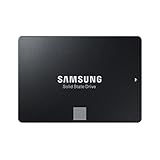 Samsung MZ-76E500B/EU 500 GB 860 EVO.
Spec suggests speeds of 5gbps.
My other option is to open up the mac and put it internal. Though l was rather it was external if l did get reasonable speed. In real terms with latest OS Mojave it's a bit of a slug!
Is 2.7gbps the observed sustained or peak write speed? User benchmark suggest the sustained write speeds for that drive averages closer to 360MB/s, which would make 2.7gbps below average for the drive but not abnormal. https://ssd.userbenchmark.com/SpeedTest/428560/Samsung-SSD-860-EVO-500GB
If you have a hyper demanding work load that needs significantly more sustained speed you may need either a PCIe NVMe SSD or run multiple SATA SSDs in RAID 0.
On the other hand for basic use 2.7gbps SSD should provide snappy performance. If Mojave feels sluggish in general when booting from the drive then there is probably something else wrong with your system. For that I'd suggest downloading and running Etrecheck from either the developers website or the app store. If no major problems are reported that fix your issue feel free to post a text copy here for other users to check (using the 'additional text' forum post option between the insert-link and upload-image buttons).
This won't plug into the thunderbolt 2 socket though?
I wanted to plug into the thunderbolt socket to get more speed out of the connection via sata to a ssd. Usb is slow...
Just one of a plethora of choices of USB 3 hubs (and cheap):
USB 2.0 is slow, but all 2012 and newer iMacs have 5Gbps USB 3.0, which is almost as fast as 6Gbps SATA3.
If what you actually have is a mid/late 2011 iMac with USB 2.0 and Thunderbolt 1 then maybe using an AKiTiO Thunder2 dock to gain USB 3.0 ports or OWC thunderbolt Dual Drive Solution bay for a direct connect Sata connection could work.
Thunderbolt 2 to usb cable

