
Why was I charged
Bill
iPhone 8 Plus, 12
Bill
iPhone 8 Plus, 12
Subscriptions and Billing - Official Apple Support
https://support.apple.com/en-in/billing
On your iPhone, iPad, or iPod touch
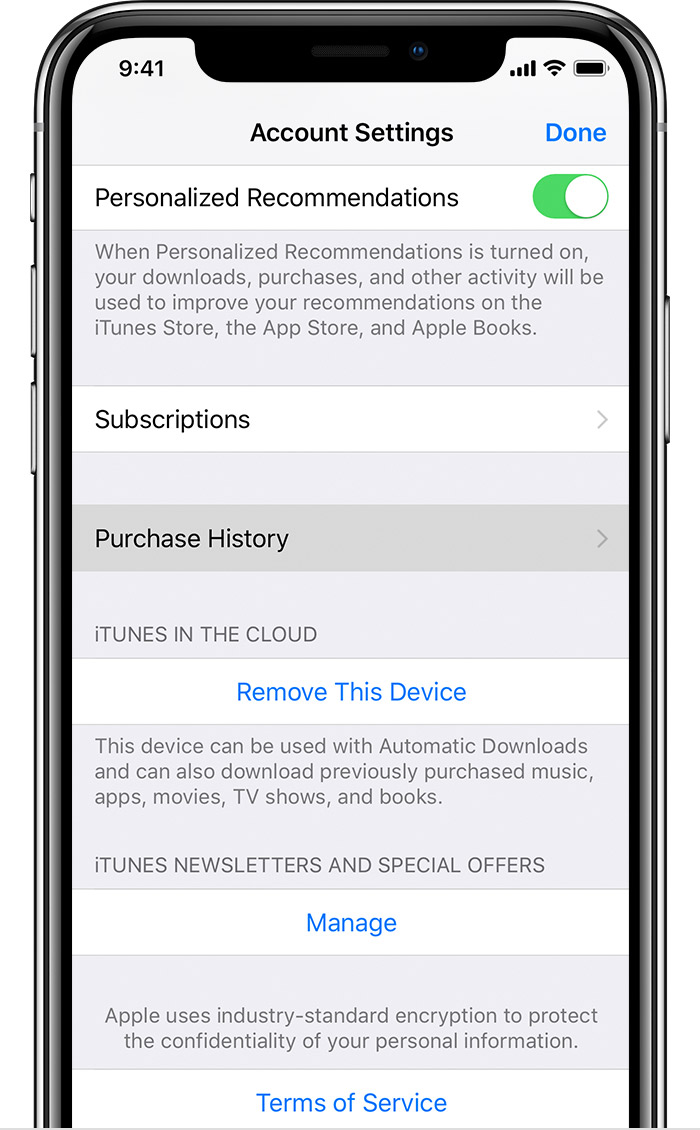
Purchases are grouped by the date that they were charged to the payment method that you have on file. You might see a Pending section at the top of your history; these items haven't yet charged to your account. By default, only the last 90 days show up in your purchase history. To change the range, tap Last 90 Days at the top of the screen, then select the range that you want to view. Learn what to do if you still can’t find your purchase or if you see unexpected charges.
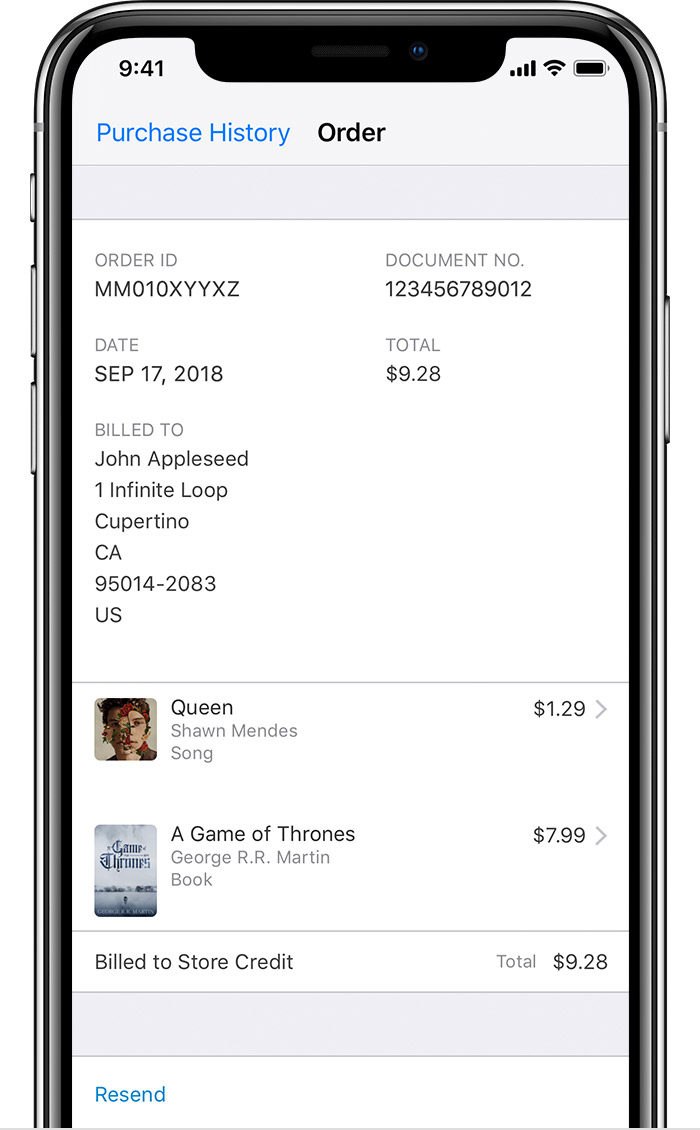
Tap on the > to the right of the total billed charge to see details of an invoice, including the billing date and order ID. If the total charge was more than zero, you can tap Resend at the bottom of the invoice details screen to get a new email receipt.
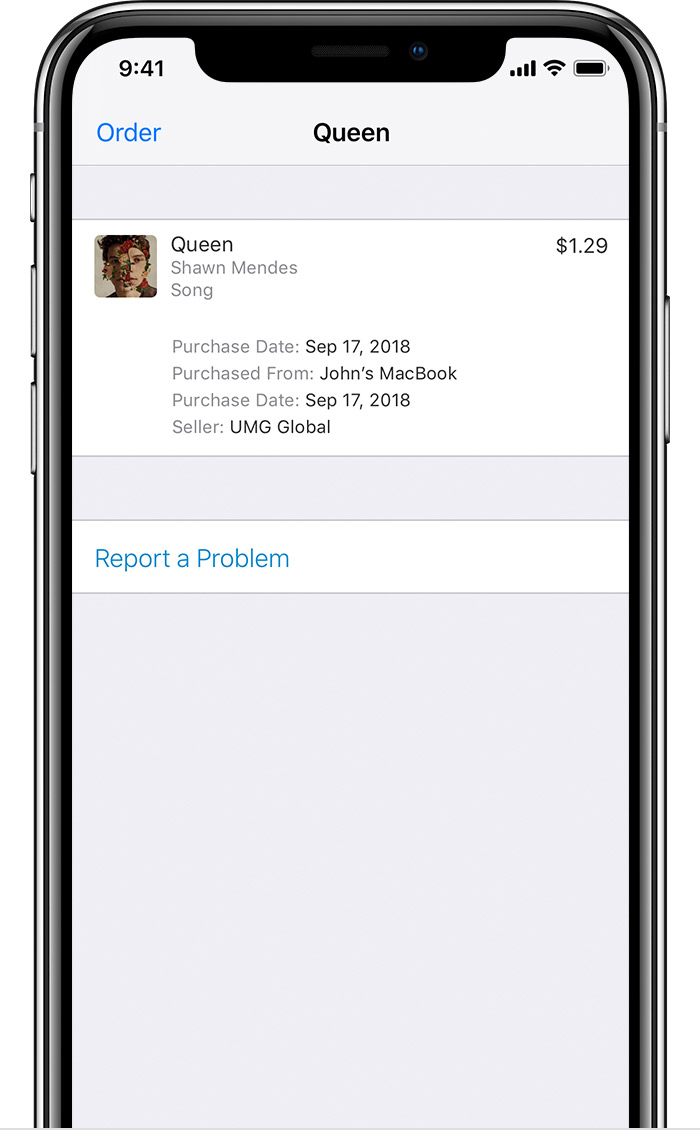
Tap on an item inside an invoice to see the date that you purchased or downloaded the item, which might be different than the date that you were charged, and the name of the device that you used to purchase it. To request a refund, tap "Report a Problem" to open the refund request website.
If you have recurring charges, learn how to change or cancel subscriptions.
Subscriptions and Billing - Official Apple Support
https://support.apple.com/en-in/billing
On your iPhone, iPad, or iPod touch
Purchases are grouped by the date that they were charged to the payment method that you have on file. You might see a Pending section at the top of your history; these items haven't yet charged to your account. By default, only the last 90 days show up in your purchase history. To change the range, tap Last 90 Days at the top of the screen, then select the range that you want to view. Learn what to do if you still can’t find your purchase or if you see unexpected charges.
Tap on the > to the right of the total billed charge to see details of an invoice, including the billing date and order ID. If the total charge was more than zero, you can tap Resend at the bottom of the invoice details screen to get a new email receipt.
Tap on an item inside an invoice to see the date that you purchased or downloaded the item, which might be different than the date that you were charged, and the name of the device that you used to purchase it. To request a refund, tap "Report a Problem" to open the refund request website.
If you have recurring charges, learn how to change or cancel subscriptions.
Why was I charged
