Squared papers in pages

Hello everyone, I'm trying to create a model to draw squares in pages (like a squared notebook). I've tried with the master, but I can't even select that option. What am I missing? Is there an easier way to do it?


Thank you all!

Arasan90

MacBook Pro 13", 10.14

Posted on Feb 6, 2019 5:05 AM

Reply
Question marked as Top-ranking reply

Posted on Feb 7, 2019 3:36 AM

Pages 7.3 has some quite good drawing tools, but I recommend you use an accurate pdf instead.


If you still want to do this in Pages do it in a Layout mode (easier to select objects) document and copy it back to the WP document:


Make a rectangle shape > Style > Whatever line you want > No fill
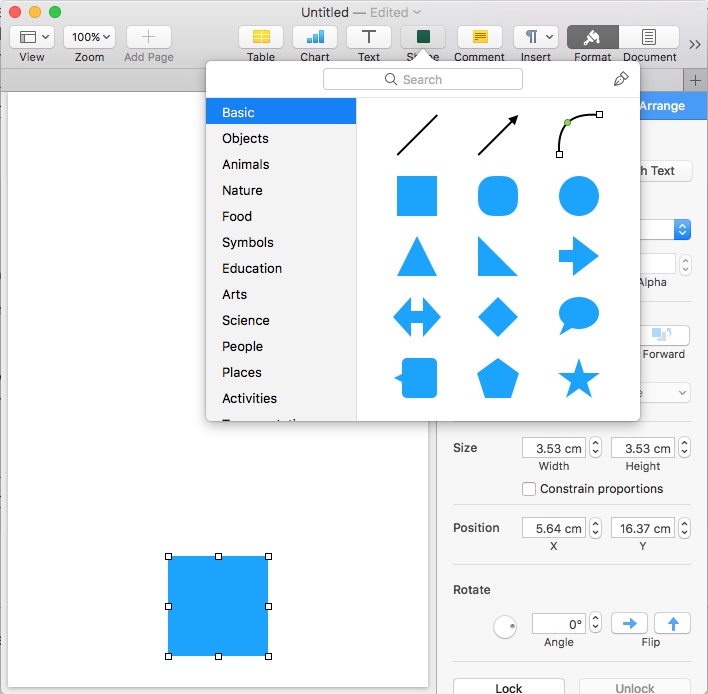


Arrange: Stay on Page > Text Wrap > None


Do the same with a line and use Size, Rotate Angle & Position to start assembling your grid.


Holding down the command key will get a pointer.


Make copies of objects by option dragging them, small numbers then groups to buildup your grid.


In the top menu you can use Arrange > Align/Distribute Objects to arrange the parts.


When you are finished, group the lot, position the group, copy it over to WP document and send to back, lock it.

9 replies
Question marked as Top-ranking reply

Feb 7, 2019 3:36 AM in response to arasan90

Pages 7.3 has some quite good drawing tools, but I recommend you use an accurate pdf instead.


If you still want to do this in Pages do it in a Layout mode (easier to select objects) document and copy it back to the WP document:


Make a rectangle shape > Style > Whatever line you want > No fill
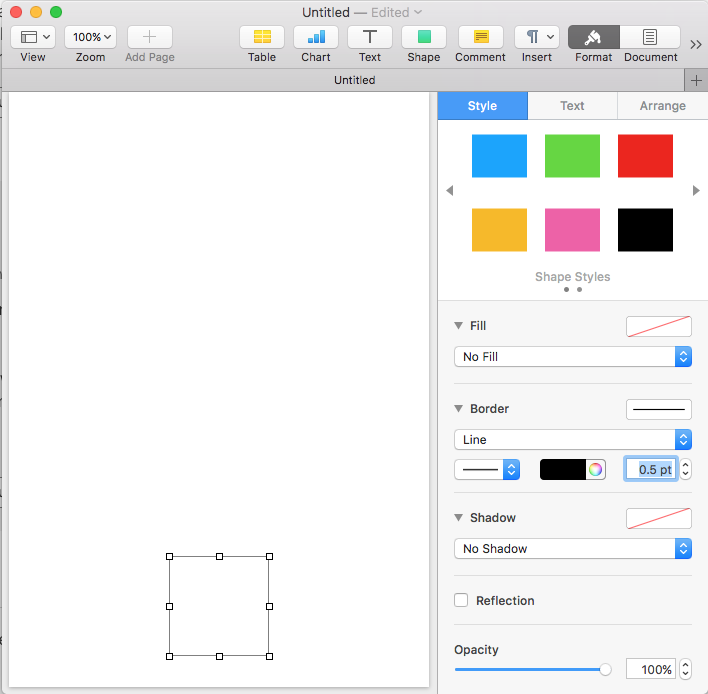


Arrange: Stay on Page > Text Wrap > None
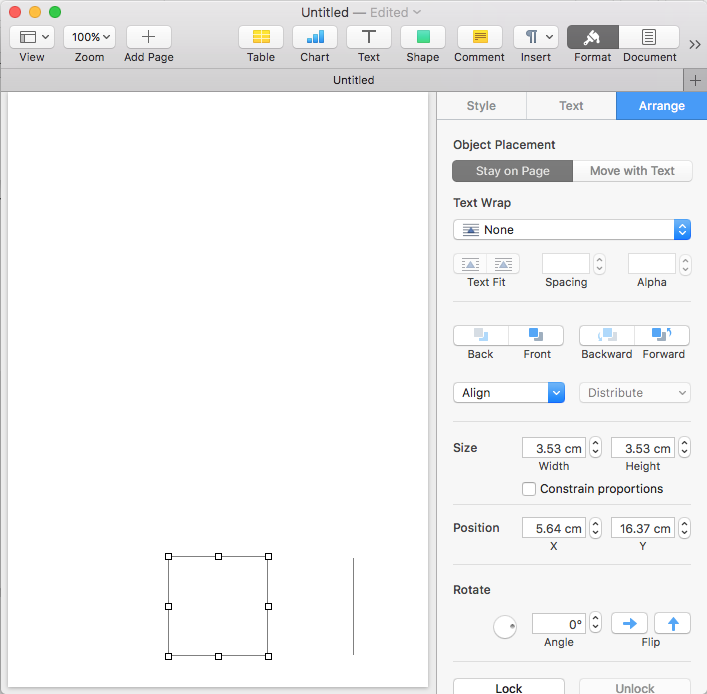


Do the same with a line and use Size, Rotate Angle & Position to start assembling your grid.


Holding down the command key will get a pointer.


Make copies of objects by option dragging them, small numbers then groups to buildup your grid.


In the top menu you can use Arrange > Align/Distribute Objects to arrange the parts.


When you are finished, group the lot, position the group, copy it over to WP document and send to back, lock it.


Feb 7, 2019 1:04 AM in response to arasan90

I am trying to make the point that if you want accurate step by step answers you need to say exactly what you are using and trying to do.


Starting with what version of Pages. If you don't know, it is under the Pages > About Pages menu.


Next are you using a Word Processing or Layout mode template?


In a Word Processing template the text runs from the end of the page to the next page automatically.


In a Layout mode template you have to add a Text Box to each page in which to write.


If you need just the grid you can use a ready made graphic like a pdf as a background and scale it so it is the accurate size.


You can construct a grid to be exactly what you want, but because I think you are in Kazakhstan and are used to metric dimensions you will find that Pages is not quite accurate. Pages uses points as its fundamental measurement units and Apple does not convert those to millimetres with high precision.

This thread has been closed by the system or the community team. You may vote for any posts you find helpful, or search the Community for additional answers.

Squared papers in pages

Welcome to Apple Support Community
A forum where Apple customers help each other with their products. Get started with your Apple Account.