invalid payment method

hi apple! ive problem with my payment. i want to purchase apps from the apps store and also buy some filters/diamonds on the app but whenever i tried to make a payment by using billing mobile, its showed that it was invalid payment method. ive tried so many times but still can’t. before this i can make a payment but now suddenly cannot annymore. what is the problem? pls help me fixed this issue.

Posted on Feb 13, 2019 8:37 PM

Reply
Question marked as Top-ranking reply

Posted on Feb 13, 2019 9:37 PM

If your payment method is declined in the App Store or iTunes Store

Change your billing information to pay an unpaid balance.


If you have an unpaid balance in the App Store or iTunes Store, you might see one of these messages:1

  • "There is a billing problem with a previous purchase. Please edit your billing info to correct the problem."
  • "There is a billing problem with a previous purchase. Click Purchase History to view and correct the problem. If you cancel you will not be able to buy until this billing issue has been resolved."

If your financial institution declines a charge or there's an issue with your payment method, your order will become unpaid. You won’t be able to make other purchases or update apps, including free apps, until you update your billing information to pay any unpaid bills.
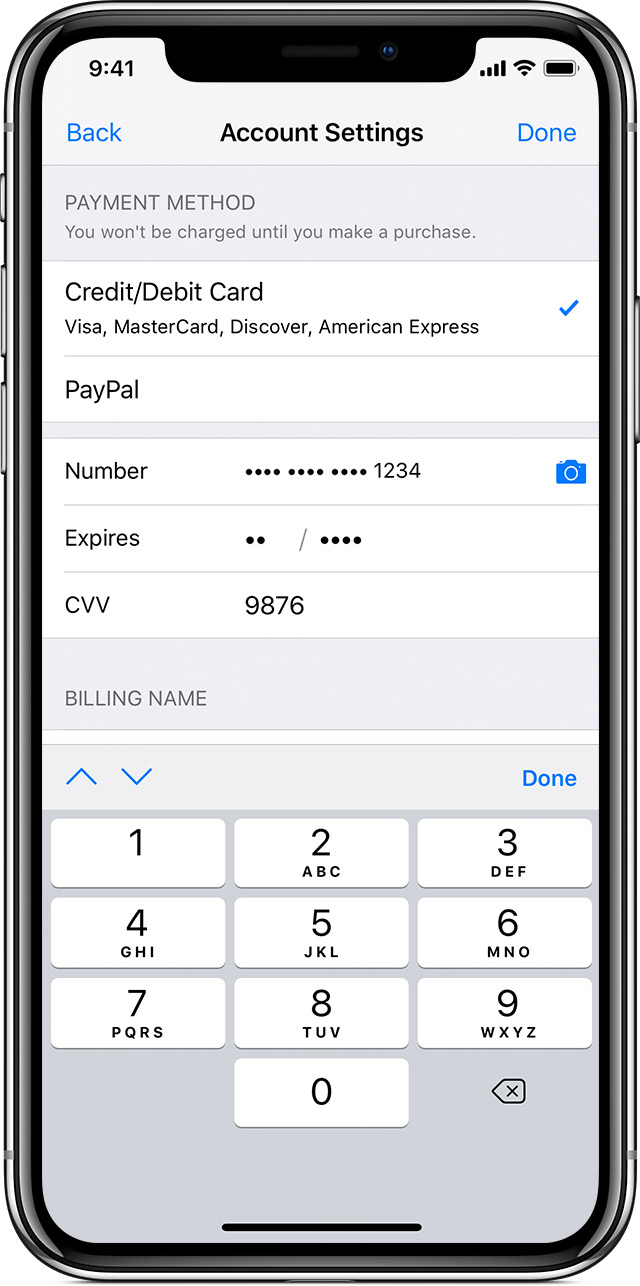
 

Use a different payment method

You can change your billing information in Settings on your iPhone, iPad, or iPod touch, or in iTunes on your Mac or PC. Use a valid payment method in your country or region with money available on it. You can't select None when you have an unpaid balance or payment due.

After you update your billing information, the App Store or iTunes Store automatically attempts to charge any outstanding orders to your updated payment method.


You might also be able to use the same payment method as before if you need only to update your billing address, expiration date, or other card info. If you're outside of the United States, you might also need to contact your financial institution to allow international purchases.

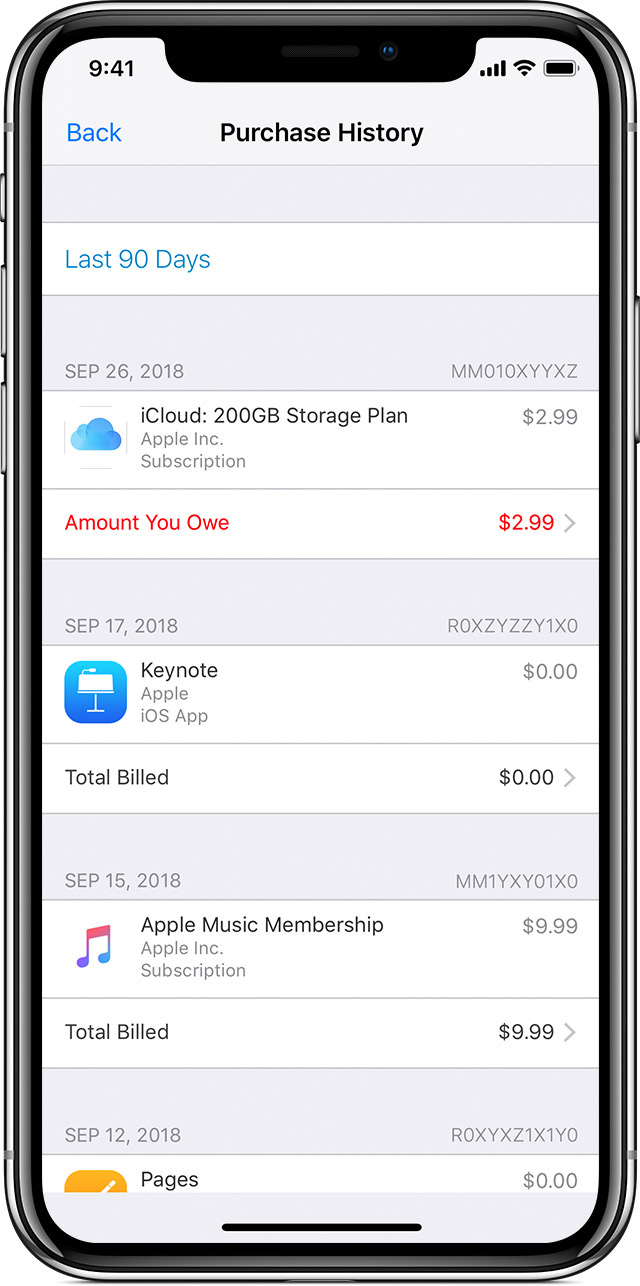
Find an unpaid bill

On your iOS device: Go to Settings > [your name] > iTunes & App Store, then tap your Apple ID. Tap View Apple ID and sign in with your Apple ID, then tap Purchase History. (You can also view your purchase history in the App Store or iTunes Store.)

Find the unpaid purchase, which is likely at the top of the list, and tap it, then change your payment method.

You must pay for any unpaid purchases or subscriptions before requesting a refund.


If you see an unexpected charge

After you pay for the purchase, you can request a refund2 if you don't recognize the purchase. You can also cancel a subscription if you don't want to continue it.

If a child or minor has access to your device, you can set up parental controls and restrict their in-app purchases. If the child or minor has their own device, you can also set up Family Sharing to control what they buy on their device.

If you previously contacted your financial institution to dispute a charge from the App Store or iTunes Store, you’ll need to contact them again to authorize that charge and future purchases from the App Store or iTunes Store.



Get more help

If you still need help, contact Apple Support.

1 reply
Question marked as Top-ranking reply

Feb 13, 2019 9:37 PM in response to oohxnana

If your payment method is declined in the App Store or iTunes Store

Change your billing information to pay an unpaid balance.


If you have an unpaid balance in the App Store or iTunes Store, you might see one of these messages:1

  • "There is a billing problem with a previous purchase. Please edit your billing info to correct the problem."
  • "There is a billing problem with a previous purchase. Click Purchase History to view and correct the problem. If you cancel you will not be able to buy until this billing issue has been resolved."

If your financial institution declines a charge or there's an issue with your payment method, your order will become unpaid. You won’t be able to make other purchases or update apps, including free apps, until you update your billing information to pay any unpaid bills.


Use a different payment method

You can change your billing information in Settings on your iPhone, iPad, or iPod touch, or in iTunes on your Mac or PC. Use a valid payment method in your country or region with money available on it. You can't select None when you have an unpaid balance or payment due.

After you update your billing information, the App Store or iTunes Store automatically attempts to charge any outstanding orders to your updated payment method.


You might also be able to use the same payment method as before if you need only to update your billing address, expiration date, or other card info. If you're outside of the United States, you might also need to contact your financial institution to allow international purchases.

Find an unpaid bill

On your iOS device: Go to Settings > [your name] > iTunes & App Store, then tap your Apple ID. Tap View Apple ID and sign in with your Apple ID, then tap Purchase History. (You can also view your purchase history in the App Store or iTunes Store.)

Find the unpaid purchase, which is likely at the top of the list, and tap it, then change your payment method.

You must pay for any unpaid purchases or subscriptions before requesting a refund.


If you see an unexpected charge

After you pay for the purchase, you can request a refund2 if you don't recognize the purchase. You can also cancel a subscription if you don't want to continue it.

If a child or minor has access to your device, you can set up parental controls and restrict their in-app purchases. If the child or minor has their own device, you can also set up Family Sharing to control what they buy on their device.

If you previously contacted your financial institution to dispute a charge from the App Store or iTunes Store, you’ll need to contact them again to authorize that charge and future purchases from the App Store or iTunes Store.


Get more help

If you still need help, contact Apple Support.

This thread has been closed by the system or the community team. You may vote for any posts you find helpful, or search the Community for additional answers.

invalid payment method

Welcome to Apple Support Community
A forum where Apple customers help each other with their products. Get started with your Apple Account.