
How do I remove my self from group message
How do I remove my self from group message?
iPhone X, iOS 11
How do I remove my self from group message?
iPhone X, iOS 11
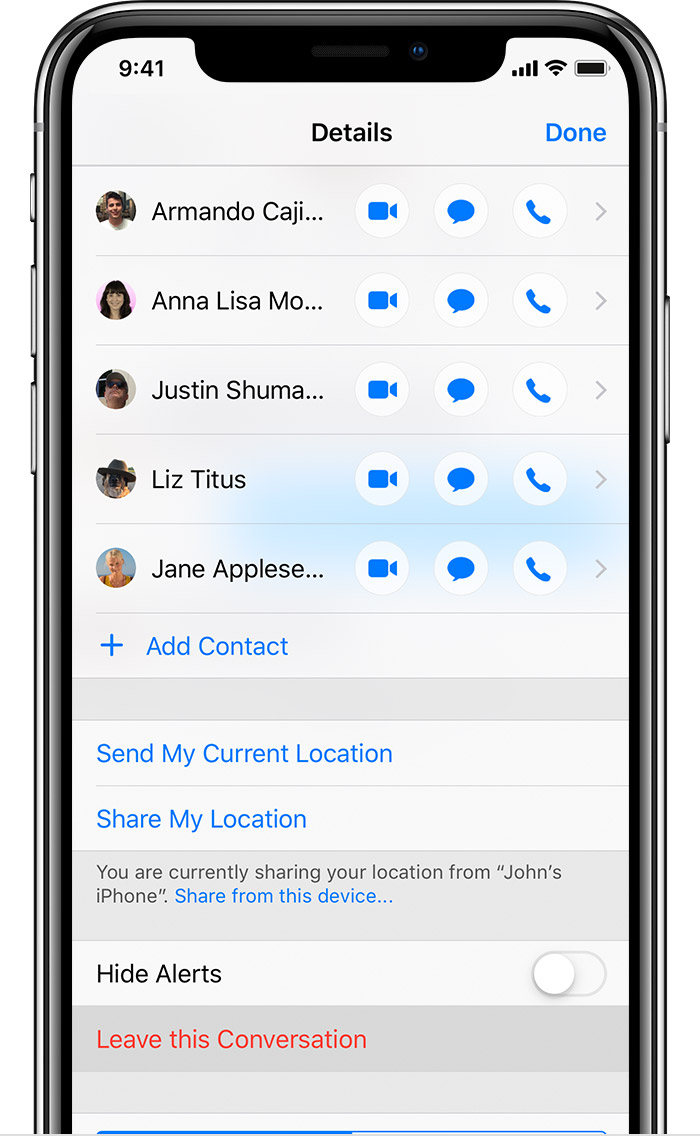
If you don’t see the Leave this Conversation button, you are in a traditional group text message, not an iMessage conversation. Group texts use your wireless carrier’s text messaging plan, and since iPhones can’t directly tell other iPhones they want to leave a conversation, leaving is not an option.
Open the Messages app, tap to open the group message, and look just underneath the clock at the top of the screen. If you see Group MMS, you are in a standard group text message. If you see Group, you are in an iMessage conversation.
Leave a group text
In the Messages app, you can leave a group text at any time, as long as there are three other people on the thread. Here's how:
 , then tap Leave this Conversation.
To leave a group text, all participants need to be using iMessage. If you don't see the option to leave, it might mean one or more of the users isn't using a device with iMessage. You can't remove yourself from these group texts, but you can mute the conversation.
How to leave a group text on your iPhone, iPad, or iPod touch - Apple ...
https://support.apple.com/en-in/HT209430
How do I remove my self from group message
