
Renaming “Other” Workout
Apple Watch is not allowing me to rename my “other” workout. I used to be able to do this on my old watch, but I got a new one and it’s not giving me the same option. Please advise
Apple Watch is not allowing me to rename my “other” workout. I used to be able to do this on my old watch, but I got a new one and it’s not giving me the same option. Please advise
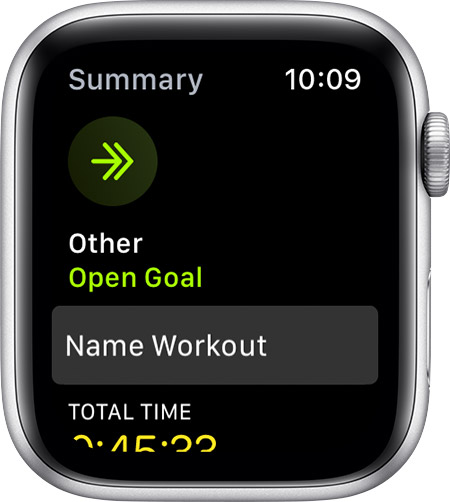
To name other workouts you must complete at least 2 minutes and save it
Name your workout
After you use the Other workout, you can choose a name for your workout. This can help you track workouts like dance or strength training.
Renaming “Other” Workout

