Change Payment Method to None.
Before you can remove you card details from iTunes / App Store
You need to check what the outstanding bill on App Store purchases and outstanding balance by doing the following:
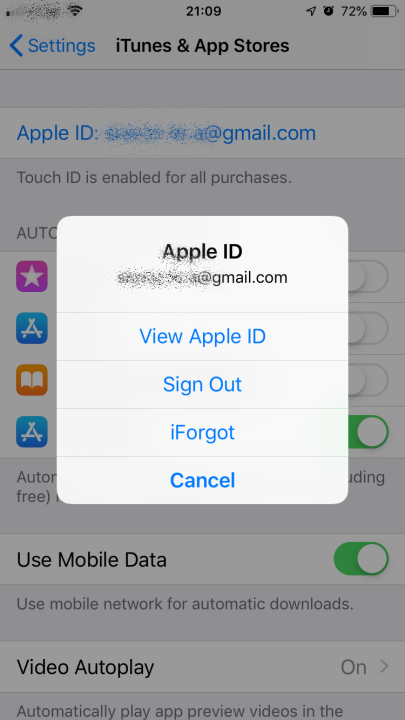
- Open the “Settings” in iOS, then go to ‘iTunes & App Store’ and then select your Apple ID
- Choose “View Apple ID” to access the Account Settings page
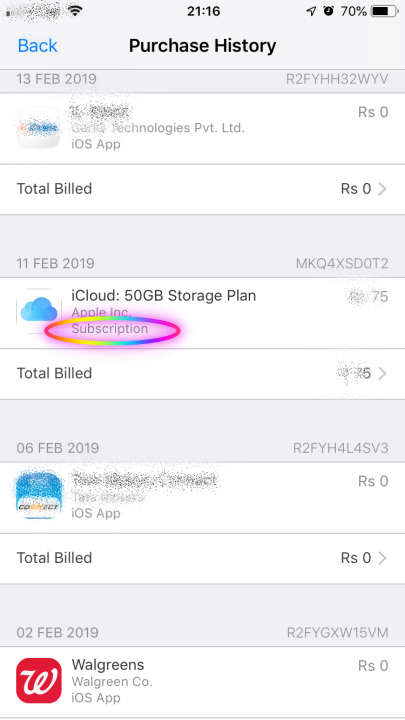
- In the Account Settings section, go to “Purchase History” and scroll through the list to find any item with an outstanding balance – this is what must be paid before you can change your payment information
- Once the balance payable is zero. Give it 2-3 working days.
Update your payment information as detailed below to stop the “Verification Required” error message on the iPhone or iPad
- In the Account Settings section, tap on “Payment Information”
- Under ‘Payment Method’, choose “None”
- If you can't choose none or none does not exist. the reason could
- App store for the first time
- Active Subscription renews automatically
- You are part of Family Sharing
- You are not in the country or region you’re creating an Apple ID for
- Alternative change payment method
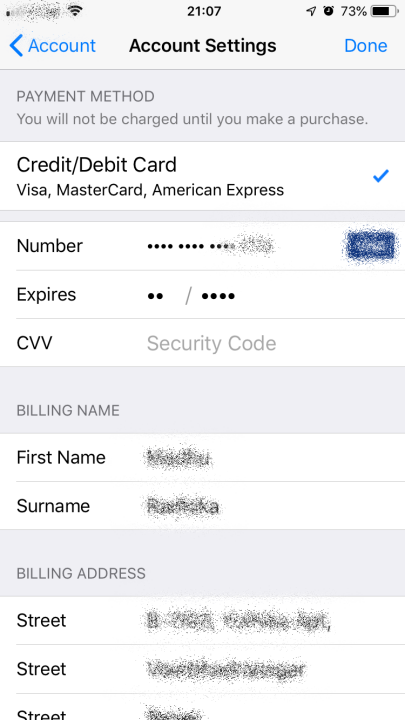
- Tap on “Done” when finished adjusting your settings
- Exit Settings, and return to the App Store of iOS where you are now able to freely download, install, and update apps without seeing any “Verification Required” message.

