
How do I sign in on another device to approve my new phone
How do I approve on another device to set up my new iPhone
iPhone 6s Plus, iOS 12
How do I approve on another device to set up my new iPhone
iPhone 6s Plus, iOS 12
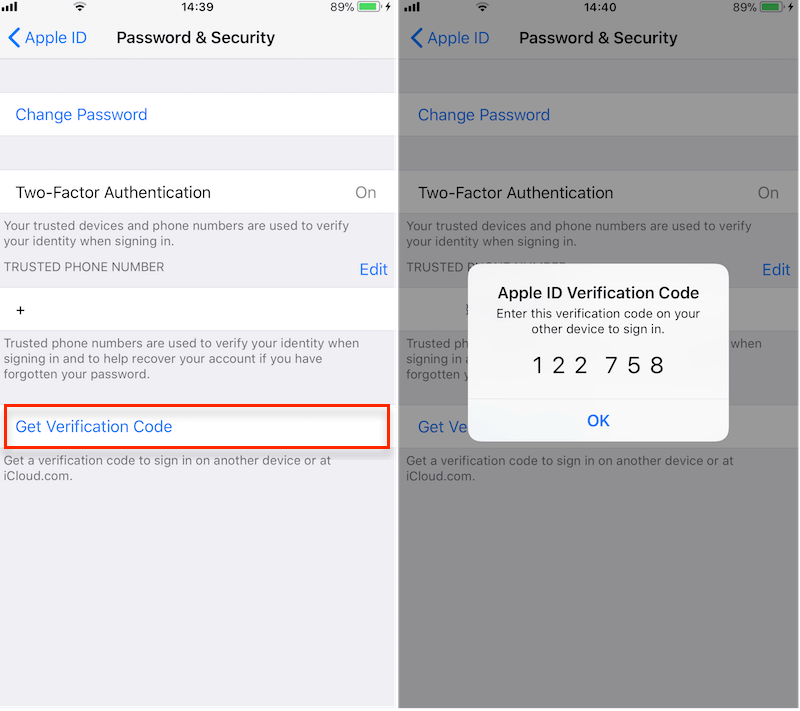
1. Open another iPhone, iPad, Mac device which using the same iCloud account, go to Settings ->Your Name(Apple ID) -> Password & Security -> Click Get Verification Code button, it will pop up the window with a Verification Code. Then click "Ok" button.
2. Back to your problem iPhone, the "approve the phone" screen disappeared. It seems that your iPhone has been approved.
How do I sign in on another device to approve my new phone
