
Lift to answer
Does iPhone have a lift to answer feature and if so how do you turn it on? For example lift the phone to your ear and a call will be answered.
Does iPhone have a lift to answer feature and if so how do you turn it on? For example lift the phone to your ear and a call will be answered.
Raise to Speak is available only for Siri
You may try this feature instead. You do not have to raise or lift at all. Just answer calls.
How to set iPhone to auto-answer calls
1) Launch the Settings app on your iPhone.
2) Tap General → Accessibility → Call Audio Routing.
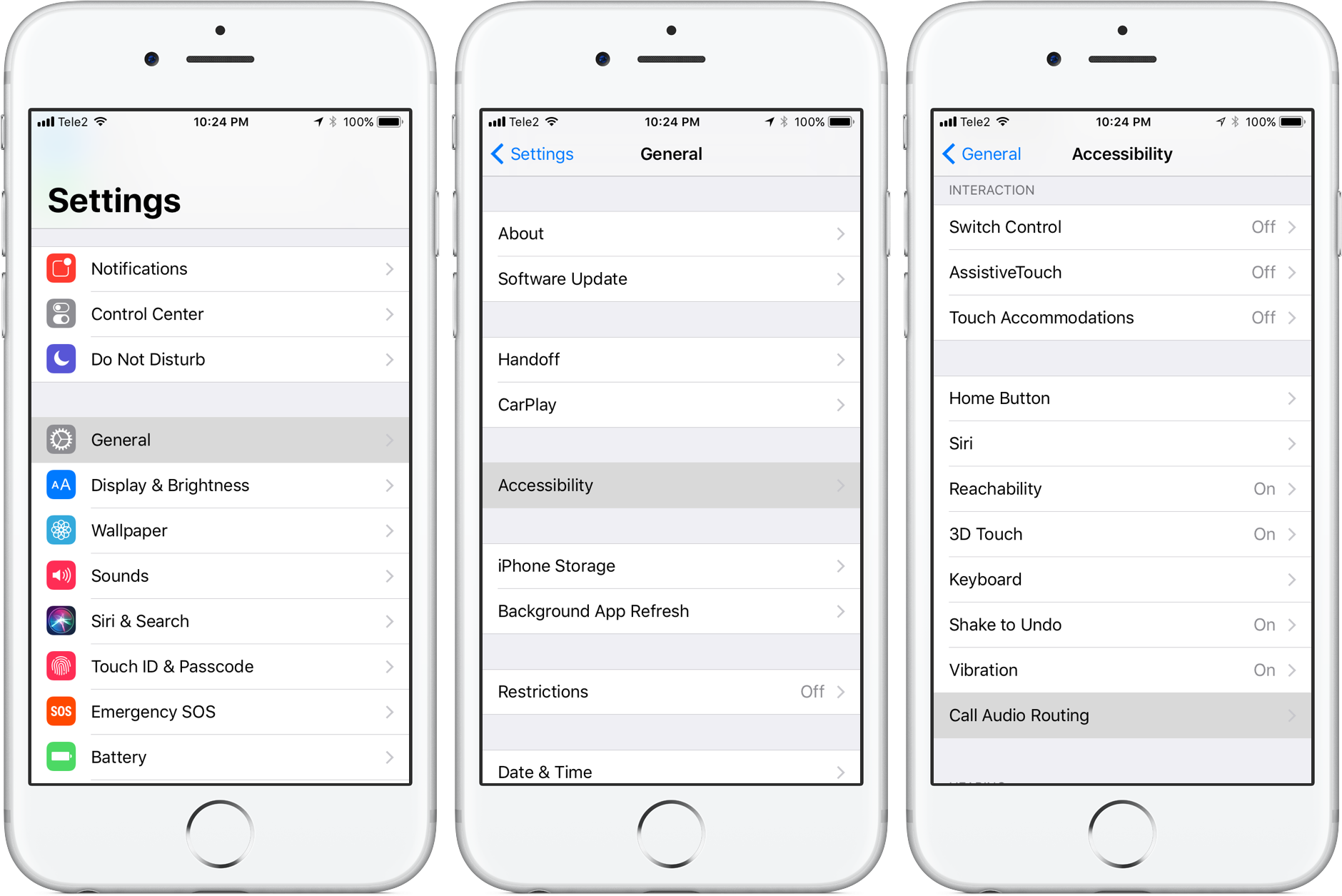
3) Tap Auto-Answer Calls at the bottom of the Call Audio Routing screen.
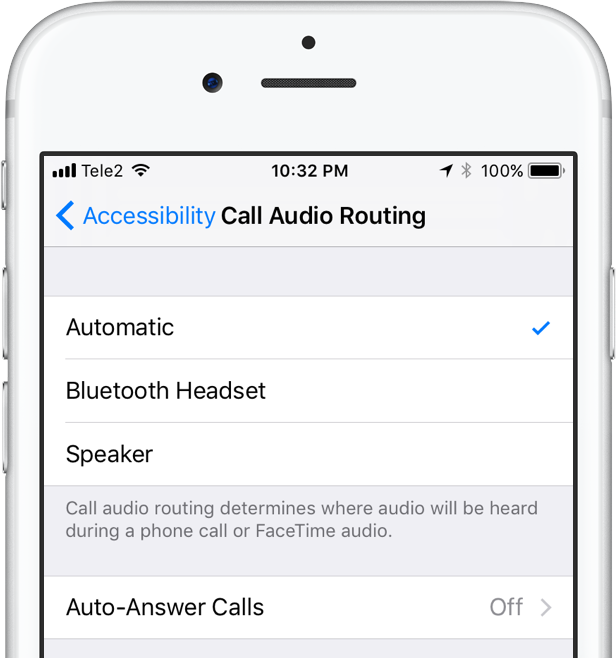
3) On the next screen, slide the switch Auto-Answer Calls to the ON position.
The feature is disabled by default.
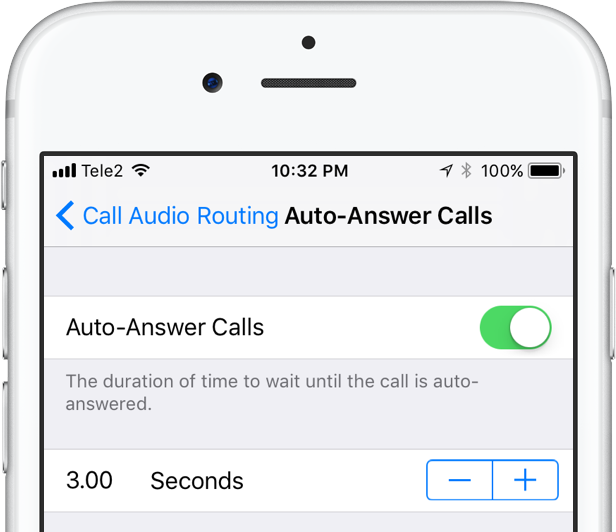
4) Optionally, set the duration of time your iPhone will wait until the call is auto-answered.
5) Close out the Settings app.
Raise to Speak is available only for Siri
You may try this feature instead. You do not have to raise or lift at all. Just answer calls.
How to set iPhone to auto-answer calls
1) Launch the Settings app on your iPhone.
2) Tap General → Accessibility → Call Audio Routing.
3) Tap Auto-Answer Calls at the bottom of the Call Audio Routing screen.
3) On the next screen, slide the switch Auto-Answer Calls to the ON position.
The feature is disabled by default.
4) Optionally, set the duration of time your iPhone will wait until the call is auto-answered.
5) Close out the Settings app.
No, it doesn't.
iPhone requires an action to answer the call. You have to tap or slide.
Next question then would be is there a way to answer a call with the I phone without taking your gloves off. Perhaps with the button the the front of it?
AirPods or any other headphones with the mic might resolve your issue.
Or you can buy gloves with touchscreen compatibility
Lift to answer

