
Apple pay

Can you cancel an Apple Pay request if it is still pending

iPhone 8, iOS 12

Posted on Jun 6, 2019 12:22 PM

Reply
Question marked as Top-ranking reply

Posted on Jun 6, 2019 12:31 PM

How to cancel a payment

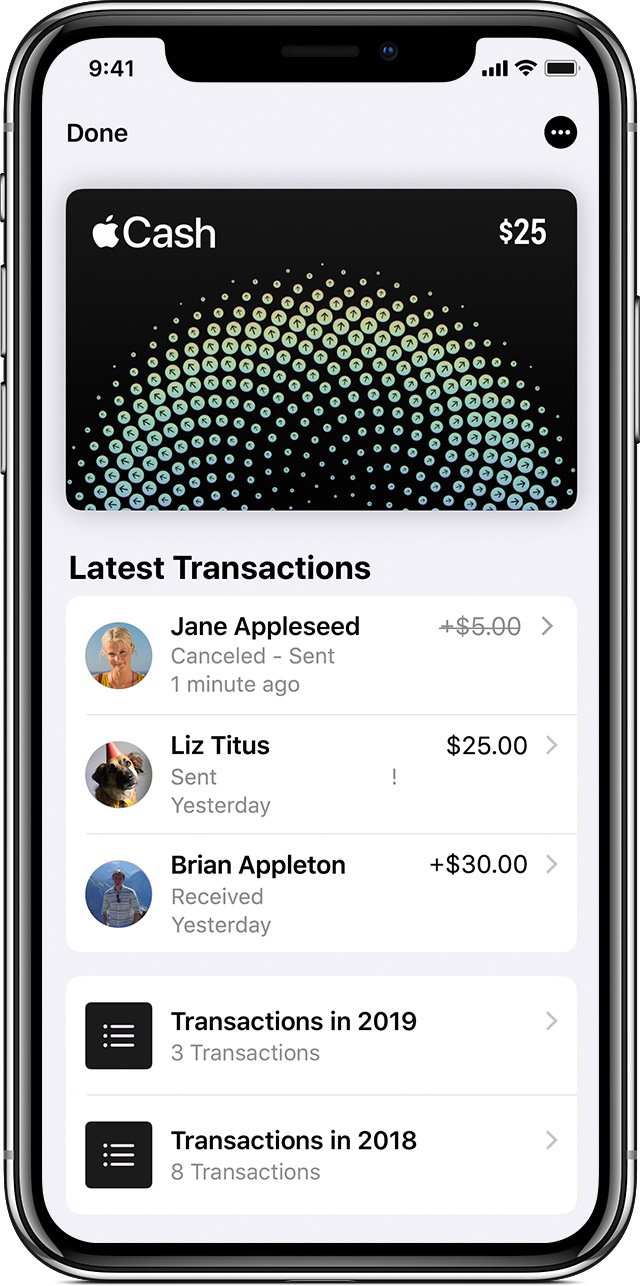
If you send money to someone who hasn't accepted the payment, you can cancel the payment. Here's how:

  1. Open Messages and go to the payment. Or go to the payment in Latest Transactions. 
  2. Tap the payment to see its details, then check the Status field. 
  3. Tap Cancel Payment. The Status field updates to say Canceled. If you don't see the option to cancel, then the person has already accepted the payment. Try asking the person to send money back to you instead. 

If you reject or cancel a payment, the money will be refunded by the next business day depending on your bank or card issuer. 
Send, receive, and request money with Apple Pay - Apple Support

https://support.apple.com/en-us/HT207875

1 reply
Question marked as Top-ranking reply

Jun 6, 2019 12:31 PM in response to Chiefs9

How to cancel a payment

If you send money to someone who hasn't accepted the payment, you can cancel the payment. Here's how:

  1. Open Messages and go to the payment. Or go to the payment in Latest Transactions. 
  2. Tap the payment to see its details, then check the Status field. 
  3. Tap Cancel Payment. The Status field updates to say Canceled. If you don't see the option to cancel, then the person has already accepted the payment. Try asking the person to send money back to you instead. 

If you reject or cancel a payment, the money will be refunded by the next business day depending on your bank or card issuer. 

Send, receive, and request money with Apple Pay - Apple Support

https://support.apple.com/en-us/HT207875

This thread has been closed by the system or the community team. You may vote for any posts you find helpful, or search the Community for additional answers.

Apple pay

Welcome to Apple Support Community
A forum where Apple customers help each other with their products. Get started with your Apple Account.
