
Double taping side button
Double tapping side button to download something from App Store. It has now called 911 2 times trying to press it twice. Not a good way to access apps.
iPhone XS Max, iOS 12
Double tapping side button to download something from App Store. It has now called 911 2 times trying to press it twice. Not a good way to access apps.
iPhone XS Max, iOS 12
So, since now you know from my previous post that how emergency numbers are dialled, let us understand how to install apps using side buttons
Learn the basics
Use the side button to turn on your iPhone X, put it to sleep, use Siri, Apple Pay, and more.
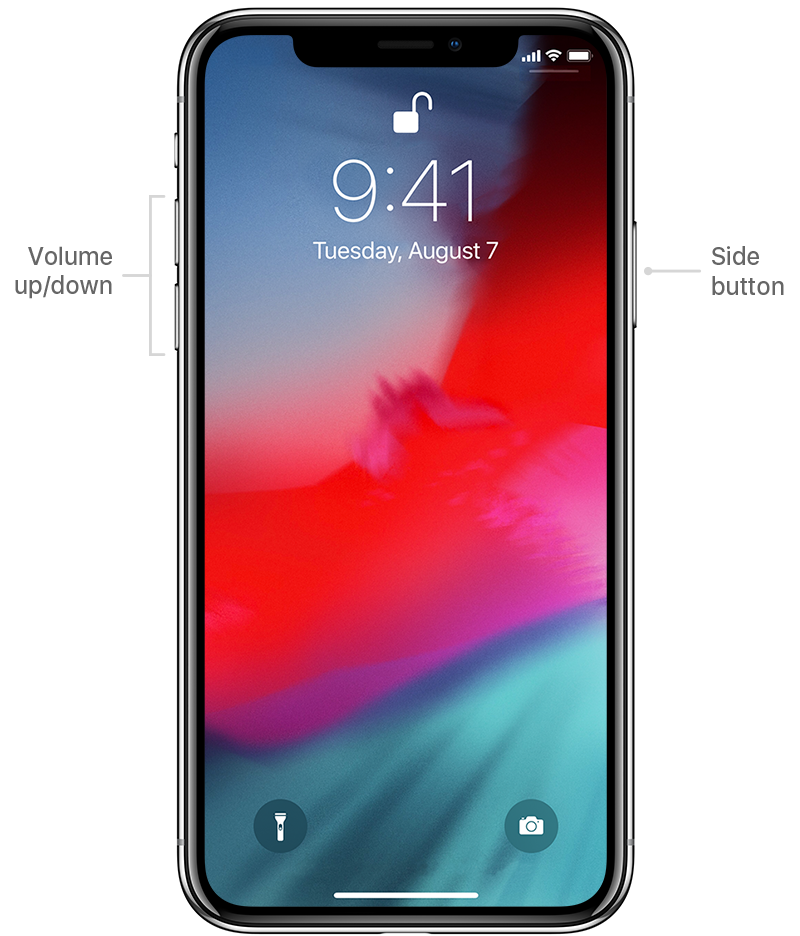
Power on or off
To turn on, press and hold the side button until the Apple Logo appears.
To turn off, simultaneously press and hold the side button and either volume button until the slider appears, then slide to power off.
Wake and sleep
Raise to wake or tap to wake your iPhone X.
To put your iPhone X to sleep, press the side button.
Use Siri
Say "Hey Siri." Or press and hold the side button.
Install apps
After selecting an app in the App Store, double-click the side button to install it.
Use Apple Pay
To authenticate purchases with Apple Pay using Face ID, double-click the side button, then glance at your iPhone X.
Use gestures to navigate your iPhone X and later - Apple Support
The process of calling emergency is:
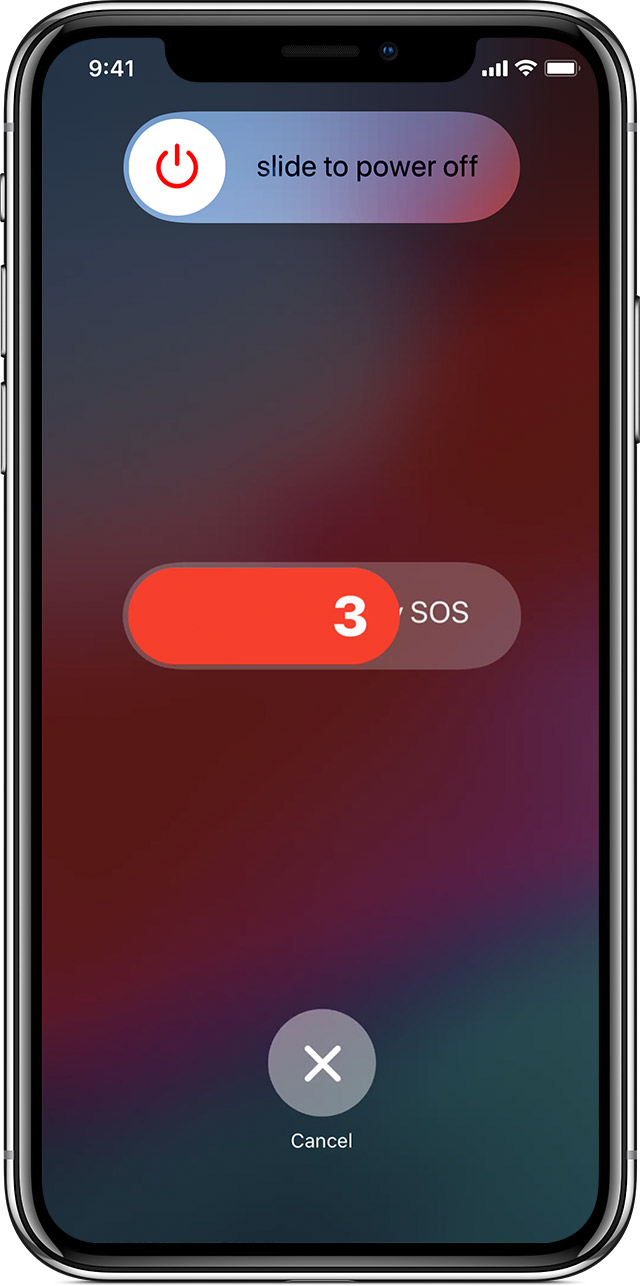
Double taping side button
