Answer or make TTY calls from your iPhone
With iOS 10 and later, and a cellular connection on your iPhone, you can make TTY (Text Telephone) calls without any extra hardware. You can also find transcripts of your previous TTY calls.
This feature is available for plans from carriers in the United States and Canada only. Standard voice call rates apply for both Software and Hardware TTY calls.
Set up TTY
- Go to Settings > General > Accessibility > TTY.
- Turn on TTY Software. In the status bar at the top of your screen, you should see
 .
. - Tap Relay Number and enter a phone number for TTY relay calls.
- If you want to send characters as you type them, turn on Send Immediately. Or to type full messages before you send, turn off Send Immediately.
- To answer every call as TTY, turn on Answer All Calls as TTY.*
- If you want to answer and make TTY calls from an external TTY device instead of your iPhone, turn on Hardware TTY.
* If you turn on Answer All Calls as TTY, you won't get Voice calls anymore.

Use TTY
After you set up TTY, you can make TTY calls or answer them, right from your iPhone. Here's how:
- Open the Phone app.
- Select your contact and tap their phone number.
- Select TTY Call or TTY Relay Call.
- Wait for the call to connect, then select TTY.
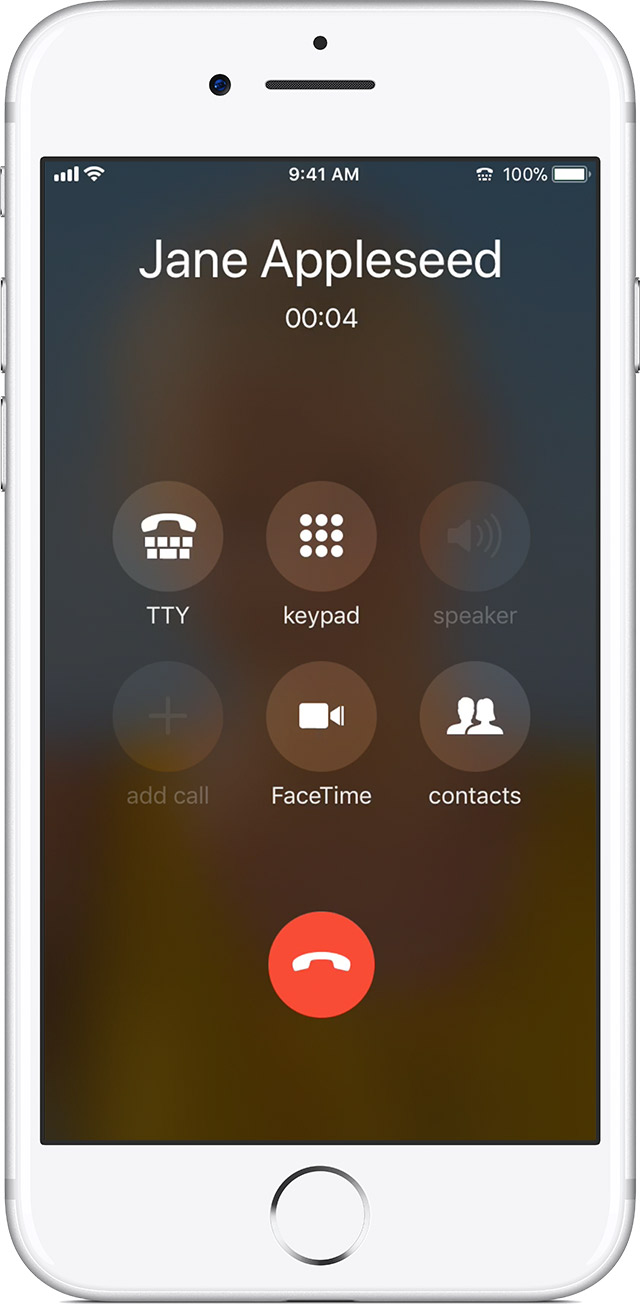
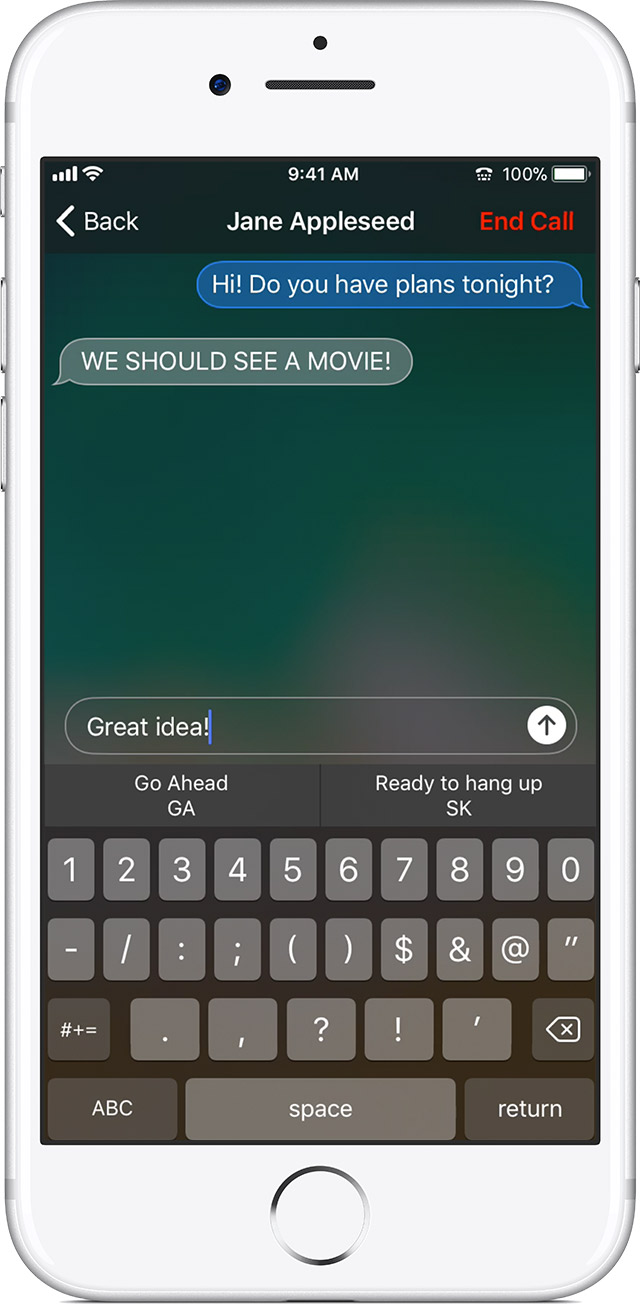
- Enter your message:
- If you turn on Send Immediately in Settings, your recipient sees your message as you type.
- If not, enter your message, then tap
 to send.
 - Want to find shortcut phrases? Wait a moment before you type your message and shortcuts appear, like SK for "Ready to hang up" and GA for "Go ahead."
Find a transcript of a previous TTY call
- Open the Phone app.
- Tap Recents.
- Tap
 next to the call that you want to see. TTY calls have next to them.
 - Tap the Outgoing Call or Incoming Call history to see a transcript.

Answer or make TTY calls from your iPhone - Apple Support
https://support.apple.com/en-us/HT207033

