
Double click for app purchases
I use to be able to double click to purchase a free app. Now every time I want to get a free app it ask me for my password instead of double clicking. Why?? Can anyone please help?
Thank you, Tina
I use to be able to double click to purchase a free app. Now every time I want to get a free app it ask me for my password instead of double clicking. Why?? Can anyone please help?
Thank you, Tina
On your iPhone, iPad, or iPod touch
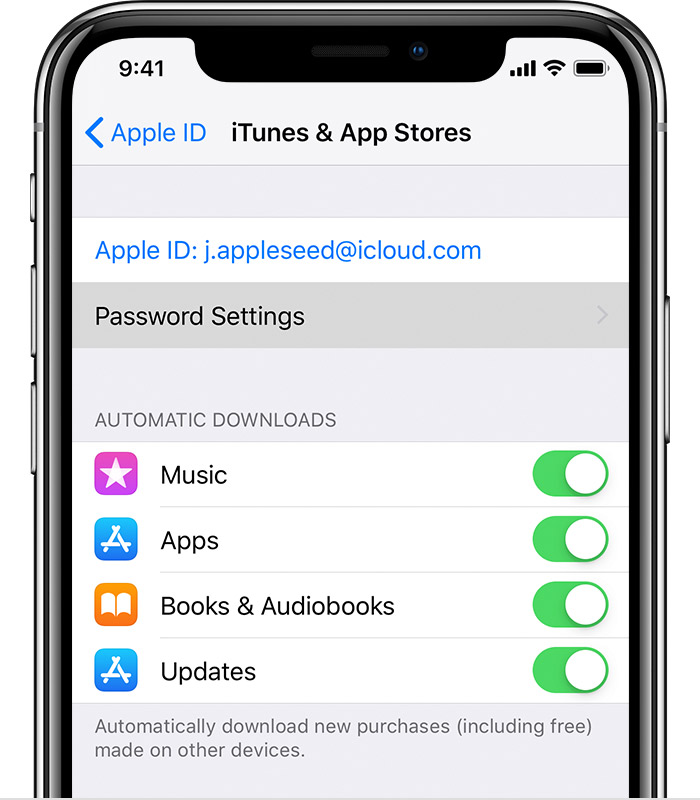
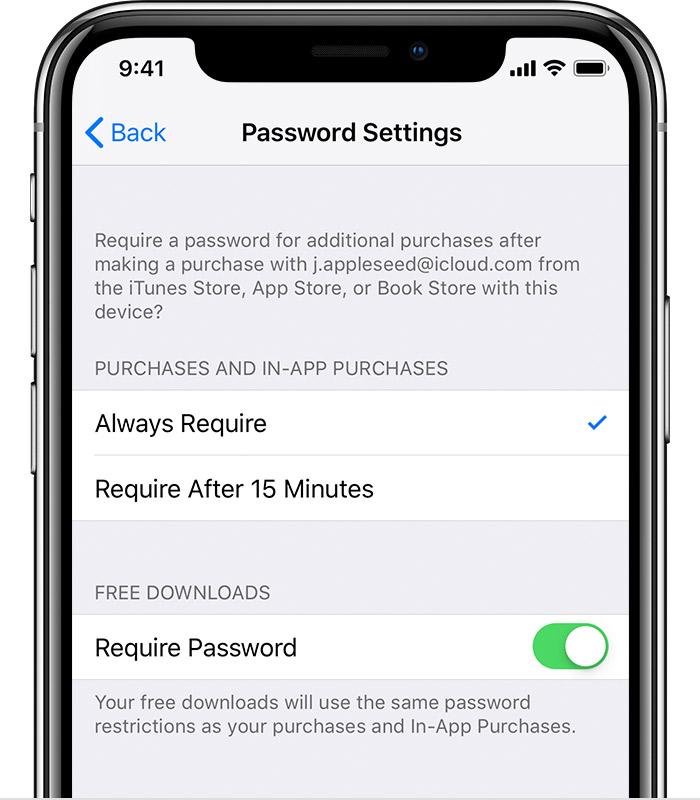

Manage your iTunes Store and App Store password preferences ...
On your iPhone, iPad, or iPod touch
Manage your iTunes Store and App Store password preferences ...
Double click for app purchases
