
How to set face recognition for horizontal iPhone Xr
How to get face recognition to work in horizontal iPhone XR ?
iPhone XR, iOS 12
How to get face recognition to work in horizontal iPhone XR ?
iPhone XR, iOS 12
No that is not possible. Make sure that you're holding your device in portrait orientation
Set up Face ID
Before you set up Face ID, make sure that there isn't anything covering the TrueDepth camera or your face. Face ID is designed to work with glasses and contacts. Face ID works best when your iPhone or iPad is approximately an arm’s length or closer (10-20 inches) from your face.
Learn which iPhone and iPad models support Face ID.
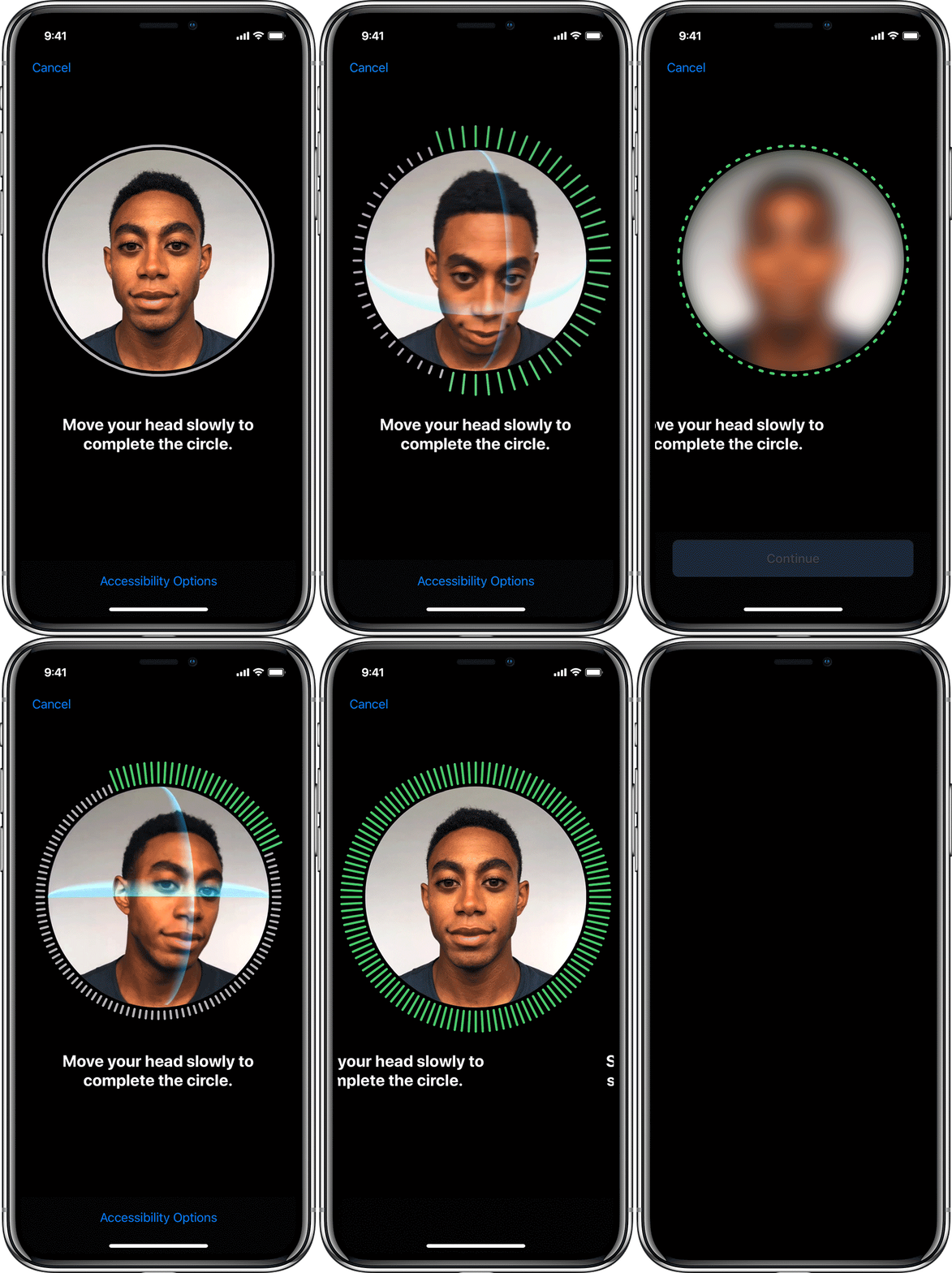
To set up Face ID:
If you didn’t set a passcode, you’ll be asked to create one to use as an alternate way to verify your identity.
To choose features that you want to use Face ID with or reset Face ID, go to Settings > Face ID & Passcode.
Use Face ID on your iPhone or iPad Pro - Apple Support
https://support.apple.com/en-us/HT208109
No that is not possible. Make sure that you're holding your device in portrait orientation
Set up Face ID
Before you set up Face ID, make sure that there isn't anything covering the TrueDepth camera or your face. Face ID is designed to work with glasses and contacts. Face ID works best when your iPhone or iPad is approximately an arm’s length or closer (10-20 inches) from your face.
Learn which iPhone and iPad models support Face ID.
To set up Face ID:
If you didn’t set a passcode, you’ll be asked to create one to use as an alternate way to verify your identity.
To choose features that you want to use Face ID with or reset Face ID, go to Settings > Face ID & Passcode.
Use Face ID on your iPhone or iPad Pro - Apple Support
https://support.apple.com/en-us/HT208109
How to set face recognition for horizontal iPhone Xr
