
No sound notification when receiving texts.

Sound is working in every way except when receiving texts. Remedy?

iPhone 6, iOS 12

Posted on Jul 13, 2019 8:50 AM

Reply
Question marked as Top-ranking reply

Posted on Jul 13, 2019 12:20 PM

This gives me an indication that Do Not Disturb is on. (May be)


If you don't see notifications for a Messages


To get notifications, connect to a Wi-Fi or cellular network. If you still don't get notifications for a specific app, try these steps:

  1. Go to Settings > Notifications, select Messages, and make sure that Allow Notifications is on.
  2. If you have notifications turned on you might not have Banners selected. Go to Settings > Notifications, select the messages, then select Banners.
  3. Make sure that you’re signed in to your Apple ID
  4. Make sure that Do Not Disturb is off


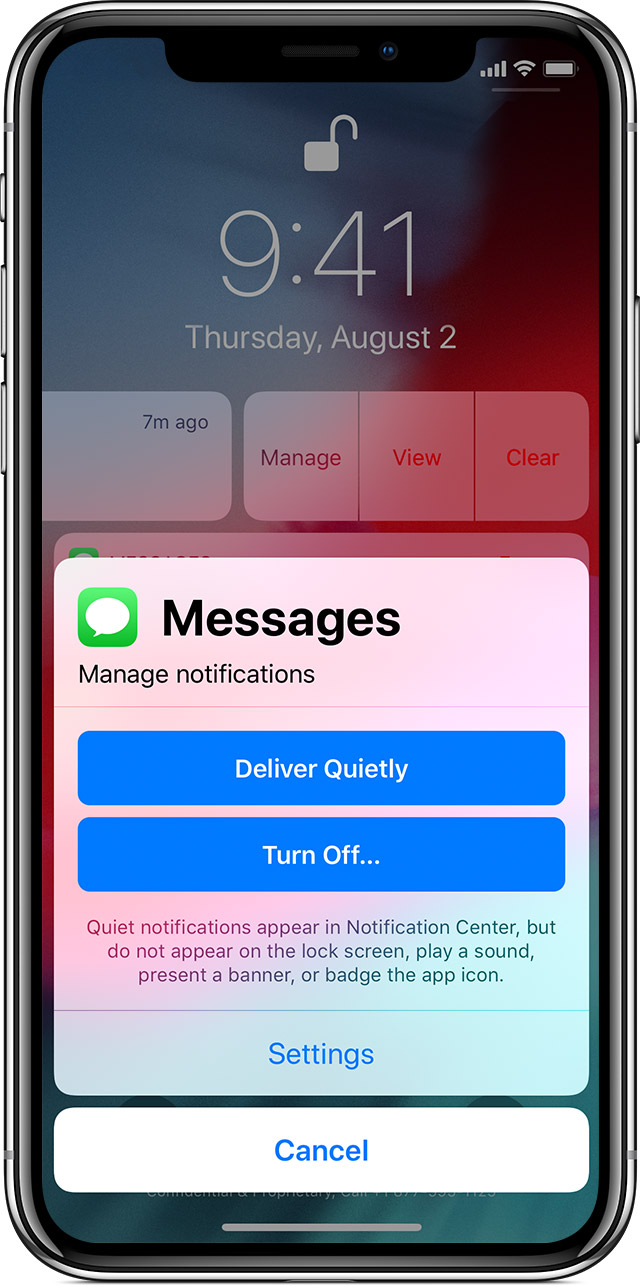
To manage your notifications from the Lock screen or Notification Center:

  1. Swipe left over an alert or group of alerts.
    • Tap Manage, then select from these options: Deliver Quietly: These notifications appear in the Notification Center, but don't show up on the Lock screen, play sounds, or show a banner or badge icon.
    • Turn Off: This turns off all notifications for a specific app. To turn this back on, go to Settings > Notifications, select the app, and tap Allow Notifications. 

You can also tap Settings to change your alert styles or alert settings for a specific app. 


Use notifications on your iPhone, iPad, and iPod touch - Apple Support

https://support.apple.com/en-us/HT201925


2 replies
Question marked as Top-ranking reply

Jul 13, 2019 12:20 PM in response to Academy-boss

This gives me an indication that Do Not Disturb is on. (May be)


If you don't see notifications for a Messages


To get notifications, connect to a Wi-Fi or cellular network. If you still don't get notifications for a specific app, try these steps:

  1. Go to Settings > Notifications, select Messages, and make sure that Allow Notifications is on.
  2. If you have notifications turned on you might not have Banners selected. Go to Settings > Notifications, select the messages, then select Banners.
  3. Make sure that you’re signed in to your Apple ID
  4. Make sure that Do Not Disturb is off


To manage your notifications from the Lock screen or Notification Center:

  1. Swipe left over an alert or group of alerts.
    • Tap Manage, then select from these options: Deliver Quietly: These notifications appear in the Notification Center, but don't show up on the Lock screen, play sounds, or show a banner or badge icon.
    • Turn Off: This turns off all notifications for a specific app. To turn this back on, go to Settings > Notifications, select the app, and tap Allow Notifications. 

You can also tap Settings to change your alert styles or alert settings for a specific app. 


Use notifications on your iPhone, iPad, and iPod touch - Apple Support

https://support.apple.com/en-us/HT201925


This thread has been closed by the system or the community team. You may vote for any posts you find helpful, or search the Community for additional answers.

No sound notification when receiving texts.

Welcome to Apple Support Community
A forum where Apple customers help each other with their products. Get started with your Apple Account.