Trying to change my payment method but it's not letting me

Im trying to change my payment method but its not letting me because it says i have an active account open for something so it doesn't let me close it do you know how i can fix by the way i don't anything that charges monthly on my device


[Re-Titled by Moderator]

Posted on Jul 16, 2019 4:11 PM

Reply
Question marked as Top-ranking reply

Posted on Jul 16, 2019 7:27 PM

View, change, or cancel your subscriptions

Manage your subscriptions in Settings on your iOS device, in iTunes on a Mac or PC, or on Apple TV.


Some apps and services require a subscription. With a subscription, you pay to get access to content from the app or service.

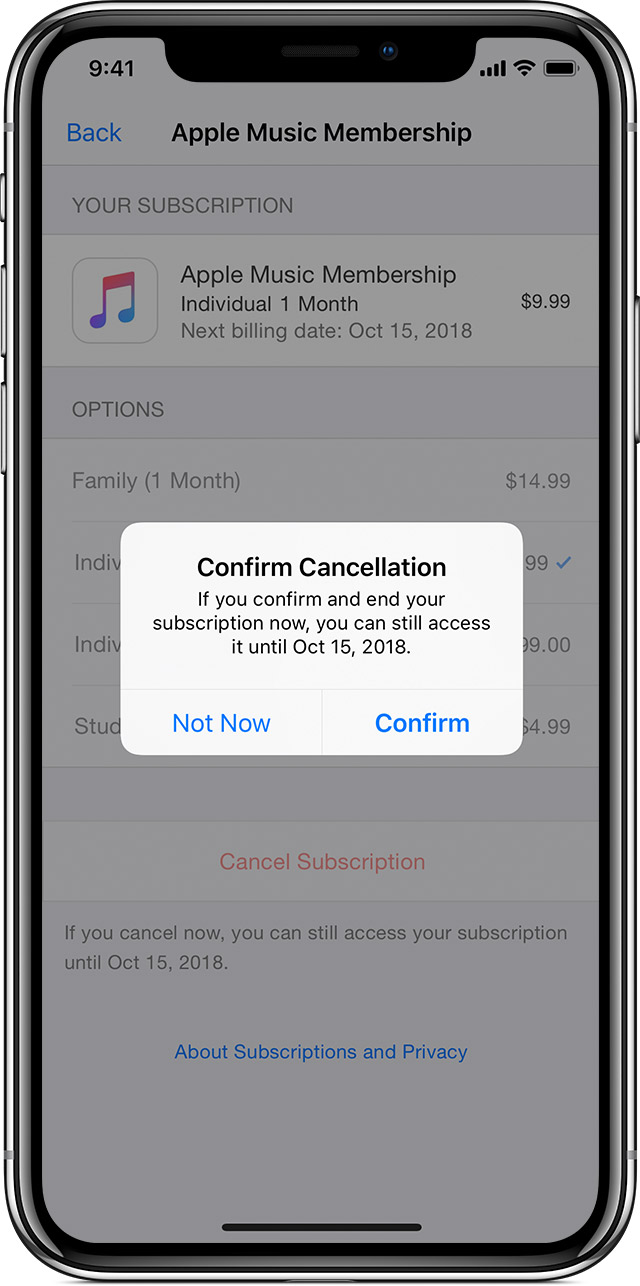
Some subscriptions automatically renew unless you choose to cancel them. These include:

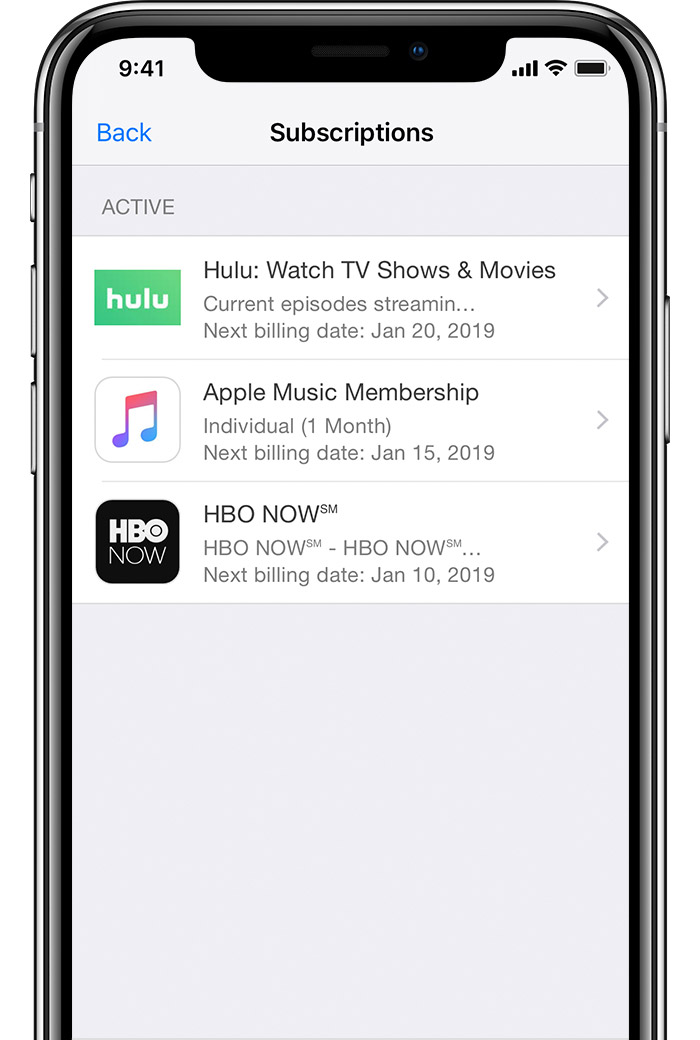
  • In-app subscriptions for content or services (HBO NOW, Spotify, Pandora, Hulu, etc.)
  • Apple Music and Apple News+
  • Apple TV channels


If you're not currently signed in with the same Apple ID that you use with the subscription that you want to manage, if you're using a different device, or if you don't see your subscription, follow the directions below.

Change or cancel subscriptions

billed through Apple

Get help with subscriptions not

billed through Apple

Get help with iCloud Storage plans


Get help with unfamiliar

iTunes Store charges


Canceling subscriptions is slightly different in Israel, South Africa, and Turkey. Learn about special circumstances for these countries and regions.

On your iPhone, iPad, or iPod touch

  1. Go to Settings > [your name] > iTunes & App Store.
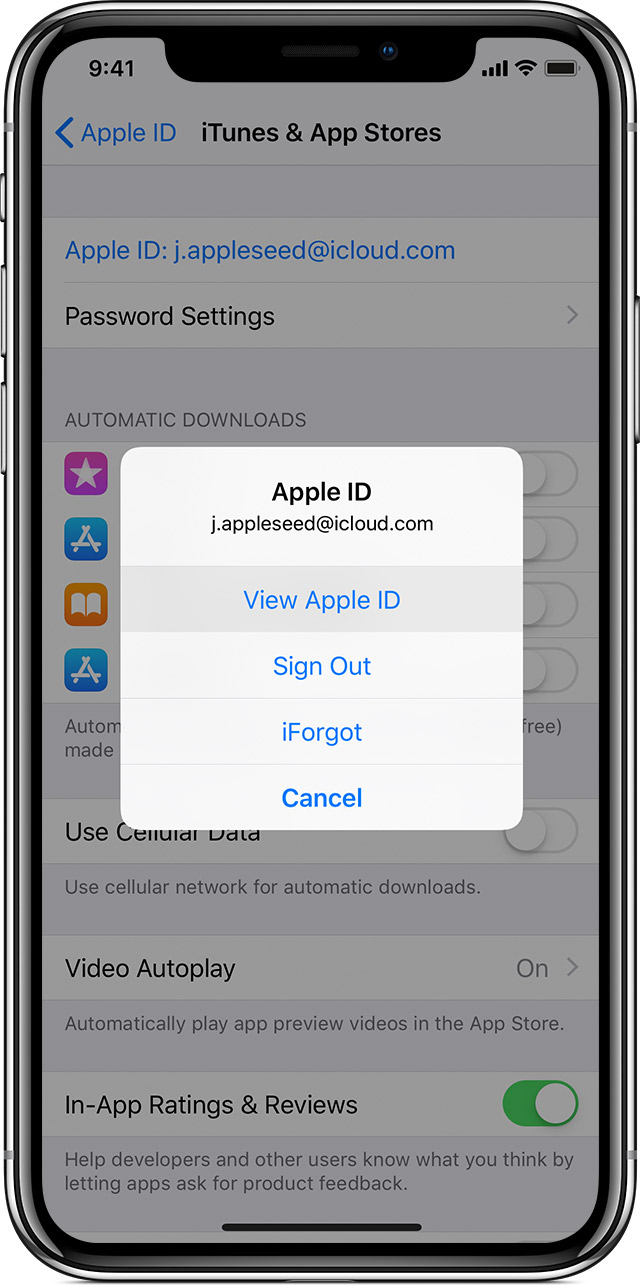
  2. Tap your Apple ID at the top of the screen, then tap View Apple ID. You might need to sign in with your Apple ID.

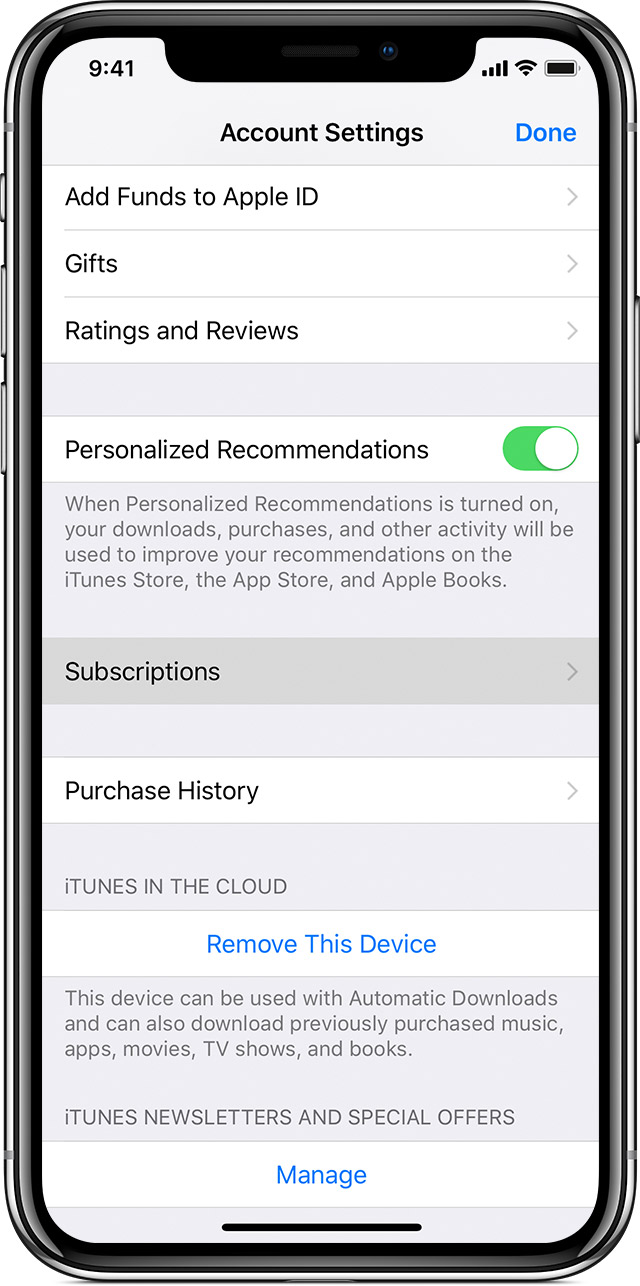
  3. Scroll to Subscriptions, then tap it.


View, change, or cancel your subscriptions - Apple Support

https://support.apple.com/en-us/HT202039

1 reply
Question marked as Top-ranking reply

Jul 16, 2019 7:27 PM in response to jocsan48

View, change, or cancel your subscriptions

Manage your subscriptions in Settings on your iOS device, in iTunes on a Mac or PC, or on Apple TV.


Some apps and services require a subscription. With a subscription, you pay to get access to content from the app or service.

Some subscriptions automatically renew unless you choose to cancel them. These include:

  • In-app subscriptions for content or services (HBO NOW, Spotify, Pandora, Hulu, etc.)
  • Apple Music and Apple News+
  • Apple TV channels


If you're not currently signed in with the same Apple ID that you use with the subscription that you want to manage, if you're using a different device, or if you don't see your subscription, follow the directions below.

Change or cancel subscriptions

billed through Apple

Get help with subscriptions not

billed through Apple

Get help with iCloud Storage plans


Get help with unfamiliar

iTunes Store charges


Canceling subscriptions is slightly different in Israel, South Africa, and Turkey. Learn about special circumstances for these countries and regions.

On your iPhone, iPad, or iPod touch

  1. Go to Settings > [your name] > iTunes & App Store.
  2. Tap your Apple ID at the top of the screen, then tap View Apple ID. You might need to sign in with your Apple ID.

  3. Scroll to Subscriptions, then tap it.


View, change, or cancel your subscriptions - Apple Support

https://support.apple.com/en-us/HT202039

This thread has been closed by the system or the community team. You may vote for any posts you find helpful, or search the Community for additional answers.

Trying to change my payment method but it's not letting me

Welcome to Apple Support Community
A forum where Apple customers help each other with their products. Get started with your Apple Account.