Hi aaa_bbb,
Welcome to Apple Support Communities. I understand you're having trouble getting your AirPods to connect with your Mac and you're seeing a "Connection Failed" error when you try. I know how convenient it is to use your AirPods with all of your devices; I'd like to help. I'd recommend starting with the steps below:
If you're using AirPods (2nd generation), make sure that your Mac has macOS 10.14.4 or later. If you're using AirPods (1st generation), make sure that your Mac is using macOS Sierra or later.
Choose Apple menu > System Preferences, then click Bluetooth. If your Airpods appear in the list of devices* but they don't connect, remove your AirPods from the list:
- Select your AirPods in the list of devices.
- Click the X to the right of your AirPods.
Add your AirPods to the device list in Bluetooth preferences again:
- Place both AirPods in the charging case.
- Open the lid of your charging case near your Mac.
- In the device list, select your Airpods and click Connect.
Test your AirPods. If you still can't connect, reset your AirPods."
If your AirPods won't connect
If you continue to have trouble after resetting your AirPods try changing the name of your AirPods using your iPhone:
"Open the AirPod Case, then go to Settings > Bluetooth on your iOS device. Tap  next to your AirPods in the list of devices. Here's what you can do:
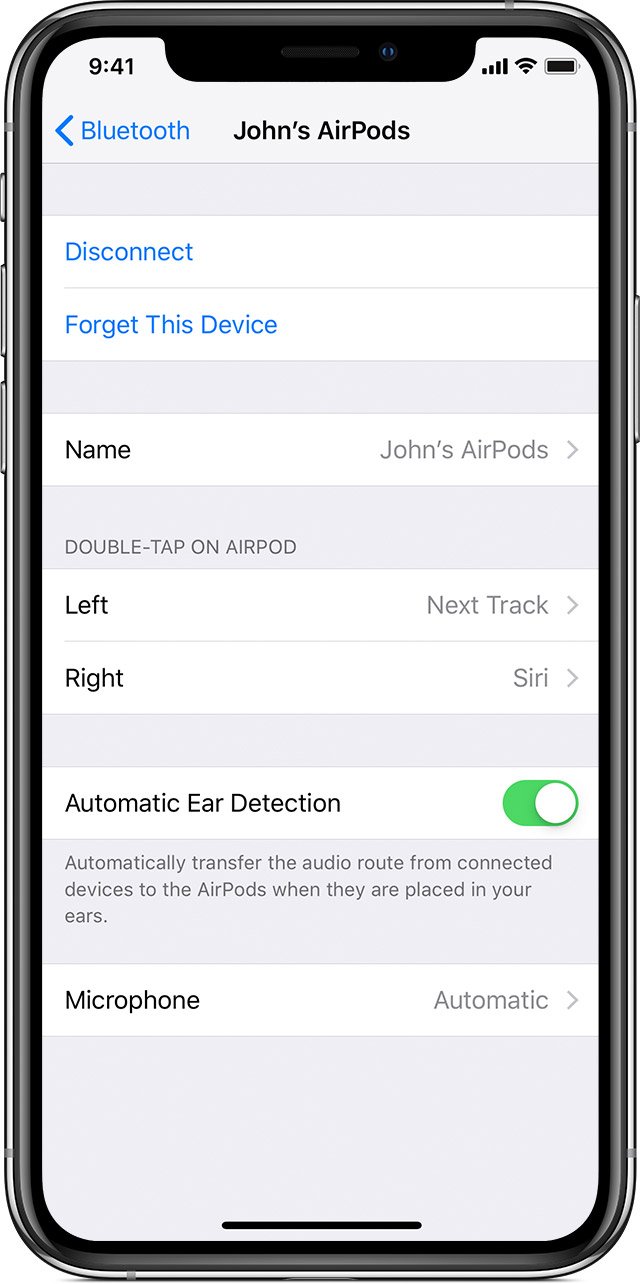
Tap the current name. Then enter a new name for your AirPods and tap Done."
Adjust the settings of your AirPods
After changing the name, try again to set up your AirPods with your Mac: Set up AirPods with your Mac and other Bluetooth devices
Let me know what you find.
Best Regards.


