
More Storage
How do I get more storage on my phone? I have no space left
How do I get more storage on my phone? I have no space left
You can't get more storage on iPhone.
You can get it on iCloud and upload all your data on iCloud Drive so that you can make space.
You can also save space by syncing to iCloud Photos
When you set up iCloud, you automatically get 5GB of storage. You can use that space for your iCloud backups, to keep your photos and videos stored in iCloud Photos, and your documents up to date in iCloud Drive. You can also make more space or buy more iCloud storage any time. Plans start at 50GB for $0.99 (USD) a month. If you choose 200GB or 2TB plans, you can share your storage with family. Learn more about plans and prices in your region.
Manage your photo and video storage
Learn how photos and videos use your iPhone, iPad, and iPod touch storage, ways to save space, and how to upgrade your iCloud storage if you’re running out.
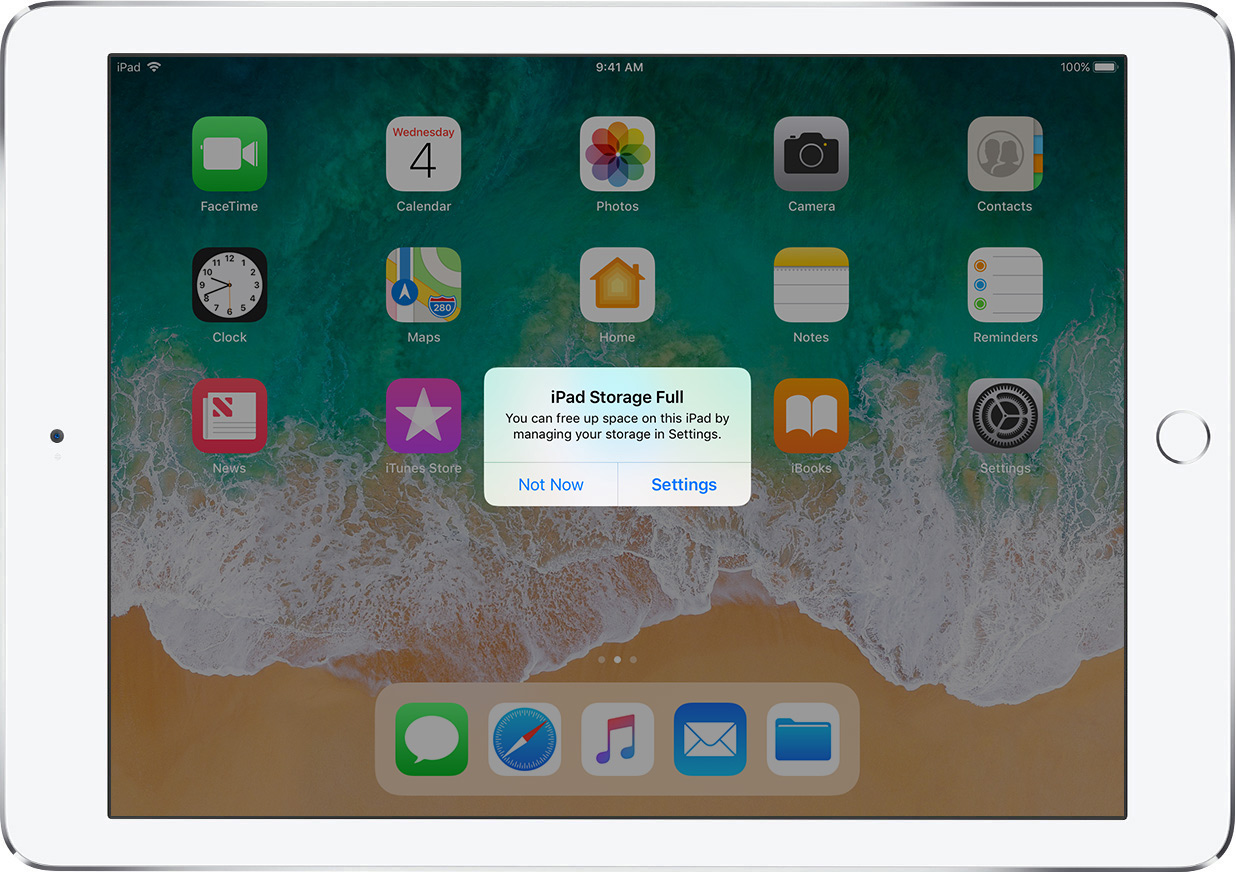
The photos, music, apps, and other content that you use and enjoy on your iPhone, iPad, and iPod touch take up space on your device’s storage capacity. And your device can fill up quickly depending on the size of its storage capacity and how much content you have. If you see a message that your storage is full, you can free up space by managing your photo and video storage.

Check to see how much storage you have
See how much storage you have left on your device and in iCloud, and which apps use the most space.
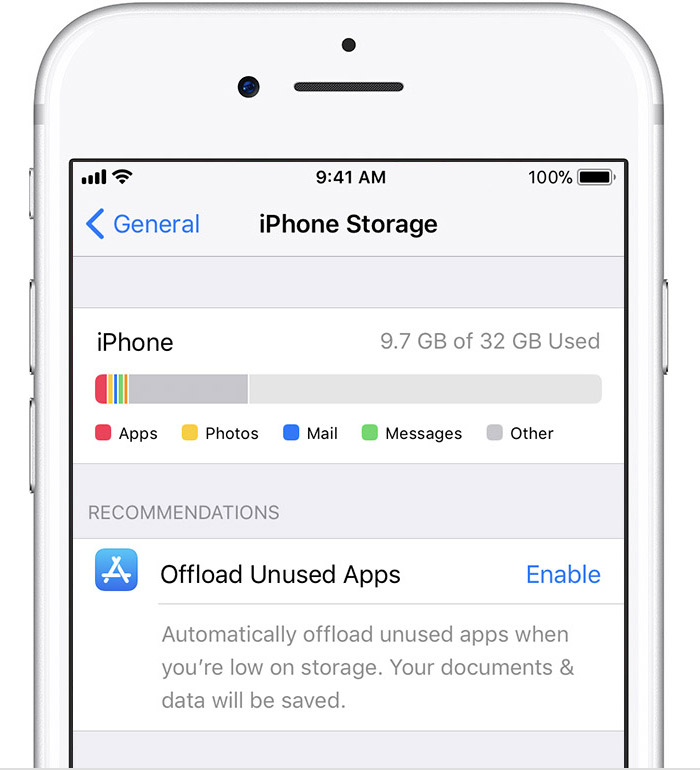
Device storage
You might see recommendations for optimizing your storage, a list of your apps, and the amount of space each one uses.

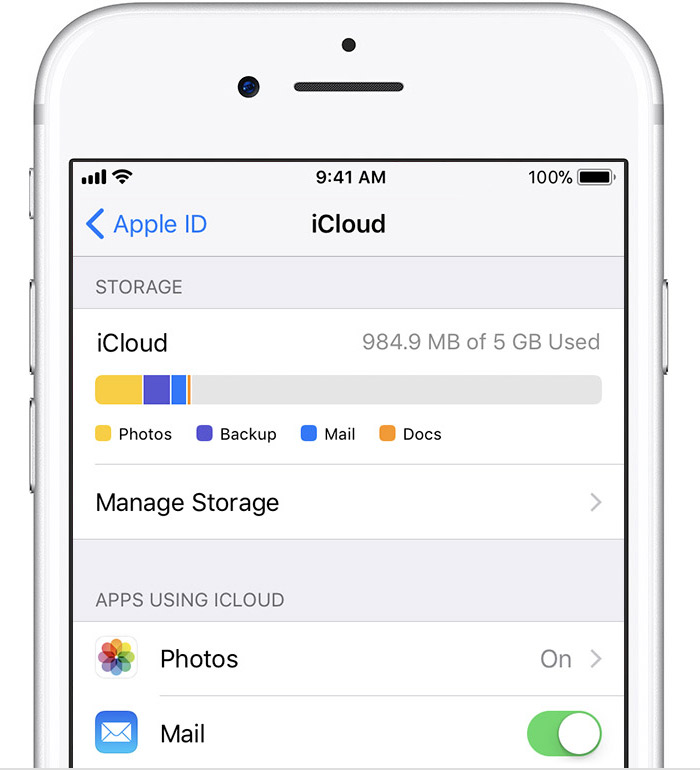
iCloud storage
You'll see how much space you have left in iCloud, the apps using your storage, and if you need to upgrade your storage plan.
If you're using iOS 10 or earlier, you'll see your device and iCloud storage in the same place. Go to Settings > General > Storage & iCloud Usage.
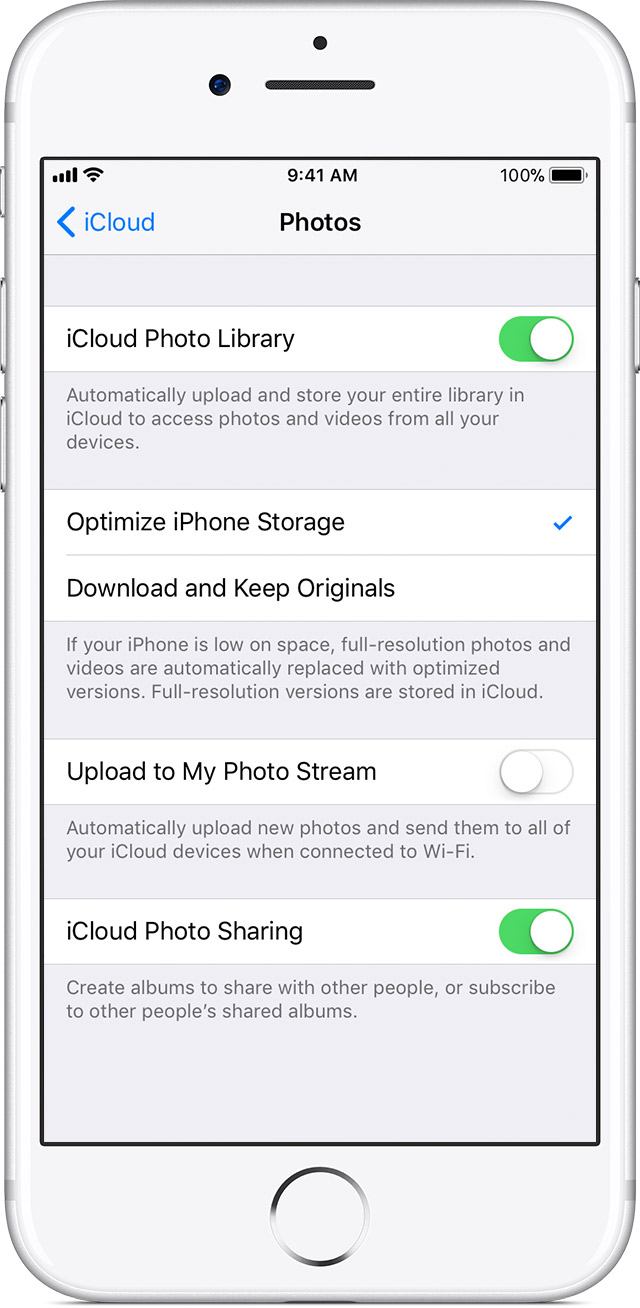
Store your photos and videos in iCloud
Your photos and videos are stored on your device in their original, high-resolution version. This means that they use a lot of space on your iPhone, iPad, and iPod touch. With iCloud Photo Library, you can make more space available on your device and have your entire collection, everywhere you go.
Get started with iCloud Photo Library:
With Optimize Storage, smaller, space-saving photos and videos are kept on your device while all of your original, full-resolution versions are stored in iCloud. And as long as you have enough space in iCloud, you can store as many photos and videos as you want.
Manage your photo and video storage - Apple Support
https://support.apple.com/en-us/HT205703
You can't get more storage on iPhone.
You can get it on iCloud and upload all your data on iCloud Drive so that you can make space.
You can also save space by syncing to iCloud Photos
When you set up iCloud, you automatically get 5GB of storage. You can use that space for your iCloud backups, to keep your photos and videos stored in iCloud Photos, and your documents up to date in iCloud Drive. You can also make more space or buy more iCloud storage any time. Plans start at 50GB for $0.99 (USD) a month. If you choose 200GB or 2TB plans, you can share your storage with family. Learn more about plans and prices in your region.
Manage your photo and video storage
Learn how photos and videos use your iPhone, iPad, and iPod touch storage, ways to save space, and how to upgrade your iCloud storage if you’re running out.
The photos, music, apps, and other content that you use and enjoy on your iPhone, iPad, and iPod touch take up space on your device’s storage capacity. And your device can fill up quickly depending on the size of its storage capacity and how much content you have. If you see a message that your storage is full, you can free up space by managing your photo and video storage.
Check to see how much storage you have
See how much storage you have left on your device and in iCloud, and which apps use the most space.
Device storage
You might see recommendations for optimizing your storage, a list of your apps, and the amount of space each one uses.
iCloud storage
You'll see how much space you have left in iCloud, the apps using your storage, and if you need to upgrade your storage plan.
If you're using iOS 10 or earlier, you'll see your device and iCloud storage in the same place. Go to Settings > General > Storage & iCloud Usage.
Store your photos and videos in iCloud
Your photos and videos are stored on your device in their original, high-resolution version. This means that they use a lot of space on your iPhone, iPad, and iPod touch. With iCloud Photo Library, you can make more space available on your device and have your entire collection, everywhere you go.
Get started with iCloud Photo Library:
With Optimize Storage, smaller, space-saving photos and videos are kept on your device while all of your original, full-resolution versions are stored in iCloud. And as long as you have enough space in iCloud, you can store as many photos and videos as you want.
Manage your photo and video storage - Apple Support
https://support.apple.com/en-us/HT205703
There is no way to increase the storage on the device but the following from About storage on your device and in iCloud - Apple Support
may help:
You can make storage space available on your iPhone, iPad, or iPod touch when you use iCloud Photos and turn on Optimize Storage. Or you can remove content from your apps—like photos, music, and Podcasts—or delete the apps that you're not using.
You cannot. You'll need to manage the storage on your phone.
Start here for suggestions:
How to check the storage on your iPhone, iPad, and iPod touch - Apple Support
More Storage


