
Why does my iTunes repeat instead of shuffle?
Why does my iTunes repeat instead of shuffle
[Re-Titled by Moderator]
Why does my iTunes repeat instead of shuffle
[Re-Titled by Moderator]

Play an album, playlist, or set of songs, then open the Now Playing screen and scroll up.
 Shuffle to turn on shuffle. The music plays in a random order. Tap Shuffle again to turn off shuffle.
Play an album, playlist, or song, then open the Now Playing screen and scroll up.
 Repeat once to turn on repeat for an entire playlist or album. Tap Repeat again to turn on repeat for one song. Tap
  Repeat a third time to clear the repeat.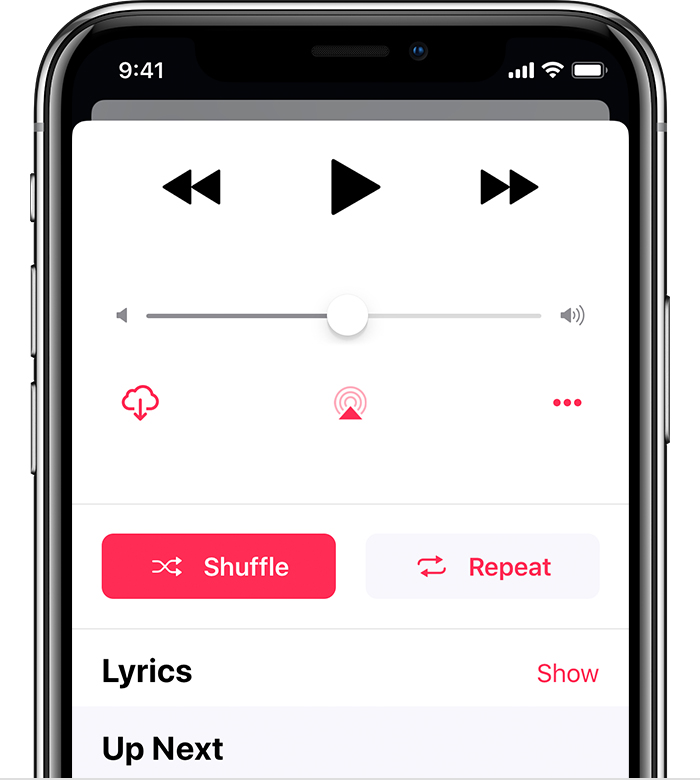
If shuffle is on, the Shuffle button turns pink.
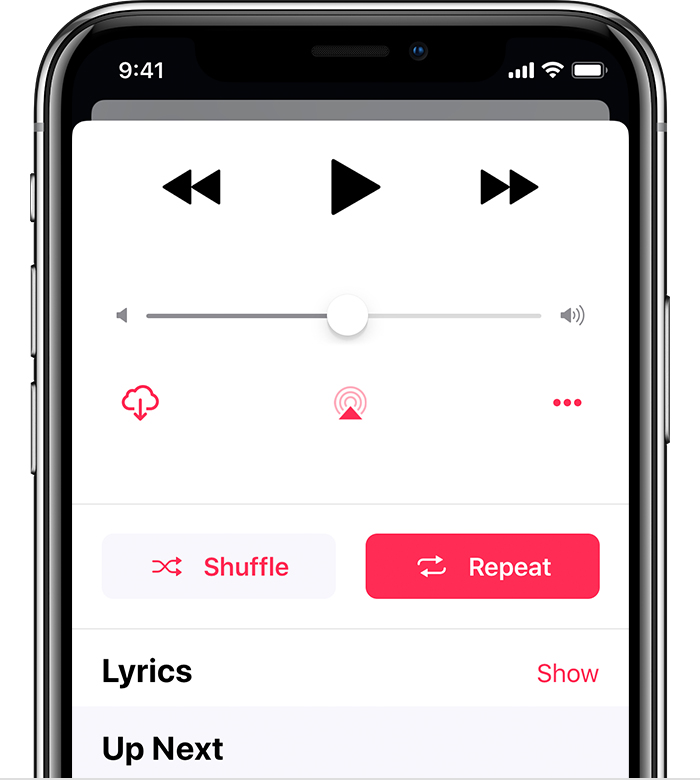
If repeat is on, the Repeat button turns pink.
Play an album, playlist, or set of songs, then open the Now Playing screen and scroll up.
Shuffle to turn on shuffle. The music plays in a random order. Tap Shuffle again to turn off shuffle.
Play an album, playlist, or song, then open the Now Playing screen and scroll up.
Repeat once to turn on repeat for an entire playlist or album. Tap Repeat again to turn on repeat for one song. Tap Repeat a third time to clear the repeat.
If shuffle is on, the Shuffle button turns pink.
If repeat is on, the Repeat button turns pink.
On your iPhone, iPad, iPod touch, or Android device
On your iOS or Android device, you can turn on shuffle in two places and repeat in one:
Shuffle button to the right of  Play. Tap Shuffle to start playback of the music in random order. The color of the button won't change. Shuffle and Repeat buttons above Lyrics. The color of the buttons changes if you have shuffle or repeat turned on. Shuffle or Repeat buttons have changed color.
Why does my iTunes repeat instead of shuffle?
