Which part of this is not woking
Remove your passcode
If you backed up your device, you can restore your data and settings after restoring your device. If you never backed up your device before you forgot your passcode, you won't be able to save the data on your device.
- If you don't have iTunes, download and install iTunes on your Mac or PC. If you don't have a computer, borrow one from a friend, or go to an Apple Retail Store or Apple Authorized Service Provider.
- Make sure that your device isn't connected to your computer, then choose your device below and follow the steps:
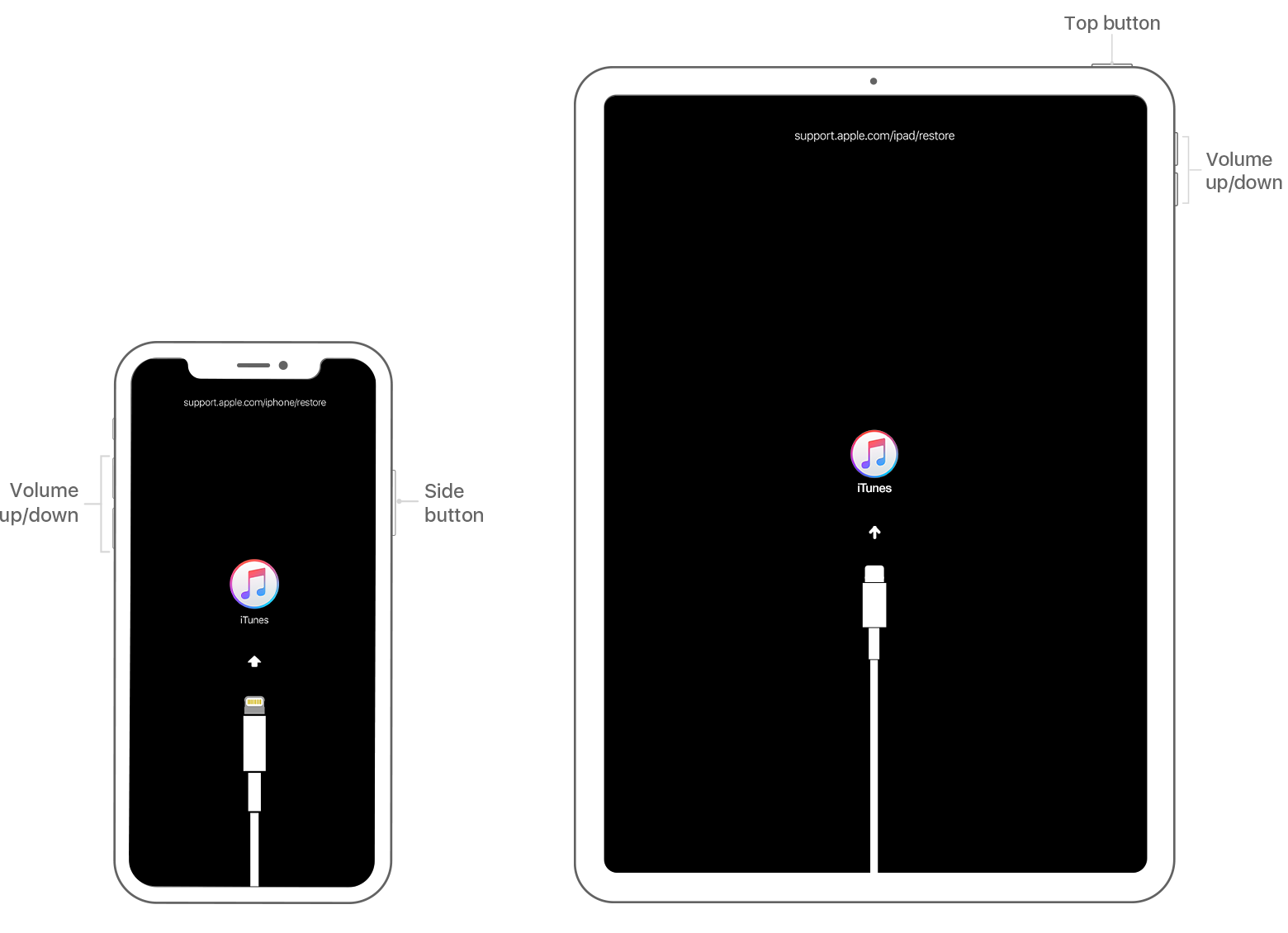
- iPhone X or later, and iPhone 8 and iPhone 8 Plus: Press and hold the Side button and one of the volume buttons until the power off slider appears. Drag the slider to turn off your device. Connect your device to your computer while holding the Side button. Keep holding the Side button until you see the recovery-mode screen.
- iPad with Face ID: Press and hold the Top button and either volume button until the power off slider appears. Drag the slider to turn off your device. Connect your device to your computer while holding the Top button. Keep holding the Top button until you see the recovery-mode screen.
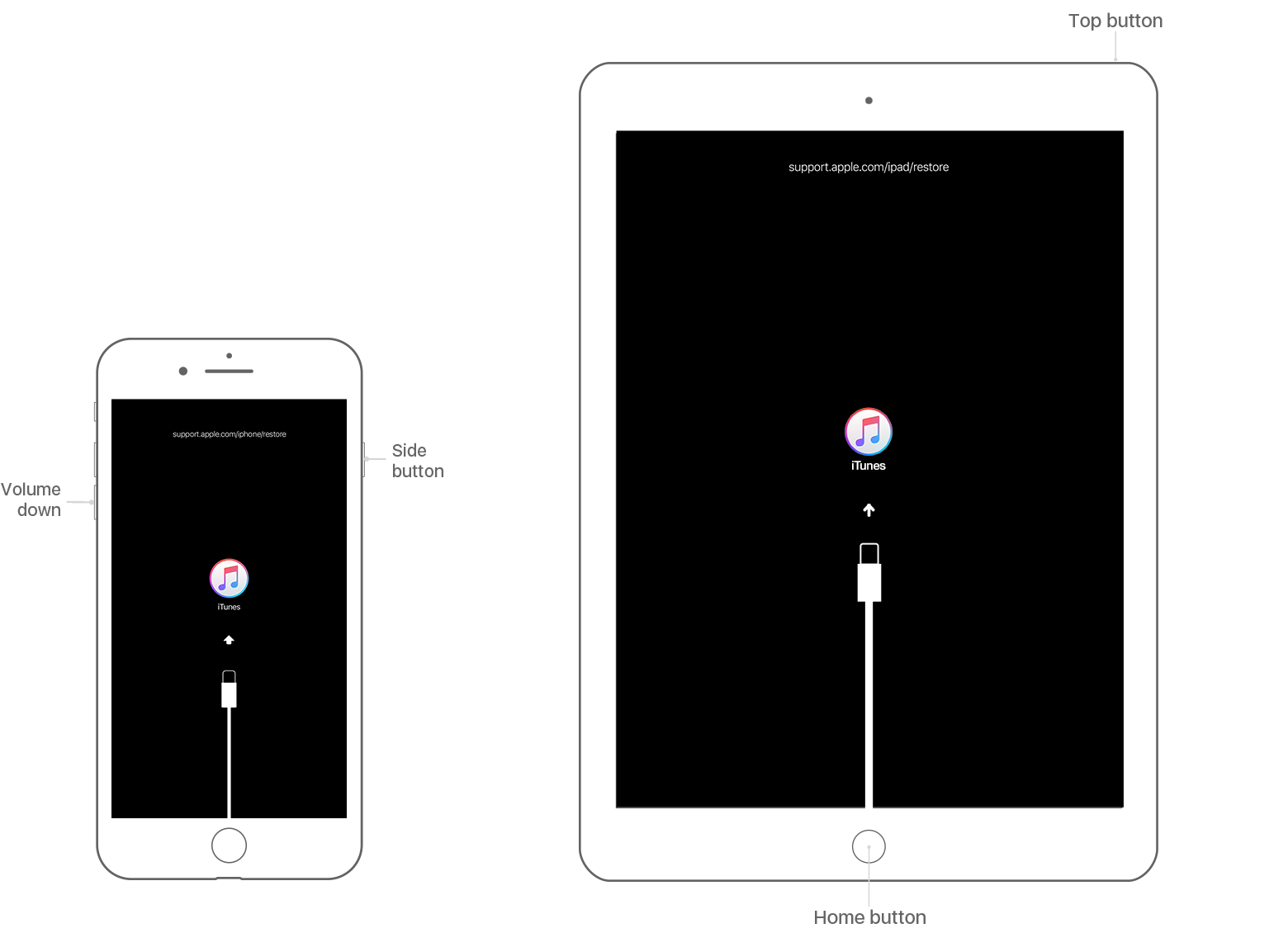
- iPhone 7, iPhone 7 Plus, and iPod touch (7th generation): Press and hold the Side (or Top) button until the power off slider appears. Drag the slider to turn off your device. Connect your device to your computer while holding the Volume down button. Keep holding the Volume down button until you see the recovery-mode screen.
- iPhone 6s or earlier, iPod touch (6th generation or earlier), or iPad with Home button: Press and hold the Side (or Top) button until the power off slider appears. Drag the slider to turn off your device. Connect your device to your computer while holding the Home button. Keep holding the Home button until you see the recovery-mode screen.
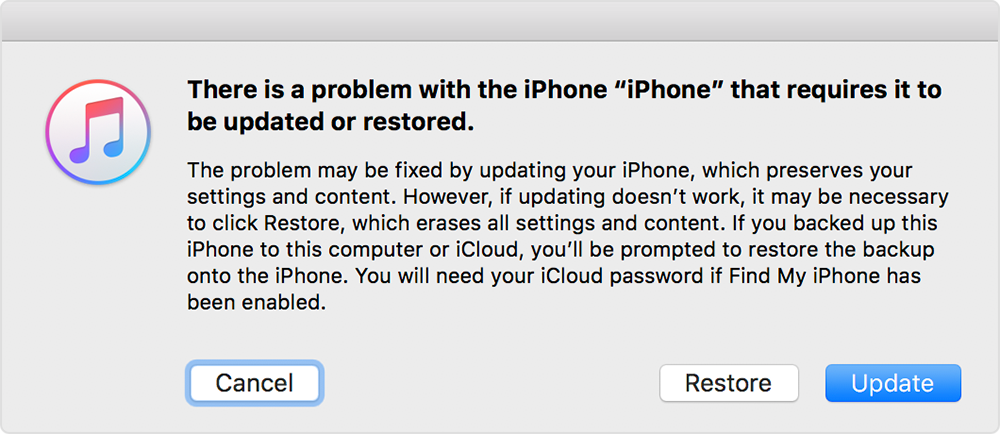
- In iTunes, when you see the option to Restore or Update, choose Restore. iTunes will download software for your device. If it takes more than 15 minutes, your device will exit recovery mode and you'll need to repeat steps 2-4.
- Wait for the process to finish. Then you can set up and use your device.
If you forgot the passcode for your iPhone, iPad, or iPod touch, or your ...


