Download your original photos and videos
You can download a copy of your original photos or videos on iCloud.com, iOS, or Mac.
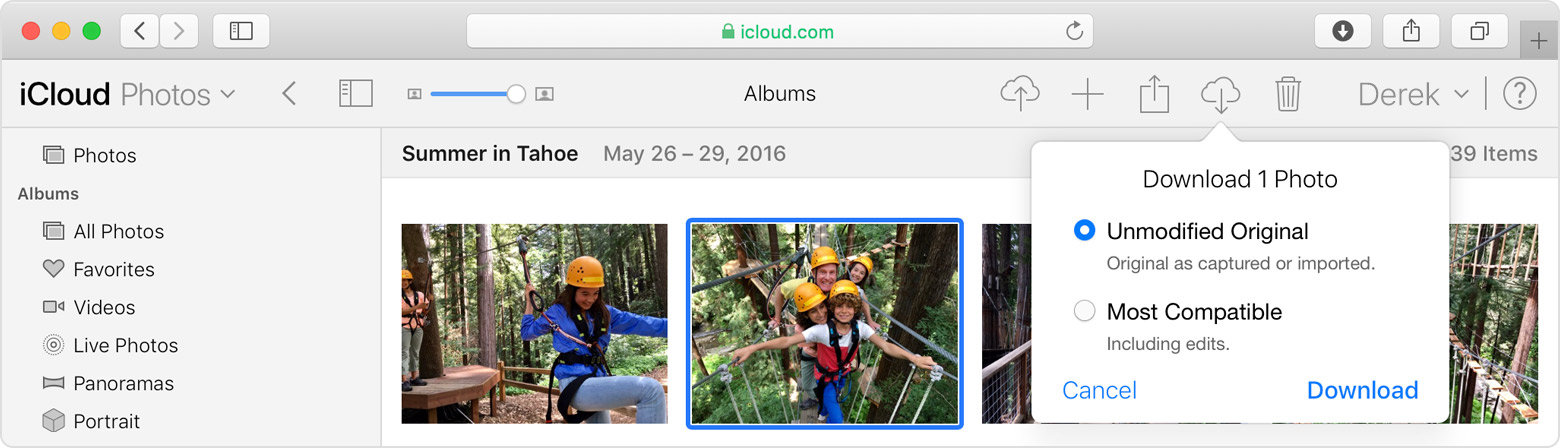
- On iCloud.com, click Photos, and select one or more photos and videos that you want to download. Click and hold
 in the upper-right corner of the window. If you want to download your content as it was originally captured or imported, choose Unmodified Original. For JPEG or H.264 format — including edits, and even if it was orginally in HEIF or HEVC format — choose Most Compatible. Click download.
- On iOS, tap Photos and select one or more photos or videos. Tap
 , and select the device that you want to share with. If you need help, learn what to do.
 - On Mac, click Photos. Select one or more photos. Drag the content to your desktop, or right-click and select Share > AirDrop.

Make sure that you have enough storage
The photos and videos that you keep in iCloud Photos use your iCloud storage and your device storage. And as long as you have enough space in iCloud and on your device, you can store as many photos and videos as you like.
When you sign up for iCloud, you automatically get 5GB of free storage. If you need more space, you can buy more iCloud storage. Plans start at 50GB for $0.99 (USD) a month. If you choose 200GB or 2TB plans, you can share your storage with family. Learn more about plans and prices in your region.
Save space on your device
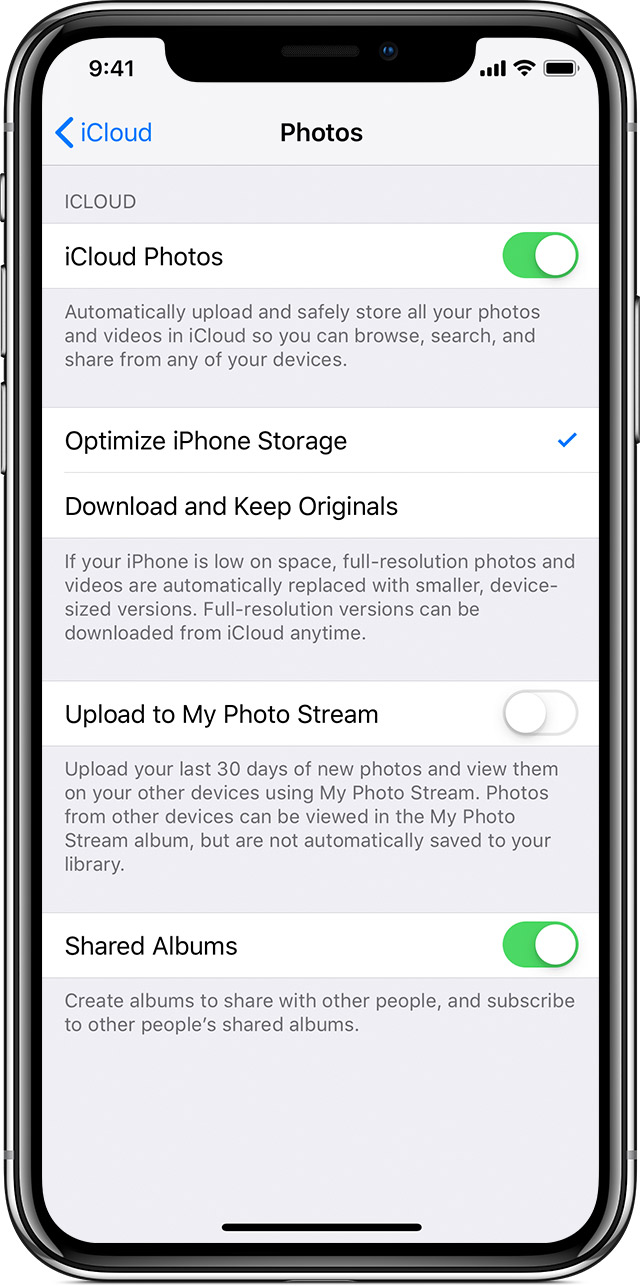
iCloud Photos keeps all of your photos and videos in their original, high-resolution version. You can save space on your device when you turn on Optimize Storage.
On your iPhone, iPad, or iPod touch:
- Tap Settings > [your name] > iCloud.
- Tap Photos.
- Choose Optimize [device] Storage.
On your Mac:
- Open the Photos app and click Photos in the menu bar.
- Click Preferences.
- Go to the iCloud tab and choose a storage setting.

If you turn on Optimize Storage, iCloud Photos automatically manages the size of your library on your device. Your original photos and videos are stored in iCloud and space-saving versions are kept on your device. Your library is optimized only when you need space, starting with the photos and videos you access least. You can download the original photos and videos over Wi-Fi or cellular when you need them. You can use Optimize Storage on your iPhone, iPad, iPod touch, and Mac.
If you turn on Download Originals, iCloud Photos keeps your original, full-resolution photos and videos in iCloud and on your device.
https://support.apple.com/en-us/HT204264

