Naming a group text

I wonder if anyone has figured out how to name a group text recently? I have a new iPhone XR. I saw earlier posts that feature was removed; which is too bad when one has contacts that are not on apple devices. Thank you!


iPhone XR

Posted on Aug 18, 2019 10:56 AM

Reply
Question marked as Top-ranking reply

Posted on Aug 18, 2019 6:45 PM

Send a group message on your iPhone, iPad, or iPod touch

With Messages, you can send a message to a group of people. You can also name your group, add or remove people from the group, mute notifications, or leave the group.


Name your group conversation

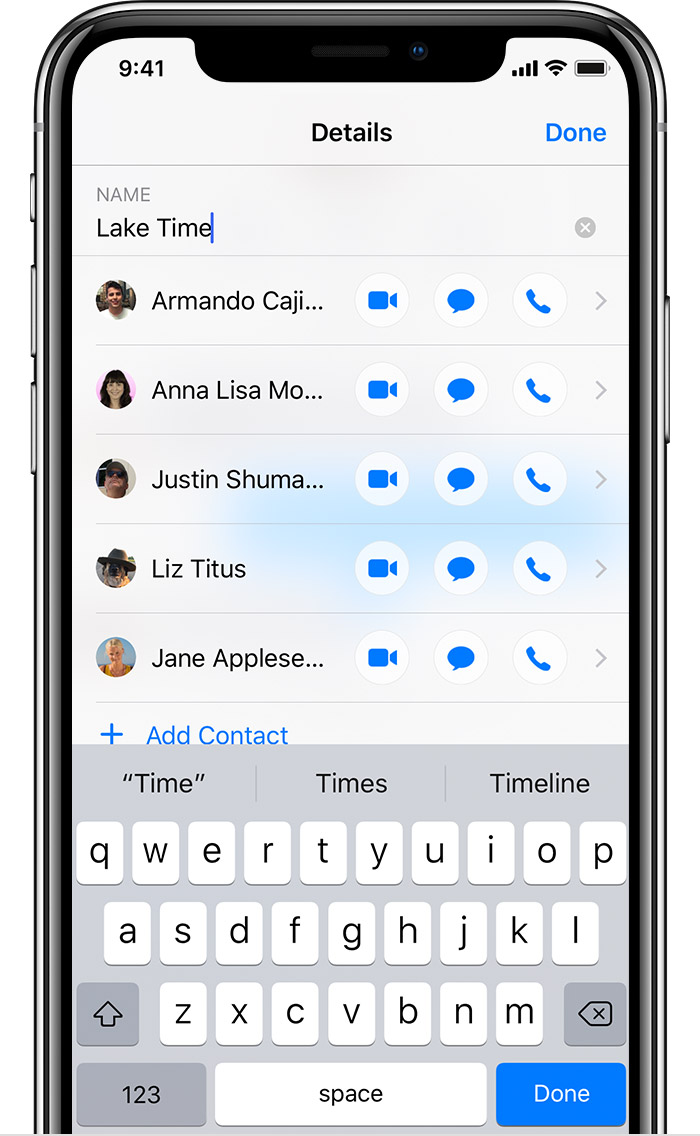
Have multiple group iMessages? Name your group iMessages so they're easier to find. To name your group:

  1. Tap a group conversation, then tap the top of the conversation.
  2. Tap .
  3. Tap Enter a Group Name.
  4. Enter a name, then tap Done.

You can name only group iMessages, not MMS group messages.

1 reply
Question marked as Top-ranking reply

Aug 18, 2019 6:45 PM in response to cathybean

Send a group message on your iPhone, iPad, or iPod touch

With Messages, you can send a message to a group of people. You can also name your group, add or remove people from the group, mute notifications, or leave the group.


Name your group conversation

Have multiple group iMessages? Name your group iMessages so they're easier to find. To name your group:

  1. Tap a group conversation, then tap the top of the conversation.
  2. Tap .
  3. Tap Enter a Group Name.
  4. Enter a name, then tap Done.

You can name only group iMessages, not MMS group messages.


This thread has been closed by the system or the community team. You may vote for any posts you find helpful, or search the Community for additional answers.

Naming a group text

Welcome to Apple Support Community
A forum where Apple customers help each other with their products. Get started with your Apple Account.
