
delete apps
how do i delete purchased and hidden apps
iPhone 8 Plus
how do i delete purchased and hidden apps
iPhone 8 Plus
When you hide an app on your iPhone, iPad, or iPod touch and you view it in the App Store, it won't look like you bought it. That means hiding will not remove from Home Screen it will still appear on your home screen.
But hiding the app won't delete it from your device or other devices that are signed in with the same Apple ID. Learn how to delete apps downloaded to an iPhone, iPad, or iPod touch. To completely remove an app from your home screen, you need to delete it.
As far as hidden apps are concerned, you need to unhide them, using the latest version of iTunes on a computer.
Regards
Giulio
How to delete apps on your iPhone, iPad, and iPod touch
Learn how to delete third-party apps that you've installed on your iPhone, iPad, and iPod touch.
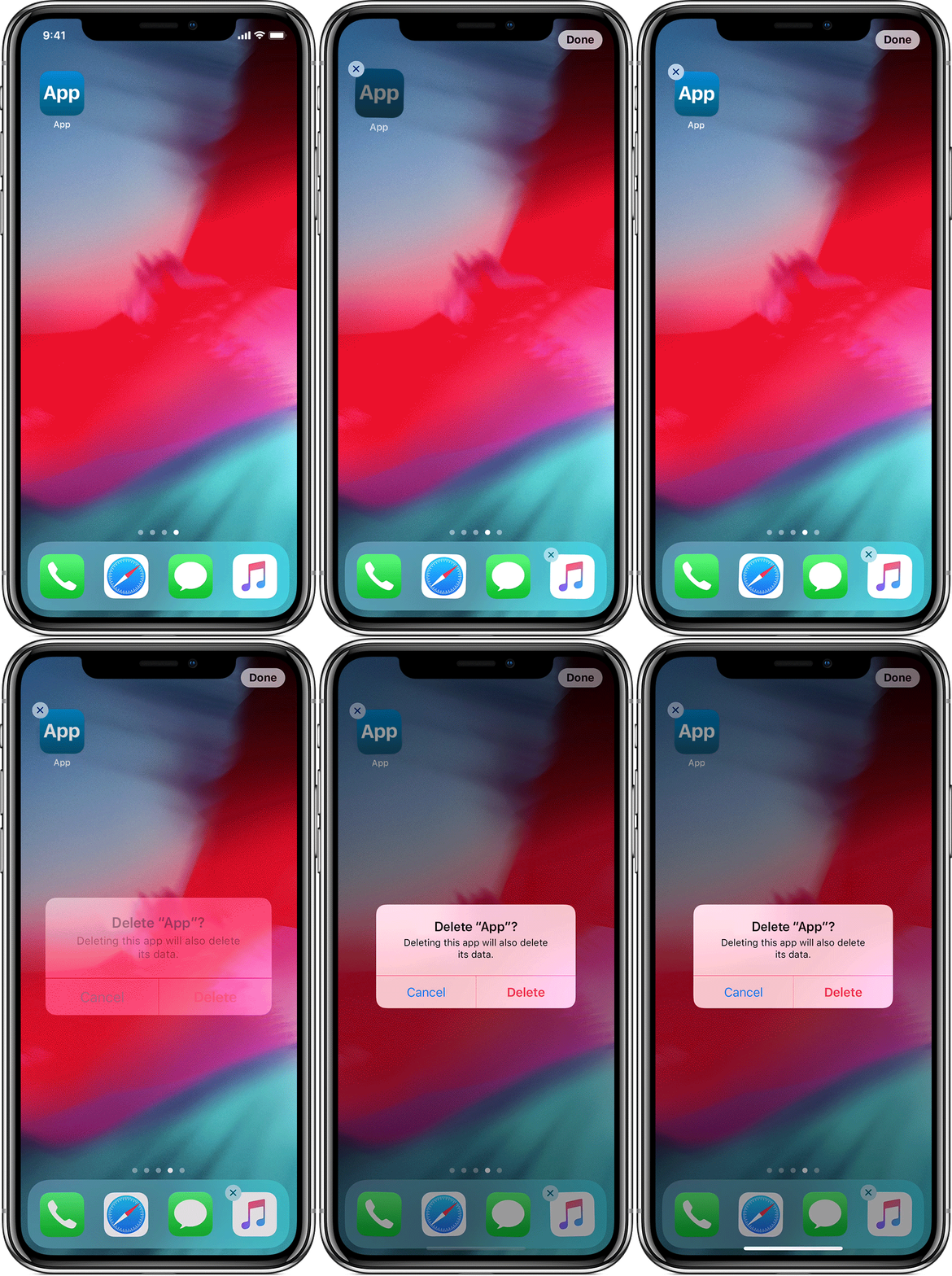
Delete an app
 in the upper-left corner of the app.
If you press too firmly on an app, you might open the app's Quick Actions menu. Tap outside of the Quick Actions list, then lightly touch and hold the app to try again.
If your iPhone supports 3D Touch, you might open the Share menu if you press the app too firmly. Tap outside of the Share menu, then lightly touch and hold the app to try again.
If you delete an app, you don't automatically cancel any in-app subscriptions that you might have subscribed to. Learn how to cancel your subscriptions.

delete apps

