Accidentally reported iMessages as junk

I was cleaning up my text messages and selected multiple ones to delete and accidentally selected the report as junk button. I never seen that button before until now that is why I quickly hit it as it used to only be just the select button. How do I undo what I just did? I don’t remember all of the names I had selected to delete so there is no way I can go to each individual name.


And may may I suggest to Apple to but the delete button as the first option and also have a follow up question asking “do you really want to delete or report to junk” that will give users the chance to back out of the choice.

Posted on Aug 26, 2019 10:13 AM

Reply
2 replies

Aug 26, 2019 10:15 AM in response to TaynerB

Report spam or junk in the Messages app

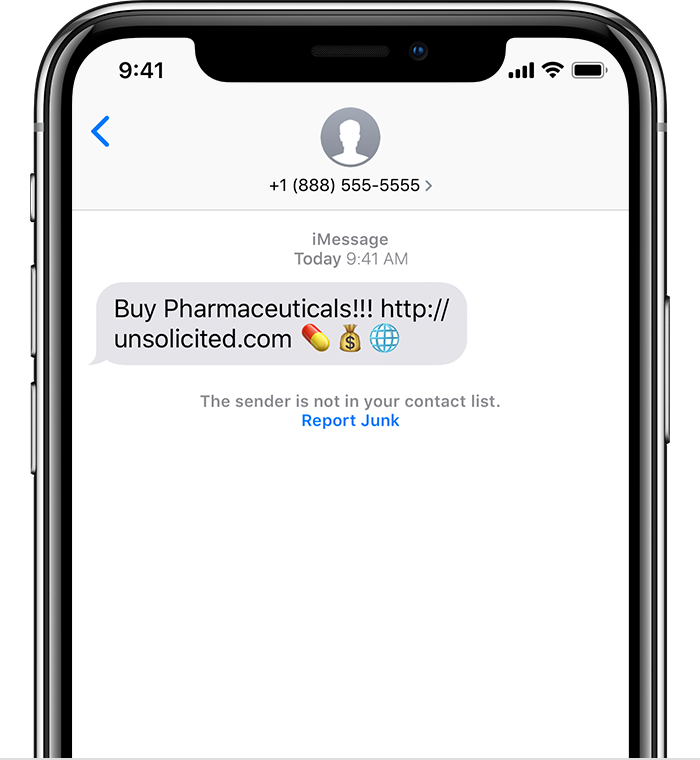
You can report iMessages that look like spam or junk from the Messages app. If you get an iMessage from someone who's not saved in your Contacts, you'll see a Report Junk link under the message.


Tap Report Junk, then tap Delete and Report Junk. Messages will forward the sender's information and the message to Apple, as well as delete the message from your device. You can't undo deleting a message.


Reporting junk doesn't block the sender from being able to send another message. If you don't want to receive these messages, you need to block the contact.


This thread has been closed by the system or the community team. You may vote for any posts you find helpful, or search the Community for additional answers.

Accidentally reported iMessages as junk

Welcome to Apple Support Community
A forum where Apple customers help each other with their products. Get started with your Apple Account.