screen says too many passcode attempts reset apple watch and pair again

I did the latest update and now my apple watch says: Too many passcode attempts


Apple Watch

Posted on Aug 30, 2019 8:20 PM

Reply
Question marked as Top-ranking reply

Posted on Aug 31, 2019 1:02 AM

I understand your Apple Watch is currently showing you've had too many attempts to enter your passcode, and you're trying to pair it again with your iPhone. I can understand how frustrating this can be, especially since notifications and other options aren't conveniently available at your wrist. I'd be happy to provide information that may help you out.

Start out with this article: If you forgot your Apple Watch passcode


Use your paired iPhone

If you have your iPhone, you can use the Apple Watch app to remove the passcode from your Apple Watch. After you remove the passcode, you need to set up your Apple Watch again and restore from a backup.
  1. Keep your Apple Watch and iPhone close together until you complete these steps.
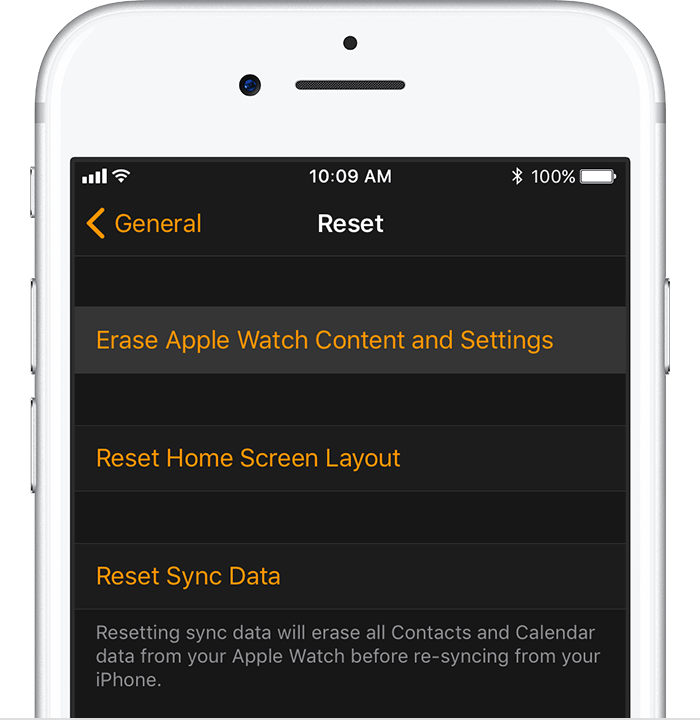
  2. Open the Apple Watch app and tap the My Watch tab.
  3. Tap General > Reset.
  4. Tap Erase Apple Watch Content and Settings, then tap again to confirm. You might need to enter your Apple ID password.


  1. Wait for the process to finish, then set up your Apple Watch again. When asked, restore from a backup.


Use your Apple Watch

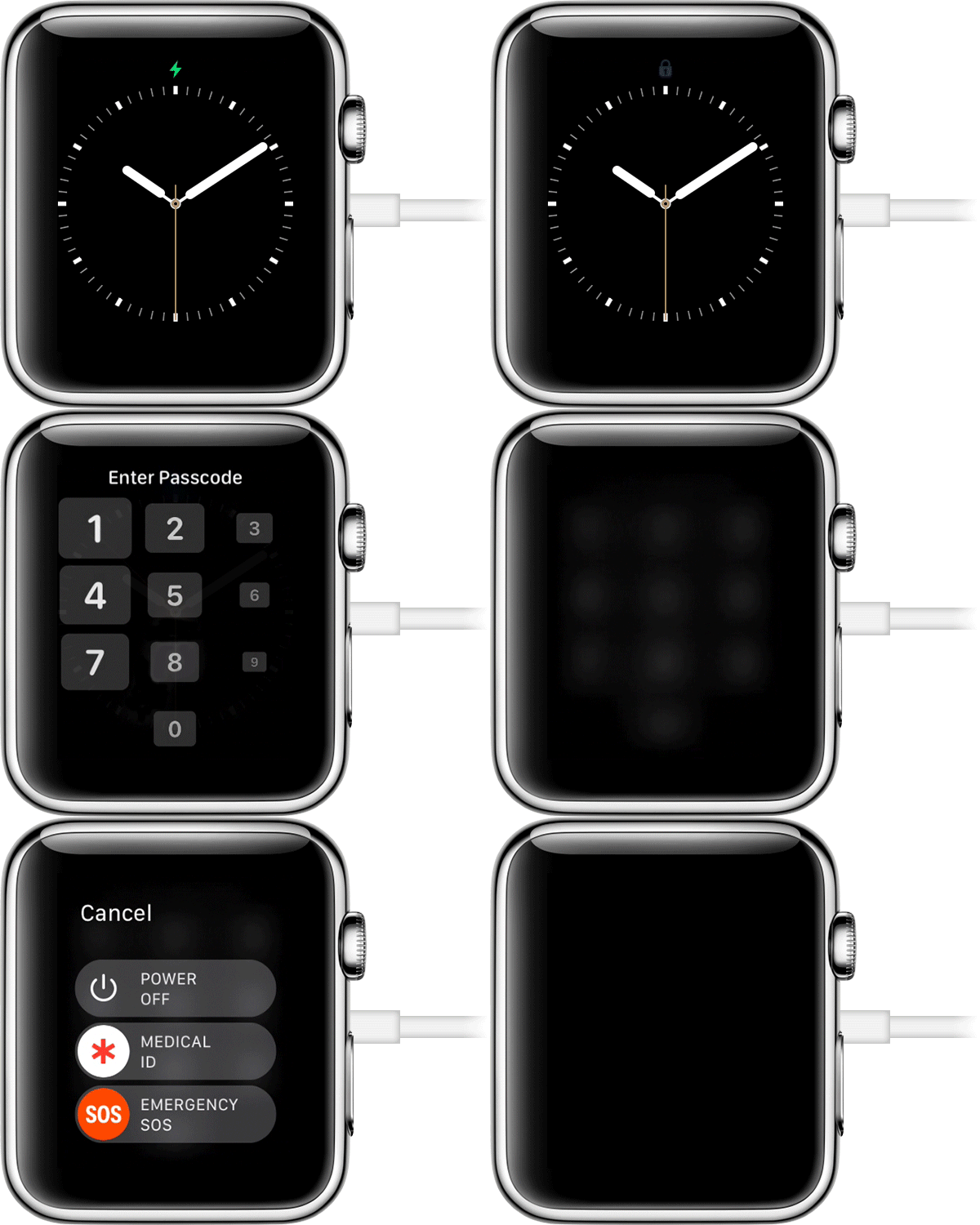
If you don't have your paired iPhone, you can still remove the passcode from your Apple Watch.

  1. Keep your watch on its charger until you complete these steps.
  2. Press and hold the side button until you see Power Off.
  3. Firmly press the Power Off slider, then lift your finger.
  4. Tap Erase all content and settings.
  5. Wait for the process to finish, then set up your Apple Watch again. When asked, restore from a backup


1 reply
Question marked as Top-ranking reply

Aug 31, 2019 1:02 AM in response to dtansley

I understand your Apple Watch is currently showing you've had too many attempts to enter your passcode, and you're trying to pair it again with your iPhone. I can understand how frustrating this can be, especially since notifications and other options aren't conveniently available at your wrist. I'd be happy to provide information that may help you out.

Start out with this article: If you forgot your Apple Watch passcode


Use your paired iPhone

If you have your iPhone, you can use the Apple Watch app to remove the passcode from your Apple Watch. After you remove the passcode, you need to set up your Apple Watch again and restore from a backup.

  1. Keep your Apple Watch and iPhone close together until you complete these steps.
  2. Open the Apple Watch app and tap the My Watch tab.
  3. Tap General > Reset.
  4. Tap Erase Apple Watch Content and Settings, then tap again to confirm. You might need to enter your Apple ID password.


  1. Wait for the process to finish, then set up your Apple Watch again. When asked, restore from a backup.


Use your Apple Watch

If you don't have your paired iPhone, you can still remove the passcode from your Apple Watch.

  1. Keep your watch on its charger until you complete these steps.
  2. Press and hold the side button until you see Power Off.
  3. Firmly press the Power Off slider, then lift your finger.
  4. Tap Erase all content and settings.
  5. Wait for the process to finish, then set up your Apple Watch again. When asked, restore from a backup


This thread has been closed by the system or the community team. You may vote for any posts you find helpful, or search the Community for additional answers.

screen says too many passcode attempts reset apple watch and pair again

Welcome to Apple Support Community
A forum where Apple customers help each other with their products. Get started with your Apple Account.