How do I download music to use it as a ringtone?

How do I download music to use it as a ringtone


[Re-Titled by Moderator]

iPhone XS

Posted on Aug 31, 2019 11:26 PM

Reply
2 replies

Sep 1, 2019 3:50 PM in response to Gh961

Move custom ringtones from iTunes to your iOS device

If you have a custom ringtone or tone in iTunes on your Mac or PC that you want to move to your iOS device, you can manually add it to your device using iTunes.
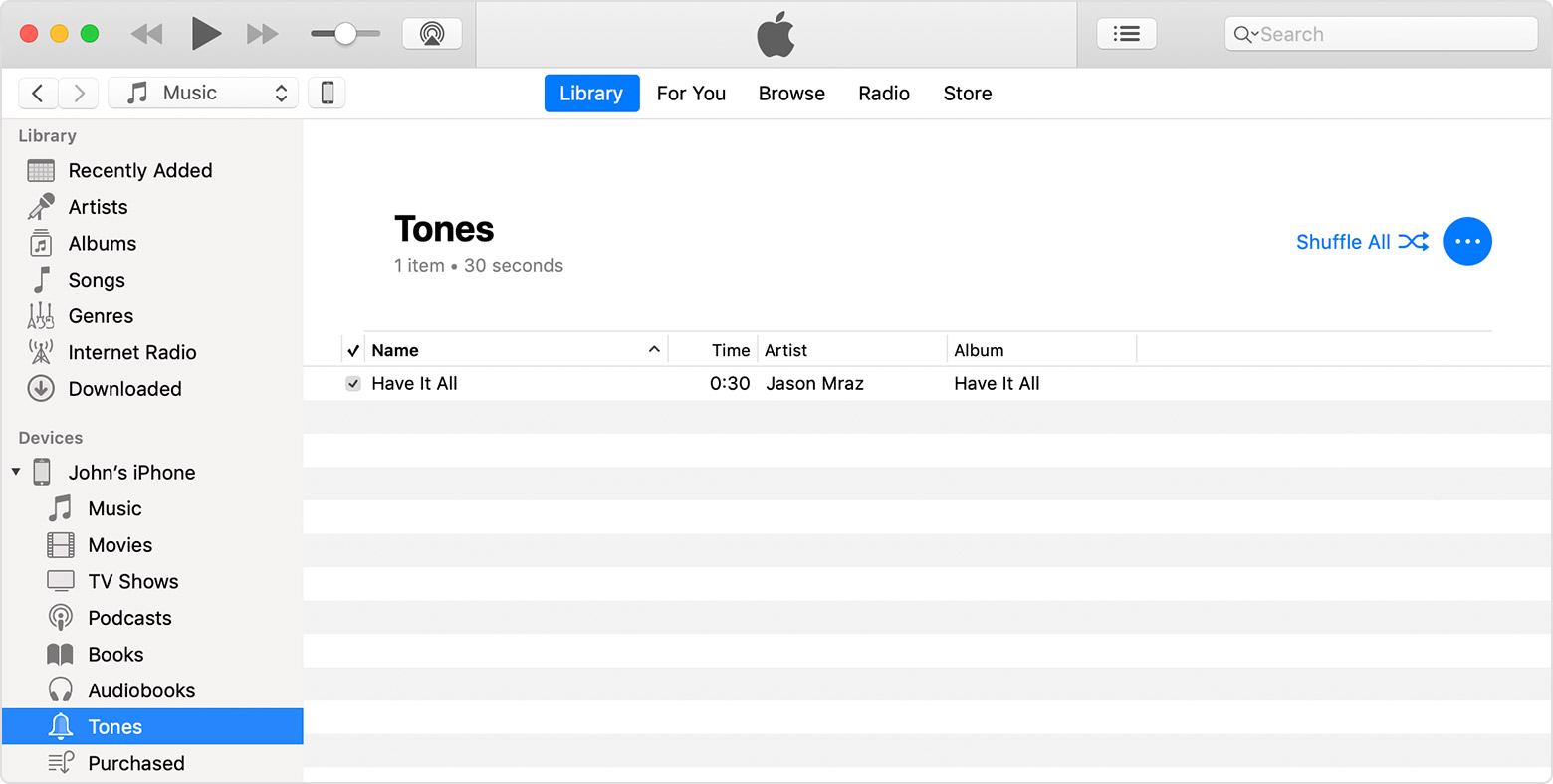
  1. Connect your device to your computer.
  2. Open iTunes. Make sure that you have the latest version.
  3. On your computer, find the ringtone or tone that you want to add to your device. If the ringtone or tone previously appeared in your iTunes library, you can find it in the Tones or Ringtones folders of your iTunes media folder. If you created a ringtone in GarageBand on Mac and then shared it to iTunes, it might be in an Import folder. 
  4. Select the tone that you want to add to your device and copy it. (You can use a keyboard shortcut.)
  5. Return to iTunes and go to the Library tab of Music.
  6. Click your device in the left sidebar, then click Tones.
  7. Paste your tone. (You can use a keyboard shortcut.)


You can also drag and drop your tone file onto the name of your iOS device in the left sidebar of iTunes.


This thread has been closed by the system or the community team. You may vote for any posts you find helpful, or search the Community for additional answers.

How do I download music to use it as a ringtone?

Welcome to Apple Support Community
A forum where Apple customers help each other with their products. Get started with your Apple Account.