iMessage won't activate

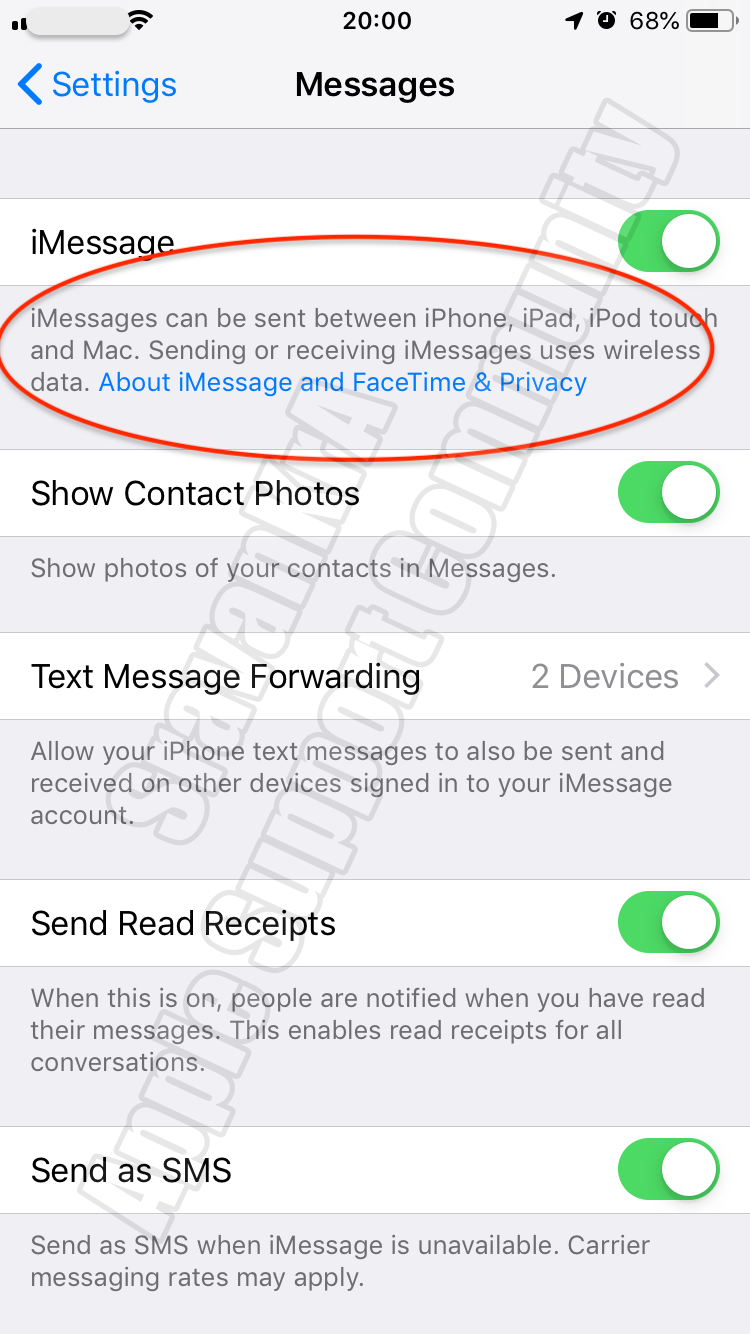
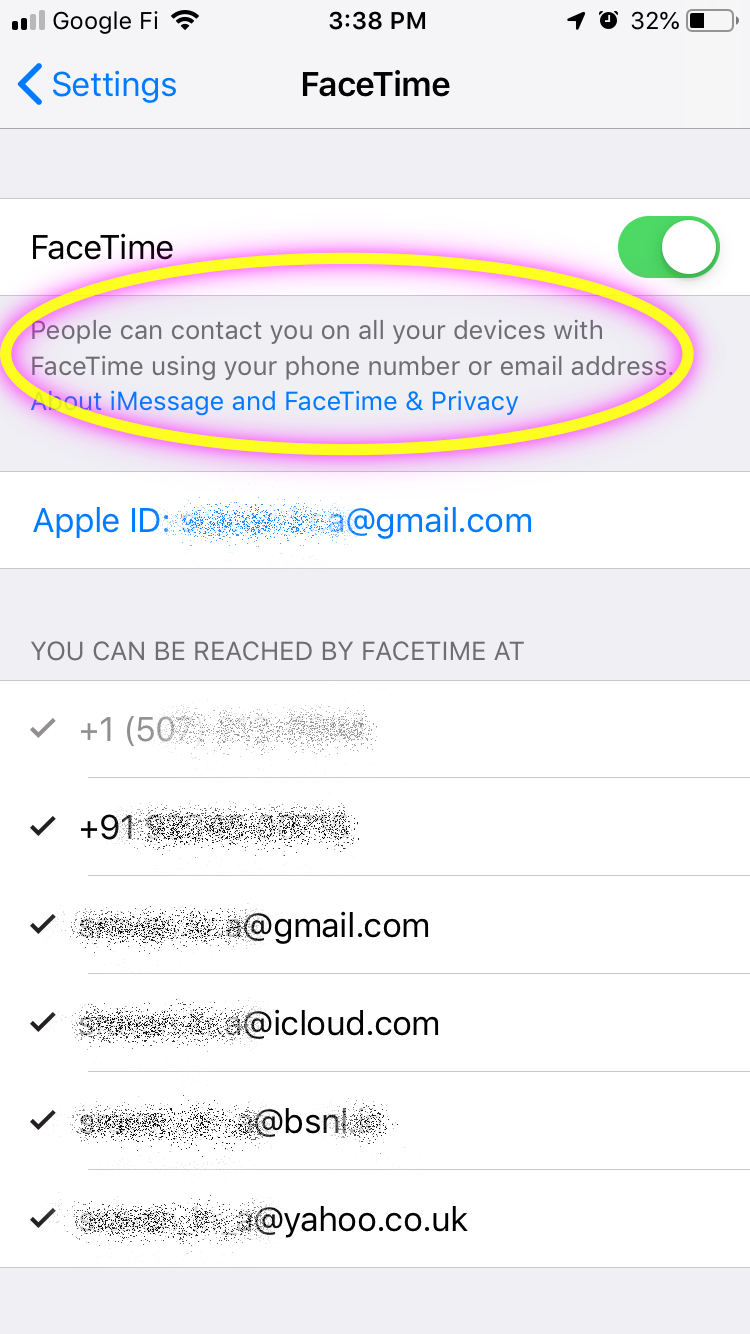
I updated the latest iOS 13.1.2 and my iMessage and FT is waiting activation. It has been 4 days now and I can't seem to get anybody that can help me. I have done all the recommendations and have contacted Apple support team (5 hours and 6 advisers), does anybody have any other suggestions other then restoring my phone back to factory settings? At the iMessage screen, I cannot even sign in to my apple id. I have a 7 plus. There is nothing wrong with my apple id or password as my iPad was able to update without issues.


iPhone 7 Plus

Posted on Oct 5, 2019 9:21 PM

Reply
Question marked as Top-ranking reply

Posted on Oct 20, 2019 8:00 PM

Hi! Yes...I went to Settings - General - Reset - Reset All Settings.

My iMessage and FT was activated after doing this. It did not erase any apps, but I did have to go back and set my alarms and notifications and ring tones...stuff to that nature.

26 replies

Oct 5, 2019 9:34 PM in response to kristy9903

If you get an error when trying to activate iMessage or FaceTime

To use iMessage or FaceTime, you need to activate them on your iPhone, iPad, or iPod touch. If you see an error message during activation, follow these steps.


When activating iMessage or FaceTime, you might see one of these messages:

  • Waiting for activation
  • Activation unsuccessful
  • An error occurred during activation
  • Could not sign in, please check your network connection


Check your device settings

  1. Make sure that you’re connected to a cellular data or Wi-Fi network. If you're using an iPhone, you need SMS messaging to activate your phone number with iMessage and FaceTime. Depending on your carrier, you might be charged for this SMS.
  2. Go to Settings > General > Date & Time and make sure that your time zone is set correctly.


Turn off and restart iMessage and FaceTime

  1. Go to Settings > Messages and turn off iMessage.
  2. Go to Settings > FaceTime and turn off FaceTime.
  3. Restart your device.
  4. Turn iMessage and FaceTime back on.


Still not activated after a day?

It might take up to 24 hours to activate iMessage and FaceTime. If the issue continues after 24 hours, follow these steps:

  1. Make sure that your device has the latest version of iOS.
  2. If you're using an iPhone, contact your carrier to make sure that you can receive SMS messages.
  3. Contact Apple Support.


If you get an error when trying to activate iMessage or FaceTime ...

https://support.apple.com/en-in/HT201422

Oct 8, 2019 8:19 AM in response to kristy9903

I have the same issue with 13.1.2 and iphone 7. None of the suggested fixes have worked, and Apple store's remaining suggestion is a restore from new, which I have seen from this and other boards does not necessarily resolve iMessage issue.


Please keep us updated on your progress w/Apple. I didn't get anywhere with phone support and would appreciate suggestions on getting to Apple engineering folks familiar with this issue.

Oct 22, 2019 8:00 AM in response to kristy9903

Me too! I have a 7 plus and the imessage and facetime stopped working after the update. The message says waiting for activation. The last message after trying to sign in said "unable to contact the imessage server.

It's so frustrating because I'm missing texts and unable to send some out. I've been on the phone with 3 different apple technicians for hours and still nothing. They told me they forward it on to another team and it would take up to 5 days to get back to me. This is so unacceptable.

This thread has been closed by the system or the community team. You may vote for any posts you find helpful, or search the Community for additional answers.

iMessage won't activate

Welcome to Apple Support Community
A forum where Apple customers help each other with their products. Get started with your Apple Account.