When you choose to send the money through text, it should take it from your debit automatically.
How to send money in Messages
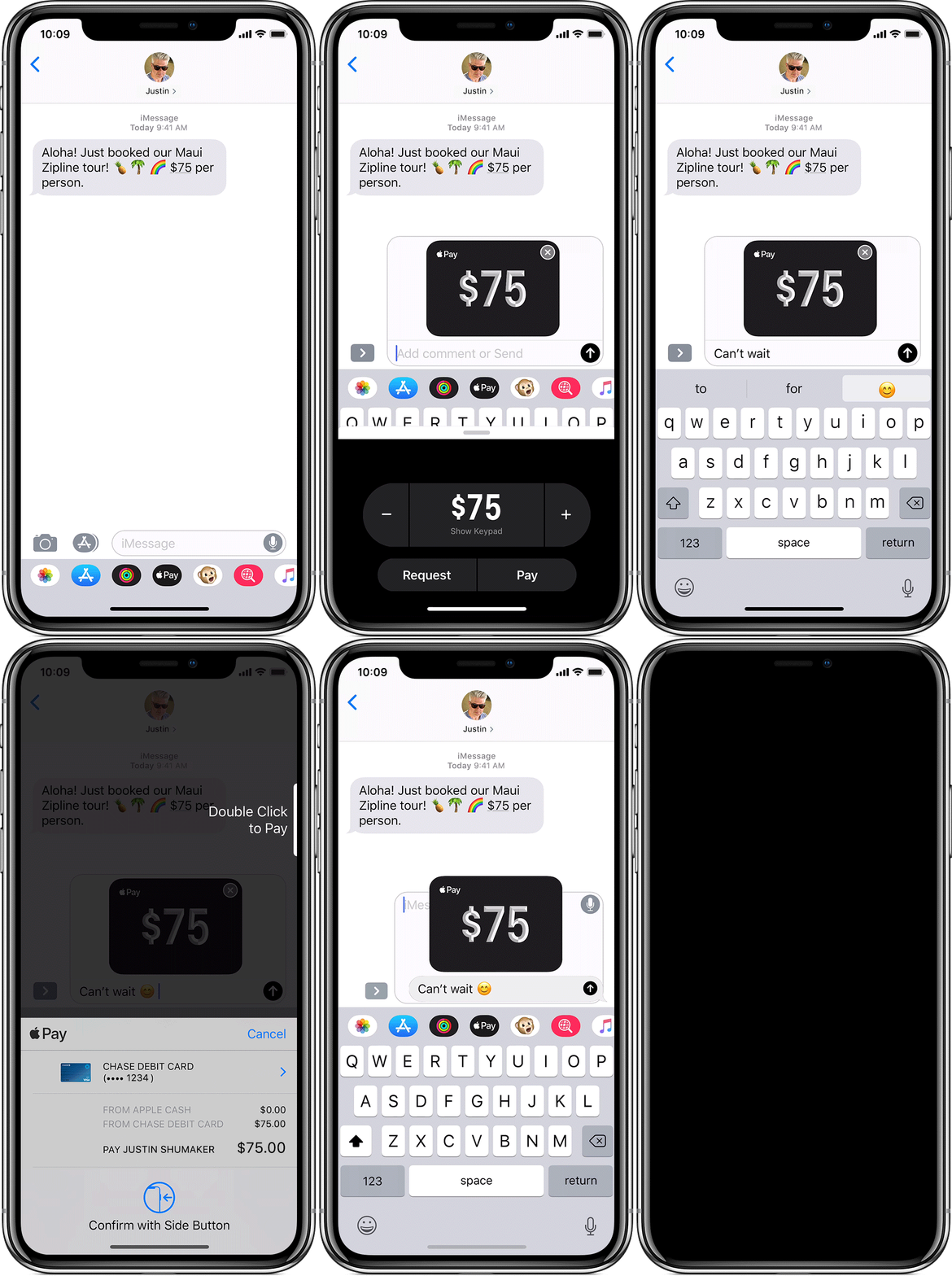
Use the steps below to send money from any of your devices. Or watch the demo to see how it works.
iPhone or iPad
- In Messages, start a new conversation or tap an existing one.
- Tap
 . If you don't see the Apple Pay button, tap
  first.
 - To select an amount, tap
 or
or  . To enter an exact amount, tap Show Keypad.
 - Tap Pay. If you want to, add a message to go with the payment.
- Tap
 . Then review the payment information or cancel. Your money in Apple Cash will be used to pay first. Learn how a payment method is chosen.
 - To send the payment, confirm with Face ID, Touch ID, or your passcode. Need to cancel a payment after sending?
Also read this for your safety in the future - How to avoid scams when using Apple Pay to send and receive money - Apple Support


