
Reporting junk in text messages
I'm getting spam text that don't have the report junk option, how can I report it anyways?
iPhone 8, iOS 12
I'm getting spam text that don't have the report junk option, how can I report it anyways?
iPhone 8, iOS 12
Hi jmw1234,
Thanks for posting. I understand you have a question about a possible spam text.
The information below should help: Block phone numbers, contacts, and emails on your iPhone, iPad, or iPod touch
"Report spam or junk in the Messages app
You can report iMessages that look like spam or junk from the Messages app. If you get an iMessage from someone who's not saved in your Contacts, you'll see a Report Junk link under the message.
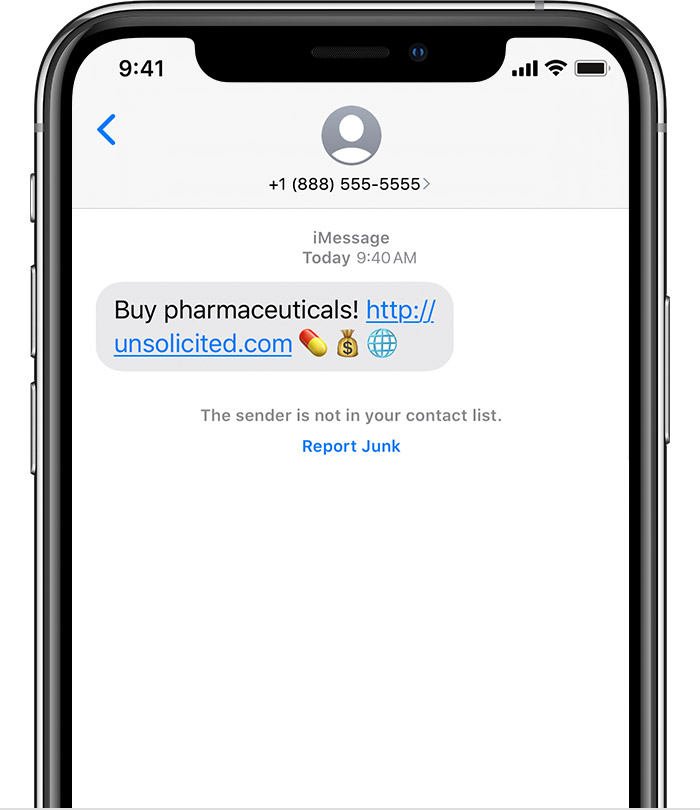
Tap Report Junk, then tap Delete and Report Junk. Messages will forward the sender's information and the message to Apple, as well as delete the message from your device. You can't undo deleting a message.
Reporting junk doesn't block the sender from being able to send another message. If you don't want to receive these messages, you need to block the contact.
To report SMS and MMS messages, contact your carrier."
I hope I've answered your question! Cheers.
Reporting junk in text messages

