How to connect iPhone to projector in landscape mode

In my teaching I use the iPhone to project stuff in the classroom.

On my old iPhone 7 I could flip from portrait mode to landscape mode both on my iPhone and on the projector.

But on my new iPhone Xs the flip only happens on my phone. On the projector the image is still in portrait mode. What's up, can you guys help me?


Peter

iPhone XS, iOS 13

Posted on Nov 21, 2019 12:17 AM

Reply
2 replies

Nov 21, 2019 1:08 AM in response to Pete Repete

About Apple Digital AV Adapters for iPhone, iPad, and iPod touch

You can use a Digital AV or VGA adapter to connect your iOS device to a display, like a TV, projector, or computer monitor.


Find out which adapter you need

To mirror content from your iPhone, iPad, or iPod touch on a secondary display, you need the correct adapter. To connect wirelessly, use AirPlay.

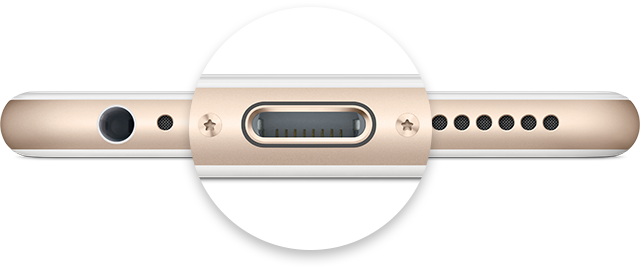
For iOS devices with Lightning connectors


Go to Settings > General > Accessibility. Enable 'Assistive Touch' feature. Go to your video, turn the phone into landscape orientation. Touch the floating 'Assistive Touch' button.

OR

Try adjusting the display from you projector itself

This thread has been closed by the system or the community team. You may vote for any posts you find helpful, or search the Community for additional answers.

How to connect iPhone to projector in landscape mode

Welcome to Apple Support Community
A forum where Apple customers help each other with their products. Get started with your Apple Account.