
Snapchat won’t download
I’m trying to redownload snapchat but the loading sign won’t go away and i’ve waited for 5+ minutes. i’ve restarted my phone multiple times, changed my wifi and “restarted” the app store. what should i do?
iPhone 6
I’m trying to redownload snapchat but the loading sign won’t go away and i’ve waited for 5+ minutes. i’ve restarted my phone multiple times, changed my wifi and “restarted” the app store. what should i do?
iPhone 6
Hi kyahw,
Thanks for reaching out in Apple Support Communities. I understand that you're trying to redownload Snapchat from the App Store but the loading symbol is stuck and it won't finish installing. I also see that you've tried closing the App Store, restarting your iPhone, and connecting to a different Wi-Fi network; I appreciate you including those steps. I know it's important to be able to install the apps you want on your device; I'd like to help. Have you had the opportunity to try pausing and restarting the app download?
"Pause and restart the app download

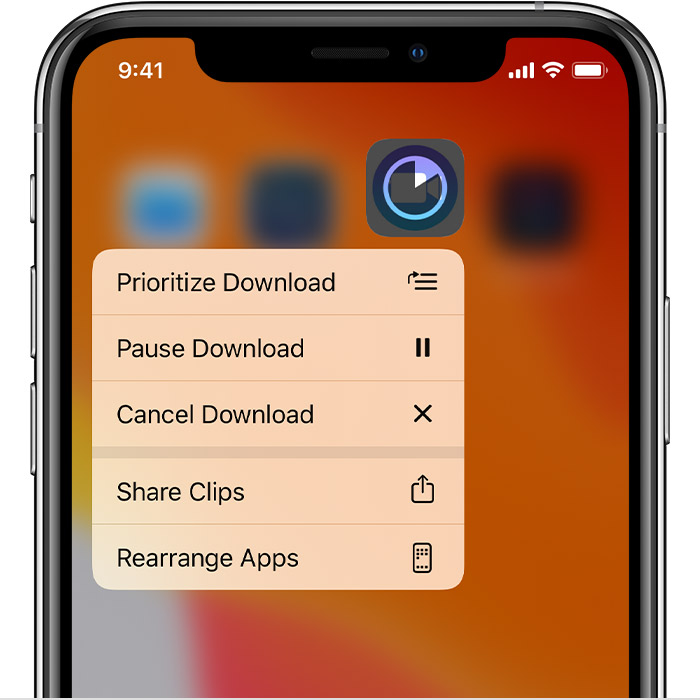
When you firmly press the app from the Home screen, you might see options to Resume Download, Pause Download, or Cancel Download. If the app download is paused, tap Resume Download. If it's stuck, tap Pause Download, then firmly press the app again and tap Resume Download."
If you can’t download or update apps on your iPhone or other Apple device
If those steps don't help, try canceling the download and trying again from the App Store; let me know what you find.
Best Regards.
Hi kyahw,
Thanks for reaching out in Apple Support Communities. I understand that you're trying to redownload Snapchat from the App Store but the loading symbol is stuck and it won't finish installing. I also see that you've tried closing the App Store, restarting your iPhone, and connecting to a different Wi-Fi network; I appreciate you including those steps. I know it's important to be able to install the apps you want on your device; I'd like to help. Have you had the opportunity to try pausing and restarting the app download?
"Pause and restart the app download
When you firmly press the app from the Home screen, you might see options to Resume Download, Pause Download, or Cancel Download. If the app download is paused, tap Resume Download. If it's stuck, tap Pause Download, then firmly press the app again and tap Resume Download."
If you can’t download or update apps on your iPhone or other Apple device
If those steps don't help, try canceling the download and trying again from the App Store; let me know what you find.
Best Regards.
Snapchat won’t download

