
Touch Bar light is very dim
my MacBook Pro Touch Bar light is very dim. or even I am not able to see Touch Bar options. kindly suggest what was the problem with my Mac
MacBook Pro 13”, macOS 10.14
my MacBook Pro Touch Bar light is very dim. or even I am not able to see Touch Bar options. kindly suggest what was the problem with my Mac
MacBook Pro 13”, macOS 10.14
Hello sohrab90,
I understand that the Touch Bar light on your MacBook Pro is dim and you can't see the Touch Bar options. I am happy to help.
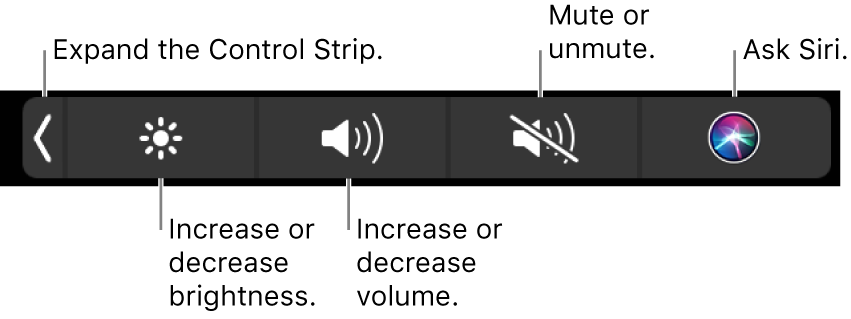
 , or press the Fn key on the keyboard (if you customized the Touch Bar in Keyboard preferences to expand the Control Strip).
Let me know if that resolves this issue for you.
Thanks for using the Apple Support Communities.
Take care.
Touch Bar light is very dim

