Ok so my iPod is connected to the same Apple ID as my IPhone, I want to change my Apple ID on my iPod without changing it on my IPhone. How would I do this?

Ok so my iPod is connected to the same Apple ID as my IPhone, I want to change my Apple ID on my iPod without changing it on my IPhone. How would I do this?

iPod, iOS 12

Posted on Dec 29, 2019 1:04 PM

Reply
Question marked as Top-ranking reply

Posted on Dec 29, 2019 1:10 PM

On your iPod sign out from your current Apple ID, then sign in using the new Apple ID. Note that all purchases/downloads are tied to the old Apple ID. You will not be able to update/upgrade using the new Apple ID.


For Problems With Your Apple ID


  1. Manage your Apple ID primary, rescue, alternate, and notification email addresses
  2. About your Apple ID email addresses
  3. Get help with Apple ID
  4. What to do after you change your Apple ID email address or password - Apple Support


10 replies
Question marked as Top-ranking reply

Dec 29, 2019 1:10 PM in response to Httpscurly05

On your iPod sign out from your current Apple ID, then sign in using the new Apple ID. Note that all purchases/downloads are tied to the old Apple ID. You will not be able to update/upgrade using the new Apple ID.


For Problems With Your Apple ID


  1. Manage your Apple ID primary, rescue, alternate, and notification email addresses
  2. About your Apple ID email addresses
  3. Get help with Apple ID
  4. What to do after you change your Apple ID email address or password - Apple Support


Dec 29, 2019 1:10 PM in response to Httpscurly05

Hey Httpscurly05,


Leave Family Sharing

Learn the different ways you can leave or be removed from a family group and what happens when you stop using Family Sharing. If you're the family organizer, you can remove members at any time or disband the family group completely.

Leave your family group

Any family member over the age of 13* can remove themselves from a family group.

On your iPhone, iPad, or iPod touch:

  1. Go to Settings > [your name] > Family Sharing. If you're using iOS 10.2 or earlier, go to Settings > iCloud > Family.
  2. Tap [your name].
  3. Tap Leave Family.
  4.  

On your Mac:

  1. Go to Apple menu > System Preferences > iCloud > Manage Family.
  2. Click [your name].
  3. Click the Remove (—) button in the bottom-left corner.
  4.  

When you leave Family Sharing, you lose access to any shared purchases or servicesshared by the family group.

Remove someone from your family group

The family organizer can remove anyone over the age of 13* from the family group. If you need to, you can transfer a child to another family.
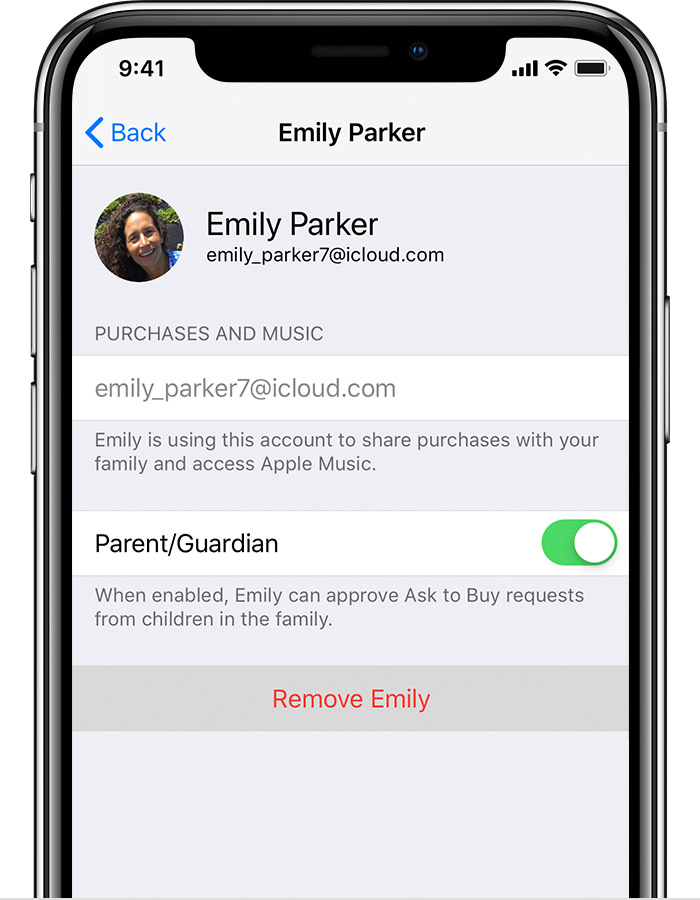
 

On your iPhone, iPad, or iPod touch:

  1. Go to Settings > [your name] > Family Sharing. If you're using iOS 10.2 or earlier, go to Settings > iCloud > Family.
  2. Tap the name of the family member that you want to remove.
  3. Tap Remove.

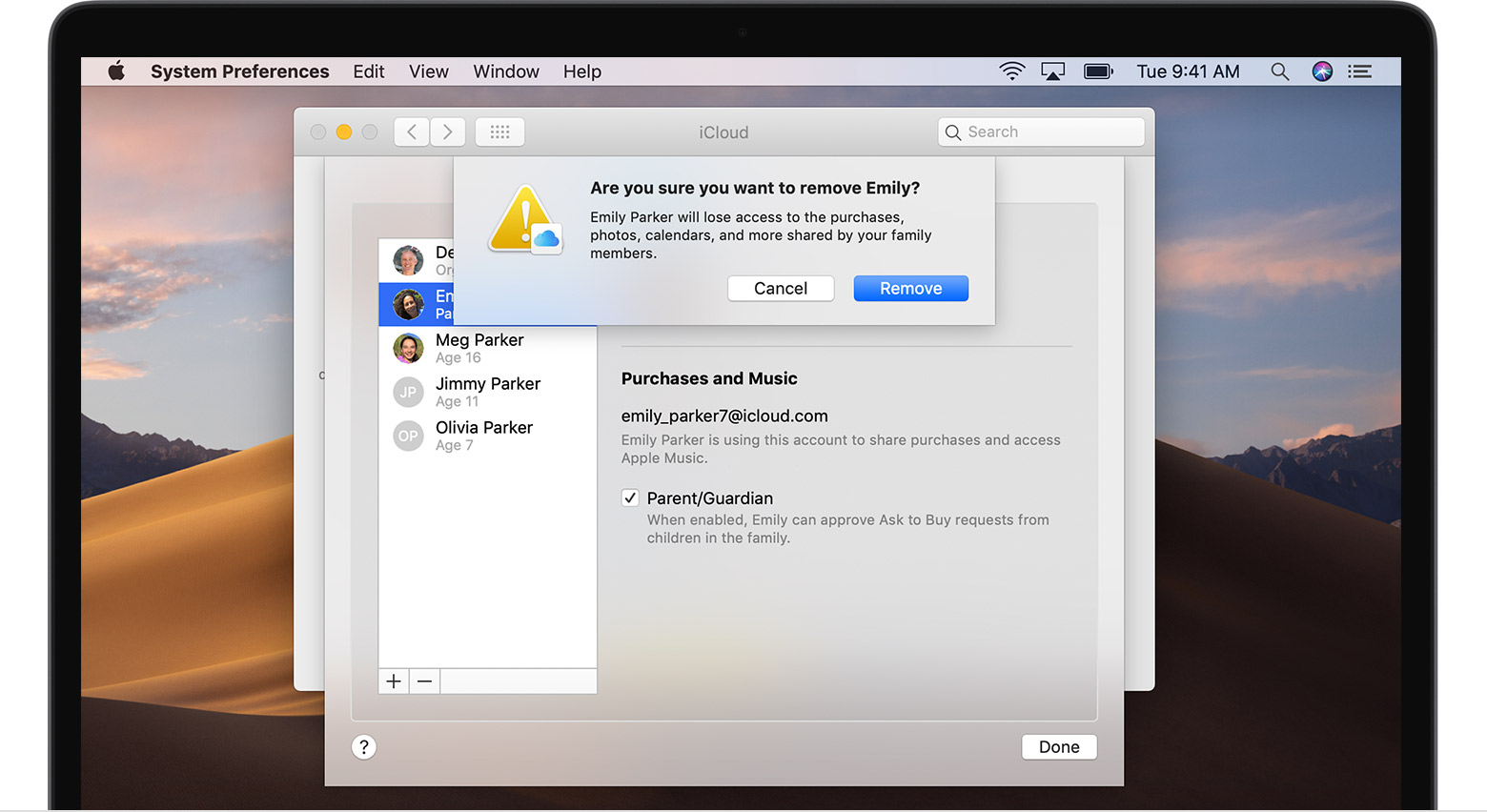
On your Mac:

  1. Go to Apple menu > System Preferences > iCloud > Manage Family.
  2. Click the name of the family member that you want to remove.
  3. Click the Remove (—) button in the bottom-left corner.
 

Remove your account from a family group

If your Apple ID is being used to share purchases with a family group that you no longer want to be part of, you can visit your Apple ID account page and remove the account from the family directly. Go to appleid.apple.com and sign in with the Apple ID and password for the account you want to remove. In the Family Sharing section, choose Remove Account > Remove. After you leave the family group, you can start your own family group or join another one.


Thanks , Have a great day!

Dec 29, 2019 1:42 PM in response to Httpscurly05

Do you have access to another WiFi network where you can try? That has worked for several people.


Try a restart.


Restart your iPhone, iPad, or iPod touch


Try a forced restart.


Reset Device


If necessary


Hard reset


If there are restrictions in Screen Time that are preventing access, you will need to restore the device to factory settings. Do not restore from a backup made when the Screen Time code was active.


Do a backup and try a factory reset. Then restore from your backup.


Restore to Factory setting


Backup - Restore your device from an iCloud or iTunes backup


If necessary, contact Apple ID Support.


Apple ID Support


Apple ID Support (2) 


Apple Support by e-mail or chat    Work through the screens to get a chat option. 


Apple Support using Twitter


Or fill out and submit this form.          The form is for iTunes, but it will get passed to the ID Support section.  

This thread has been closed by the system or the community team. You may vote for any posts you find helpful, or search the Community for additional answers.

Ok so my iPod is connected to the same Apple ID as my IPhone, I want to change my Apple ID on my iPod without changing it on my IPhone. How would I do this?

Welcome to Apple Support Community
A forum where Apple customers help each other with their products. Get started with your Apple Account.