What is the difference between these trackers from Pixel Film Studios?

Thinking about getting an Auto Tracker plugin from Pixel Film Studios, but I noticed there are different versions of the plugin on their site. What is the difference between the Auto Tracker and the Perspective Tracker? Do they do the same thing basically? I can't tell from the way they review the products in their promotional videos if they are actually that different because it looks like the controls are almost the same.

Posted on Dec 30, 2019 10:11 AM

Reply
Question marked as Top-ranking reply

Posted on Dec 30, 2019 11:45 AM

Both plugins do track, however, the way that they track is different. FCPX Auto Tracker 2.1 is best for tracking single points or an object such as a football and FCPX Auto Tracker Perspective 2.1 tracks the location of 4 points and is best for tracking planar surfaces such as a brick wall. 


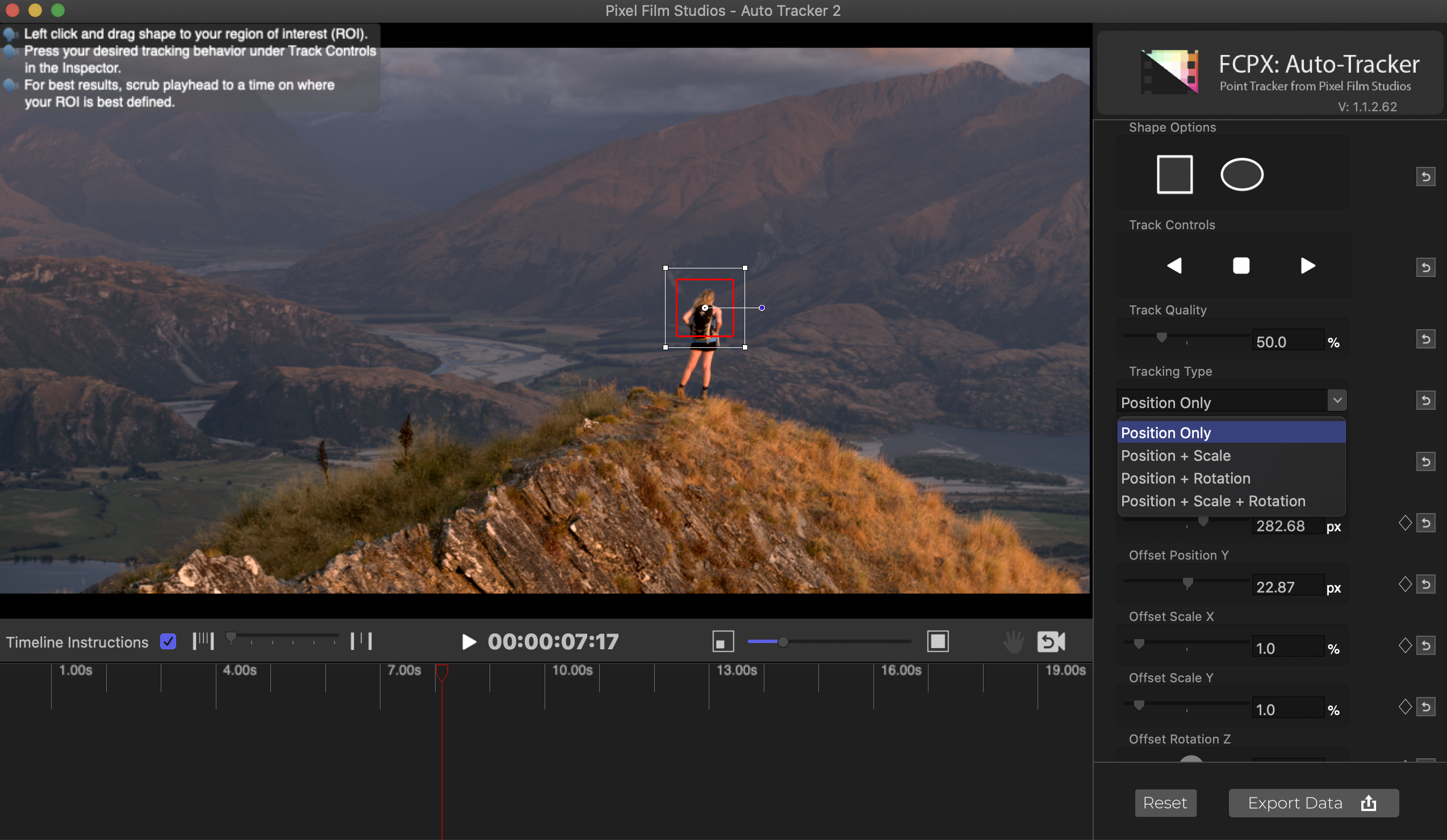
The track editors are similar, however, they do have a few different control options such as the Tracking Type. In FCPX Auto Tracker you have the option of using Position Only, Position + Scale, Position + Rotation, and Position + Scale + Rotation.


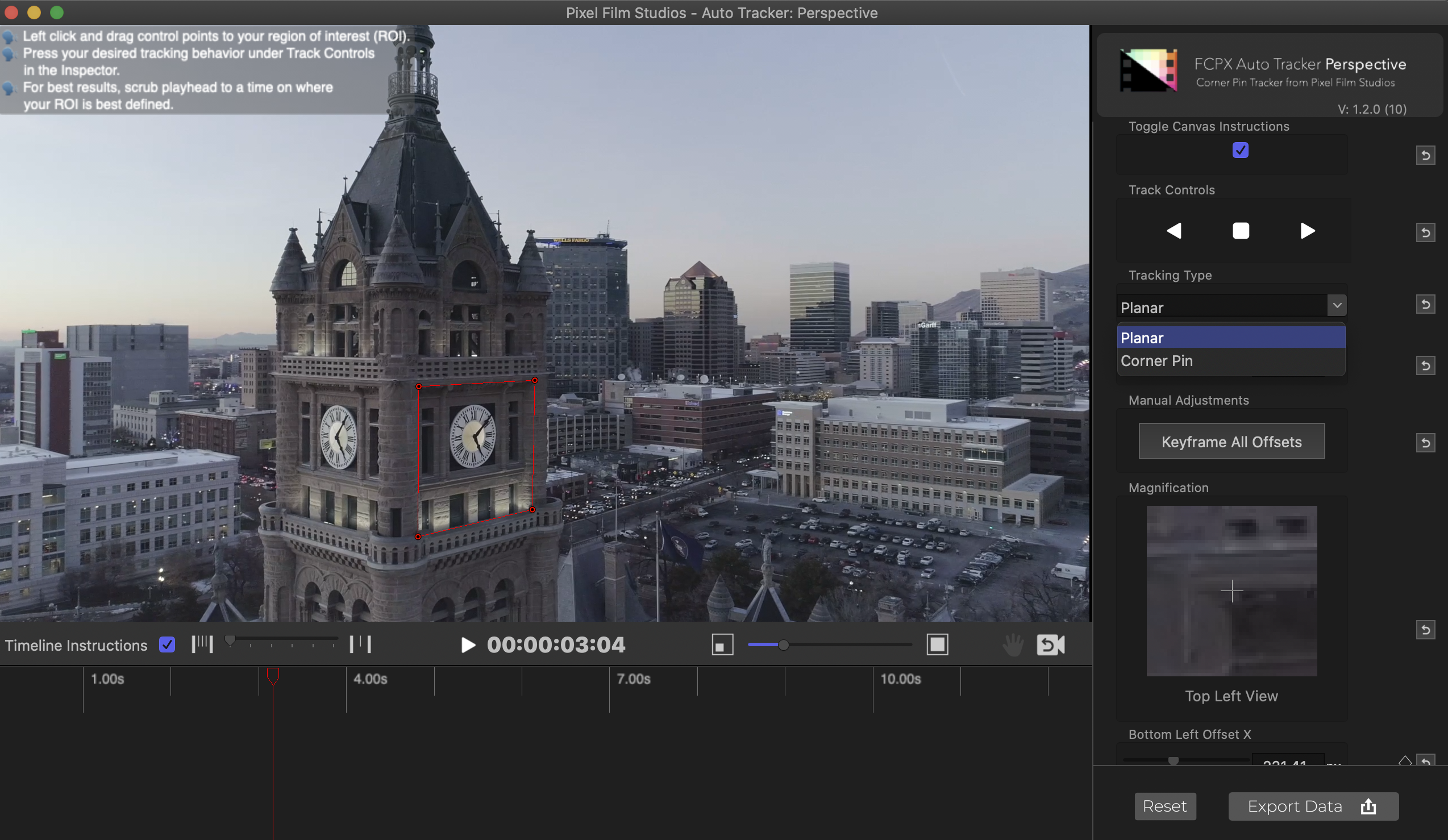
In Auto Tracker Perspective you can instead choose from two different methods of tracking: Planar and Corner Pin.

The Planar tracking option will track the details inside the plane selection.


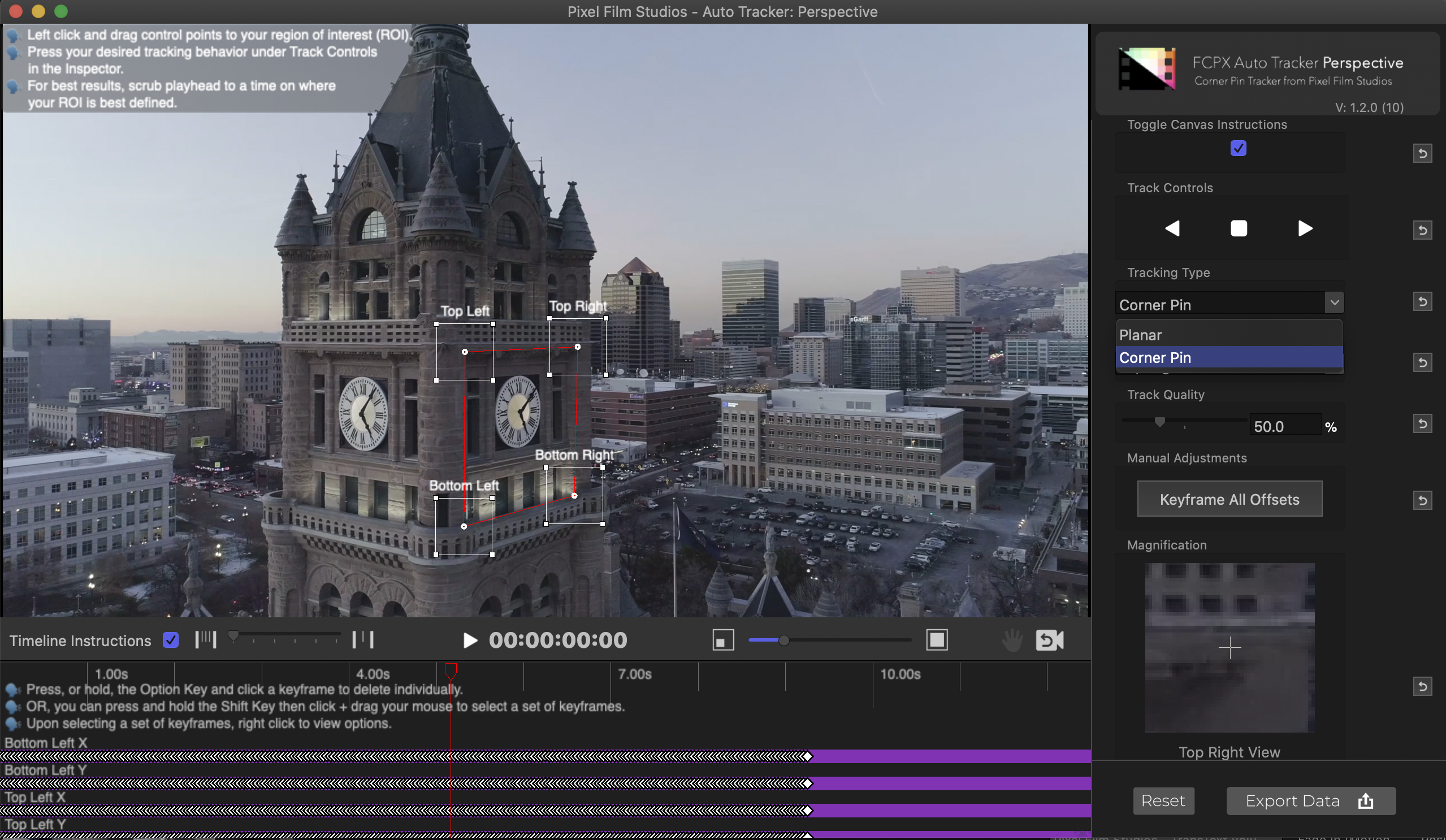
The Corner Pin option will track the corners specifically and not the details inside the larger plane.


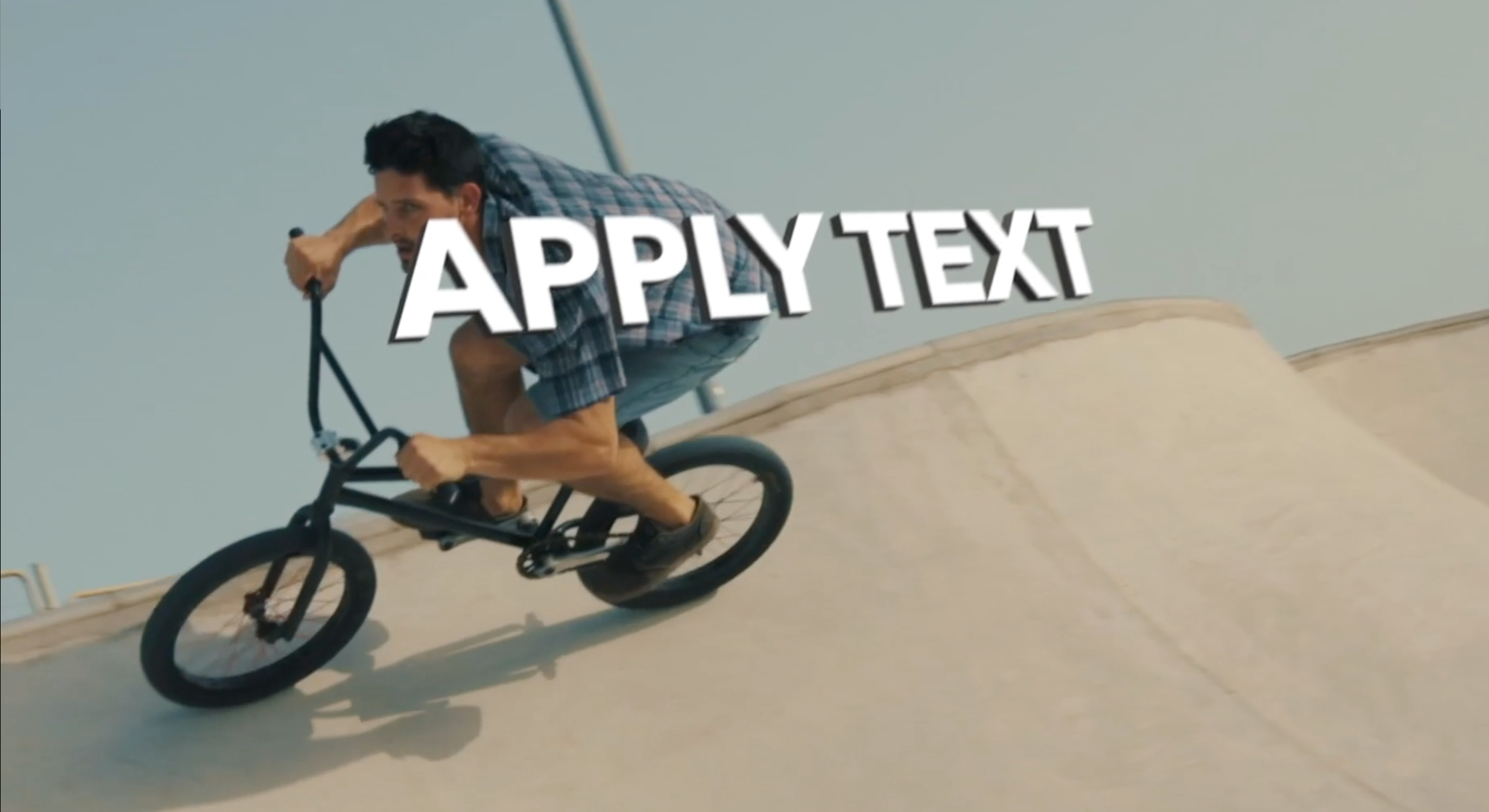
Only FCPX Auto Tracker 2.1 has an option for text, though you can always put a clip of text in the drop zone in FCPX Auto Tracker Perspective 2.1.


You will have to determine which tracker will be more relevant to what you are trying to accomplish.


—————————————————— 


FCPX Auto Tracker 2.1 will work best for tracking text or media to follow a subject while it moves across the screen.


Learn more about FCPX Auto Tracker 2.1 on the store page below!

https://store.pixelfilmstudios.com/product/fcpx-auto-tracker/


More tutorials for Auto Tracker 2.0


Daniel Schiffer

https://www.youtube.com/watch?v=XJuh1Zq3Spg


KingTutsPro

https://www.youtube.com/watch?time_continue=1&v=Vl_hls2Ep5w&feature=emb_title


Jeven Dovey

https://www.youtube.com/watch?v=Rf4wmBp7RMQ


—————————————————— 


FCPX Auto Tracker Perspective 2.1 will be best for tracking media to a surface such as a green screen on a phone or a billboard or any other surface where the media needs to change perspective with the environment.
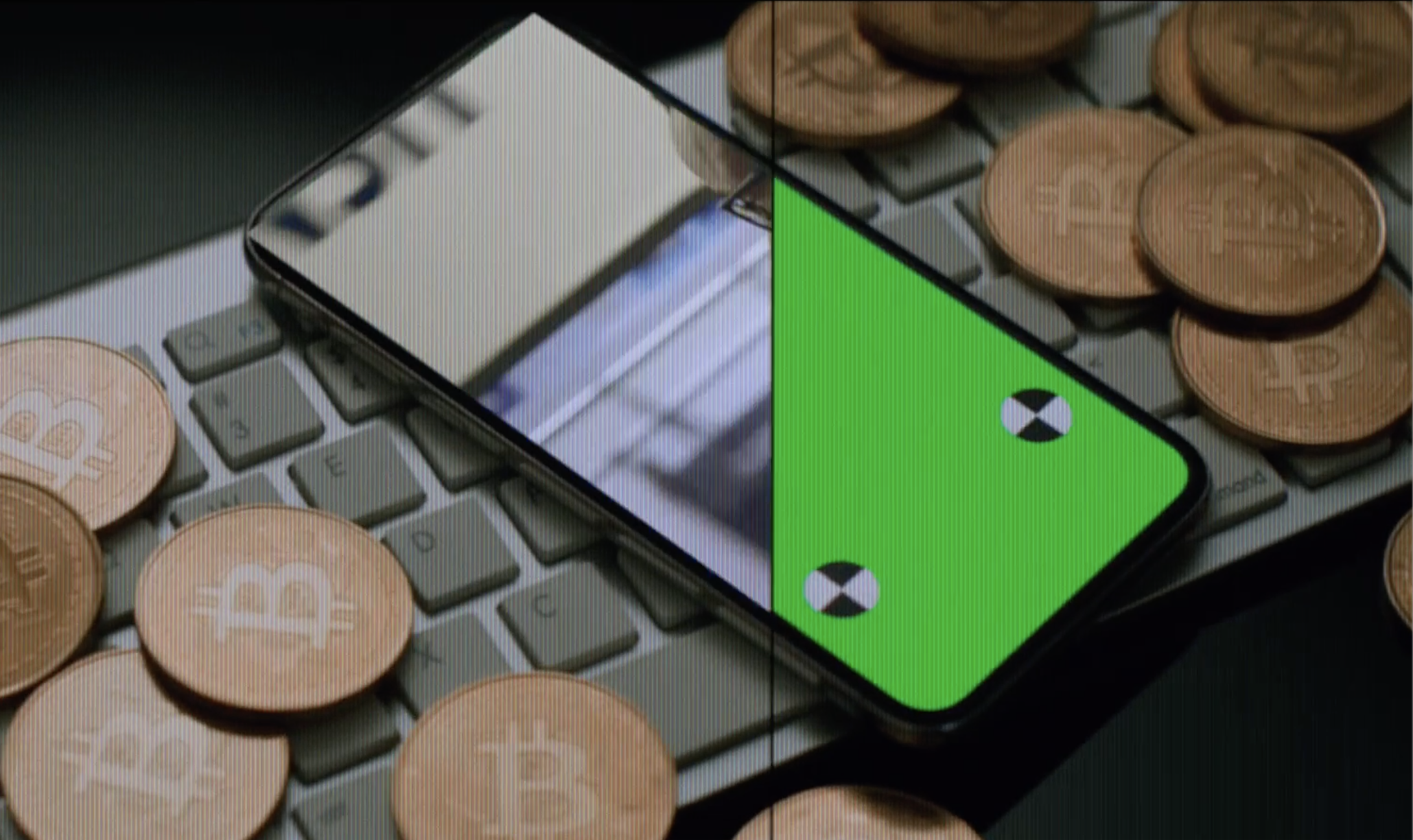


Learn more about FCPX Auto Tracker Perspective 2.1 below!

https://store.pixelfilmstudios.com/product/fcpx-auto-tracker-perspective/


More Tutorials for FCPX Auto Tracker Perspective 2.1


Emilio Takas

https://www.youtube.com/watch?v=4ScgKB_ixcA


Serge M.

https://www.youtube.com/watch?v=LkwgL_ECcaE

1 reply
Question marked as Top-ranking reply

Dec 30, 2019 11:45 AM in response to ChrisBDesign

Both plugins do track, however, the way that they track is different. FCPX Auto Tracker 2.1 is best for tracking single points or an object such as a football and FCPX Auto Tracker Perspective 2.1 tracks the location of 4 points and is best for tracking planar surfaces such as a brick wall. 


The track editors are similar, however, they do have a few different control options such as the Tracking Type. In FCPX Auto Tracker you have the option of using Position Only, Position + Scale, Position + Rotation, and Position + Scale + Rotation.


In Auto Tracker Perspective you can instead choose from two different methods of tracking: Planar and Corner Pin.

The Planar tracking option will track the details inside the plane selection.


The Corner Pin option will track the corners specifically and not the details inside the larger plane.


Only FCPX Auto Tracker 2.1 has an option for text, though you can always put a clip of text in the drop zone in FCPX Auto Tracker Perspective 2.1.


You will have to determine which tracker will be more relevant to what you are trying to accomplish.


—————————————————— 


FCPX Auto Tracker 2.1 will work best for tracking text or media to follow a subject while it moves across the screen.


Learn more about FCPX Auto Tracker 2.1 on the store page below!

https://store.pixelfilmstudios.com/product/fcpx-auto-tracker/


More tutorials for Auto Tracker 2.0


Daniel Schiffer

https://www.youtube.com/watch?v=XJuh1Zq3Spg


KingTutsPro

https://www.youtube.com/watch?time_continue=1&v=Vl_hls2Ep5w&feature=emb_title


Jeven Dovey

https://www.youtube.com/watch?v=Rf4wmBp7RMQ


—————————————————— 


FCPX Auto Tracker Perspective 2.1 will be best for tracking media to a surface such as a green screen on a phone or a billboard or any other surface where the media needs to change perspective with the environment.


Learn more about FCPX Auto Tracker Perspective 2.1 below!

https://store.pixelfilmstudios.com/product/fcpx-auto-tracker-perspective/


More Tutorials for FCPX Auto Tracker Perspective 2.1


Emilio Takas

https://www.youtube.com/watch?v=4ScgKB_ixcA


Serge M.

https://www.youtube.com/watch?v=LkwgL_ECcaE

This thread has been closed by the system or the community team. You may vote for any posts you find helpful, or search the Community for additional answers.

What is the difference between these trackers from Pixel Film Studios?

Welcome to Apple Support Community
A forum where Apple customers help each other with their products. Get started with your Apple Account.