Windows 7 start up loop after boot camp 4.0 from high sierra is installed

I have a mbp 7,1 mid 2010 with 16 gb of ram running Windows 7. Installing of partition and Windows 7 pro 64x works fine. After installation of boot camp setup the required restart causes startup loop of Windows. All attempts to start in safe mode or run repair fails. Only fix to get computer running is to restore. Without bootcamp setup installation, Windows 7 pro 64x runs fine but F buttons on keyboard, backlight and speakers are none operational.

MacBook Pro 13", macOS 10.13

Posted on Jan 26, 2020 4:26 PM

Reply

Similar questions

61 replies

Jan 26, 2020 7:08 PM in response to belectone

A dual-Core Intel CPU is not the same as a dual-GPU (nVidia and Intel integrated GPU) Mac. Please clarify.


From Install Windows 7 on your Mac using Boot Camp - Apple Support,


System Requirements shows


Post Date: Feb 11, 2014

File Size: 924.9 MB

System Requirements 

  • MacBook Air (11-inch & 13-inch, Mid 2011)
  • MacBook Air (11-inch & 13-inch, Mid 2012)
  • MacBook Pro (15-inch & 17-inch, Mid 2010) 
  • MacBook Pro (13-inch, & 15-inch, Early 2011)
  • MacBook Pro (17-inch, Early 2011)
  • MacBook Pro (13-inch,15-inch & 17-inch Late 2011) 
  • MacBook Pro (13-inch & 15-inch, Mid 2012) 
  • MacBook Pro (Retina, Mid 2012) 
  • MacBook Pro (Retina, 13-inch, Late 2012) 
  • MacBook Pro (Retina, 13-inch and 15-inch, Early 2013)
  • Mac Pro (Early 2009) 
  • Mac Pro (Mid 2010) 
  • Mac Pro (Mid 2012)
  • Mac mini (Mid 2011) 
  • Mac mini (Late 2012) 
  • iMac (27-inch, Mid 2010) 
  • iMac (21.5-inch & 27-inch, Mid 2011) 
  • iMac (21.5-inch & 27-inch, Late 2012)
  • iMac (21.5-inch) Early 2013
  • Windows 7, Windows 8, and Windows 8.1, 64 bit


Jan 26, 2020 9:38 PM in response to belectone

belectone wrote:

During the automatic Windows updates, nvidia drivers automatically install.

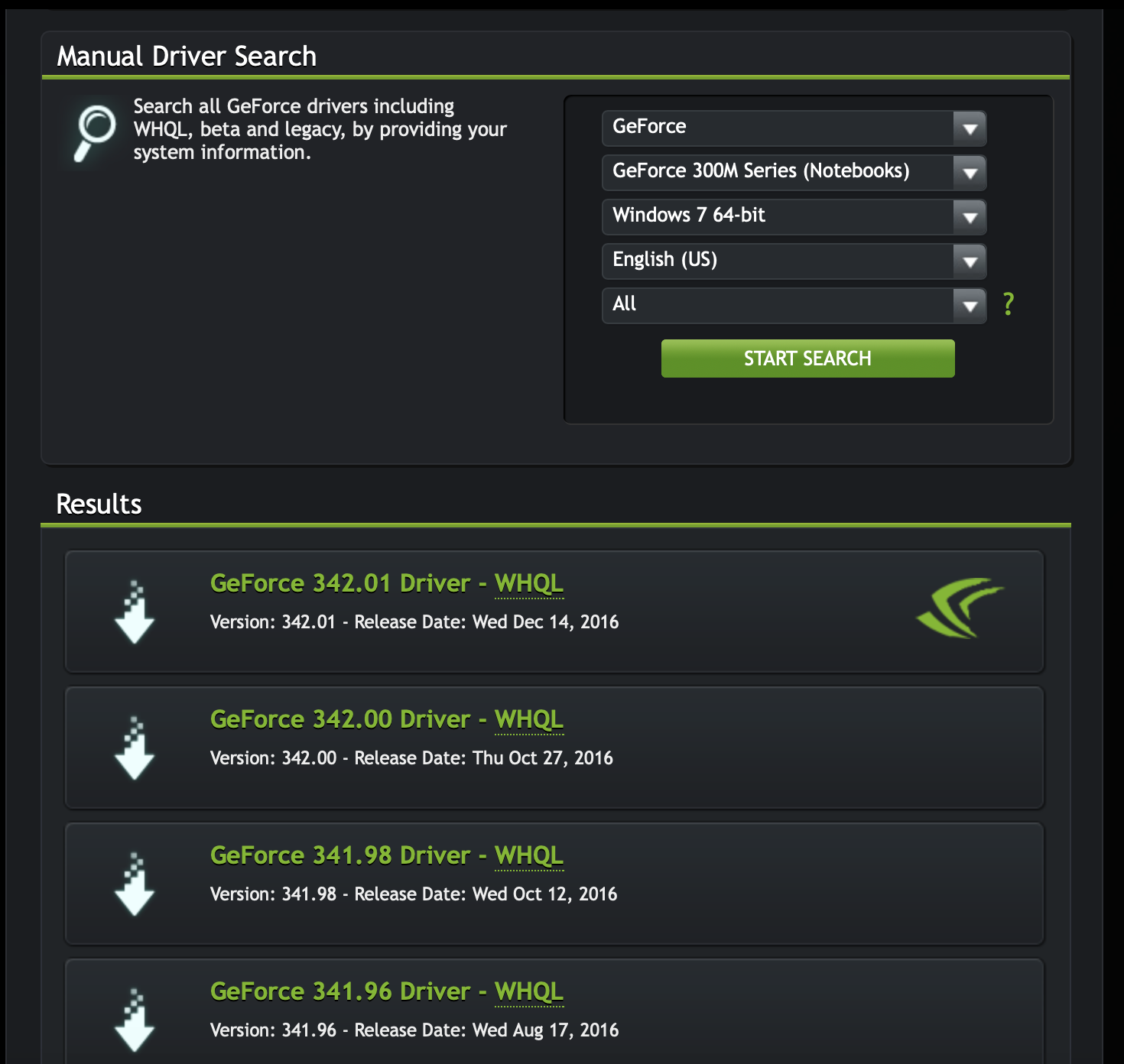
Your MacBook Pro (13-inch, Mid 2010) - Technical Specifications has a Nvidia G320m. Do not allow Windows Update to give you bad drivers. Try the 341.98 driver.

All control panel options provided on nvidia panel are for display purposes. I have no backlit keyboard, f key control or sound. Apple support instructions say to then run startup file from the Boot Camp folder located in Programs Files of the Flash drive. After install completes I get the boot loader icon on the tool bar. I then get back light, F key control and sound. If I choose to restart later everything works perfect until I restart.

Do not restart here. Open Windows Device Manager. Check for any unknown devices and the version of the GPU driver. Stay in Windows till we can diagnose the issue.

During the next restart is when the boot loop occurs. I can start up in MAC OS with no problem. Anytime I try to choose the partition with the windows drive, it will loop cycle. Neither safe mode or repair works. Alt/option will take me to drive select and f8 will take me into Windows options but the only thing that works is to restore.

The restart causes new drivers to be loaded, which are the most likely culprit. There is a Bootcamp.xml file, which lists every driver installed.


Jan 28, 2020 9:22 PM in response to belectone

belectone wrote:

Same thing as always. I was not able to restore to the location with the boot camp installed either. I have restored to a previous location.

What do you mean by a previous 'location'? There is only one C: drive to restore the restore point to.

Should I load boot camp? Load the new Nvidia driver?

Keep a copy of the 341.98 driver on a USB2 Flash drive. Do not connect to any network during or after installation of W7. Install BC drivers and the Nvidia driver and test.

This thread has been closed by the system or the community team. You may vote for any posts you find helpful, or search the Community for additional answers.

Windows 7 start up loop after boot camp 4.0 from high sierra is installed

Welcome to Apple Support Community
A forum where Apple customers help each other with their products. Get started with your Apple Account.