iphone sending an Imessage to iphone company everytime it restarts or changes network

Does iphone send an Imessage to iphone company in UK everytime the phone restarts or changes network ? thereby attracting an international SMS charges???


iPhone XR, iOS 13

Posted on Mar 5, 2020 1:01 AM

Reply
Question marked as Top-ranking reply

Posted on Mar 5, 2020 1:09 AM

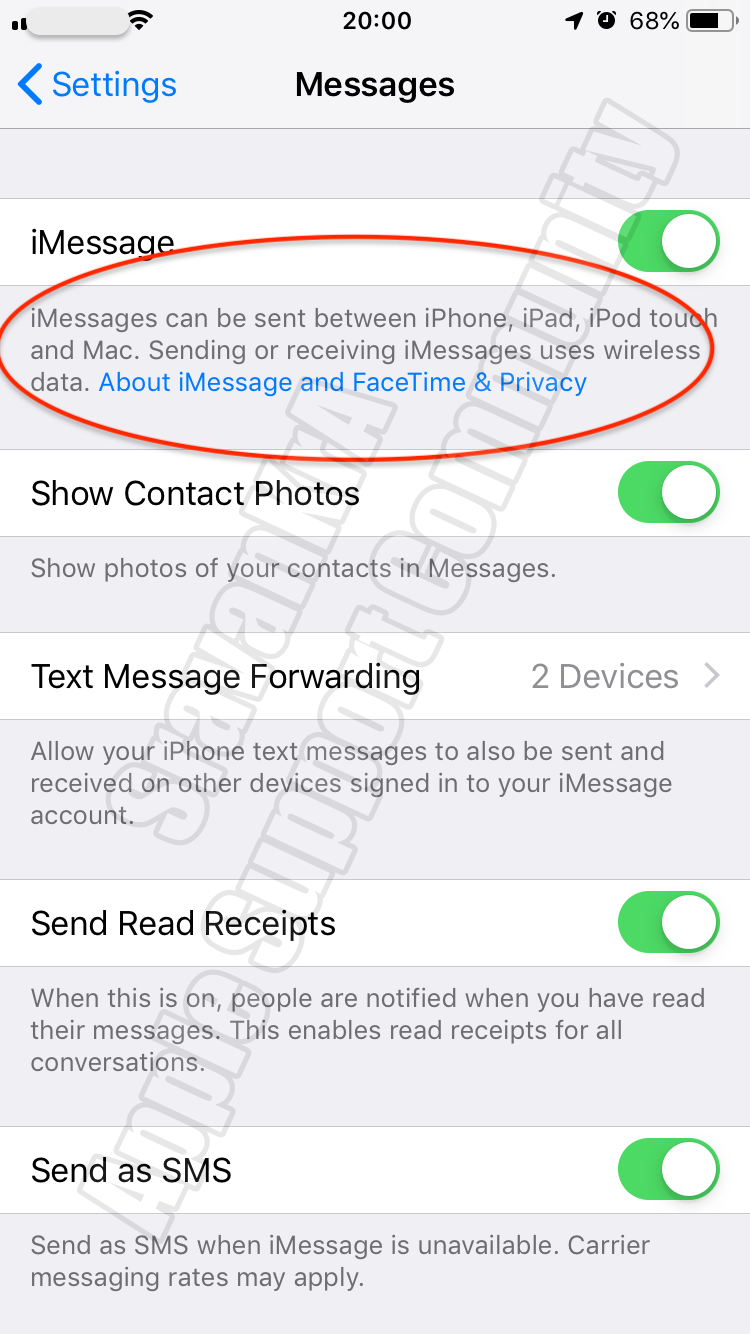
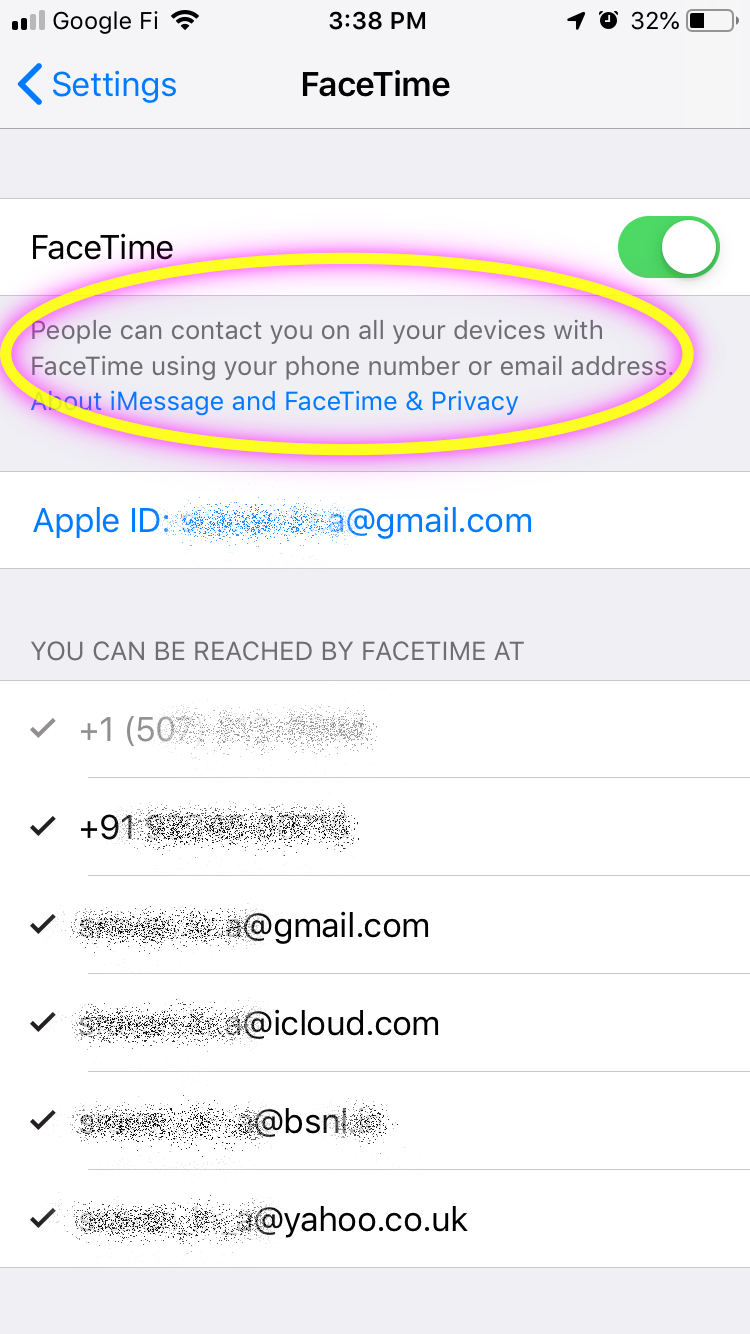
If you're using an iPhone, a SMS is sent to activate your phone number with iMessage and FaceTime. Depending on your carrier, you might be charged for this (for iMessage activation only) SMS.


Once activated there will be no further SMS will be sent for this activation. If you keep activating / deactivating then every time you attempt to activate SMS message will be sent.


Please do the following process only once.


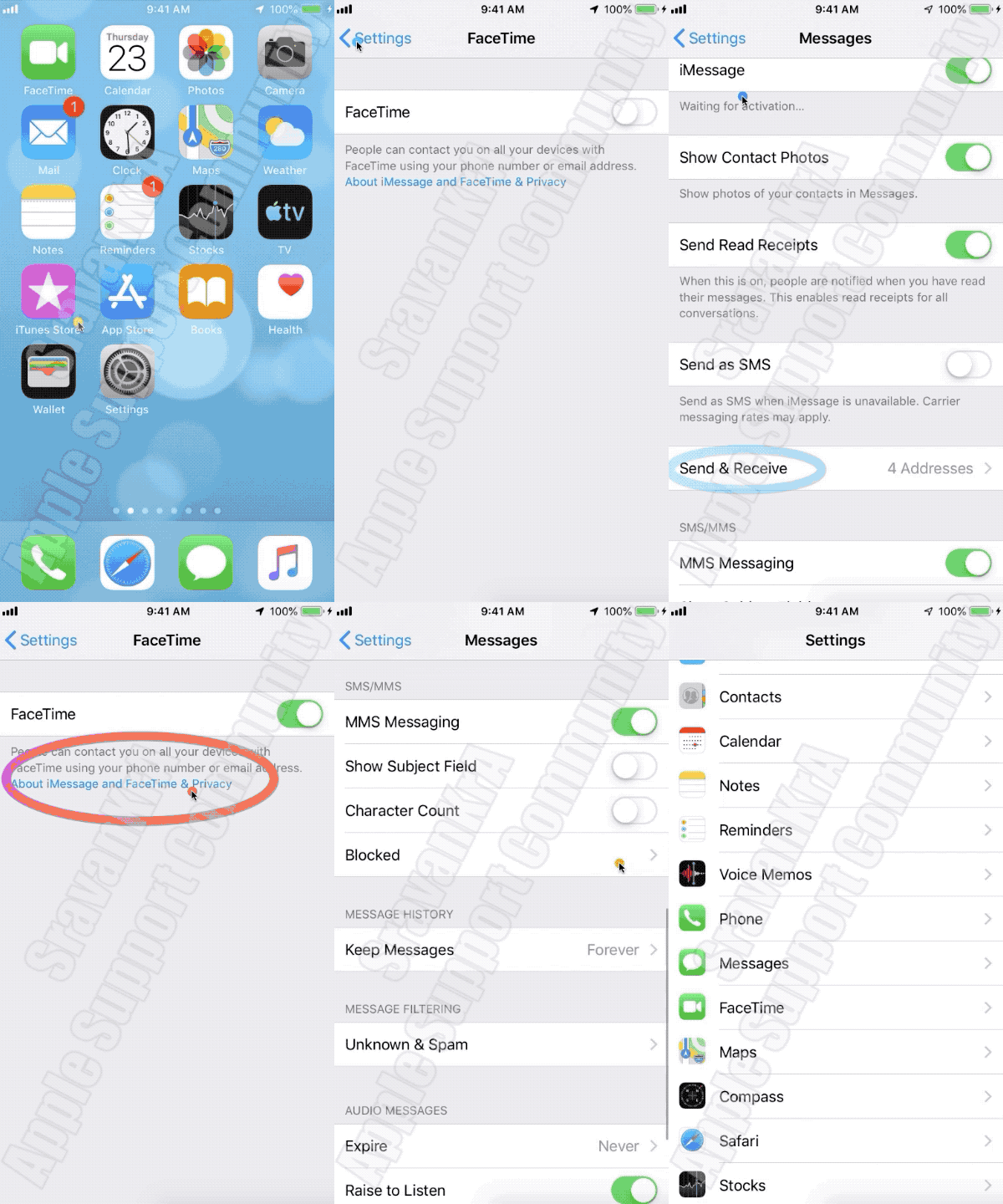
Turn off and restart iMessage and FaceTime (The order / sequence is very important)

  1. Go to Settings > Messages and turn off iMessage.
  2. Go to Settings > FaceTime and turn off FaceTime.
  3. Restart your device.
  4. Turn iMessage and FaceTime back on. (Watch the GIF below)


  • Still not activated after a day?
  1. It might take up to 24 hours to activate iMessage and FaceTime. If the issue continues after 24 hours, follow these steps:
  2. Make sure that your device has the latest version of iOS.
  3. If you're using an iPhone, contact your carrier to make sure that you can receive SMS messages.
  4. Contact Apple Support.


If you do not want to use Phone Number for iMessages then you can send it over WiFi without SIM through your Apple ID.


If you get an error when trying to activate iMessage or FaceTime ...

2 replies
Question marked as Top-ranking reply

Mar 5, 2020 1:09 AM in response to XR2020pris

If you're using an iPhone, a SMS is sent to activate your phone number with iMessage and FaceTime. Depending on your carrier, you might be charged for this (for iMessage activation only) SMS.


Once activated there will be no further SMS will be sent for this activation. If you keep activating / deactivating then every time you attempt to activate SMS message will be sent.


Please do the following process only once.


Turn off and restart iMessage and FaceTime (The order / sequence is very important)

  1. Go to Settings > Messages and turn off iMessage.
  2. Go to Settings > FaceTime and turn off FaceTime.
  3. Restart your device.
  4. Turn iMessage and FaceTime back on. (Watch the GIF below)


  • Still not activated after a day?
  1. It might take up to 24 hours to activate iMessage and FaceTime. If the issue continues after 24 hours, follow these steps:
  2. Make sure that your device has the latest version of iOS.
  3. If you're using an iPhone, contact your carrier to make sure that you can receive SMS messages.
  4. Contact Apple Support.


If you do not want to use Phone Number for iMessages then you can send it over WiFi without SIM through your Apple ID.


If you get an error when trying to activate iMessage or FaceTime ...

Mar 5, 2020 1:31 AM in response to SravanKrA

Thanks SravanKar,

Thanks for your prompt reply. Though am not really sure this addresses my problem.

Let me explain in detail.

Just recently ( 1st week of February 2020 ) i switched over billing plans from corporate to individual account post paid. Hence a fresh sim was given to me. From the time i have inserted the new sim my service provider ( vodafone ) bill shows international sms charges for app 66 messages supposedly sent from my no to a UK no ( 447786205094 ) for a period of 10 days from the date of insertion. My service provider says that iphone sends a message on its own to its company in Uk for security purposes.

Also that its an inbuilt thing in iphones and to deactivate this i need to get iphone help !!!!

This thread has been closed by the system or the community team. You may vote for any posts you find helpful, or search the Community for additional answers.

iphone sending an Imessage to iphone company everytime it restarts or changes network

Welcome to Apple Support Community
A forum where Apple customers help each other with their products. Get started with your Apple Account.