" All I want is a table with no background alternating with a light gray background."
Which is precisely what "alternating row color" is designed to provide you—alternating (body) rows with color fill (set using the Color well) beside the Alternating row color checkbox in the Table section of the Format Inspector) and rows with No Fill.
After applying Alternating Row color, you can select the uncoloured rows, and use the controls in the Cell section of the Format Inspector to fill these rows with a different colour, As I've done here:
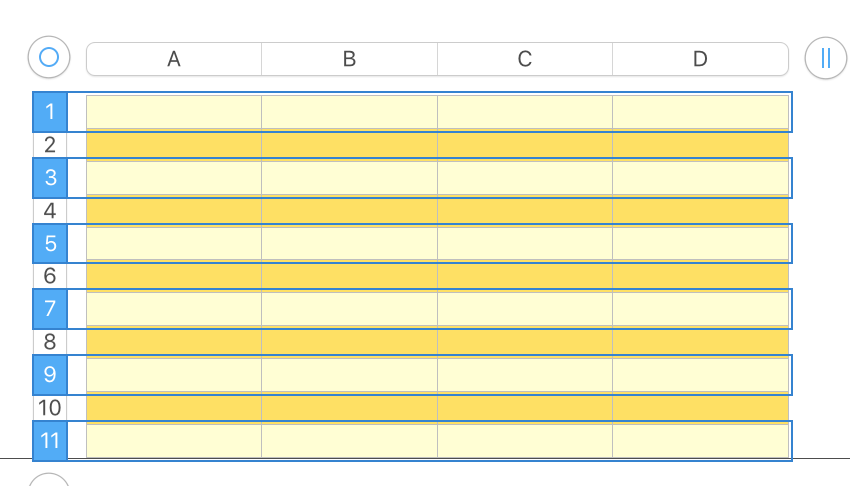
Clicking anywhere not on the table deselects it and all the selected rows, removing those Selection rectangles from view:

Default Table styles are set in the choices available when you select a table to insert in the document.
Most use No Fill or Alternating Fill Color in the body cells, and a Color fill in the Header row and Header column cells.
If you want different colours, you could create a document containing examples of each style of Table in the colour(s) you want. Quite easy to select and Copy a table from that document and Paste it into the on you are working on.
Regards,
Barry
PS: My answer to an earlier similar question is here: https://discussions.apple.com/thread/251167771?page=1
