
How do I register my AirPods with my iCloud account?

I can’t see my AirPods on the find my app because my AirPods don’t seem to be registered to my iCloud account. Help.

iPhone XS

Posted on Mar 8, 2020 7:26 PM

Reply
1 reply

Mar 9, 2020 8:56 AM in response to DW00

Hello and welcome to Apple Support Communities, DW00!


I understand you're not seeing your AirPods in the Find My app. I'd be happy to provide information to help you get them linked.


In order to link your AirPods to Find My, you need to pair them to a device that is signed in to iCloud:

Connect and use your AirPods and AirPods Pro

"Use your iPhone to set up your AirPods

If you're setting up your AirPods for the first time, make sure that your device is up to date. Then follow these steps:
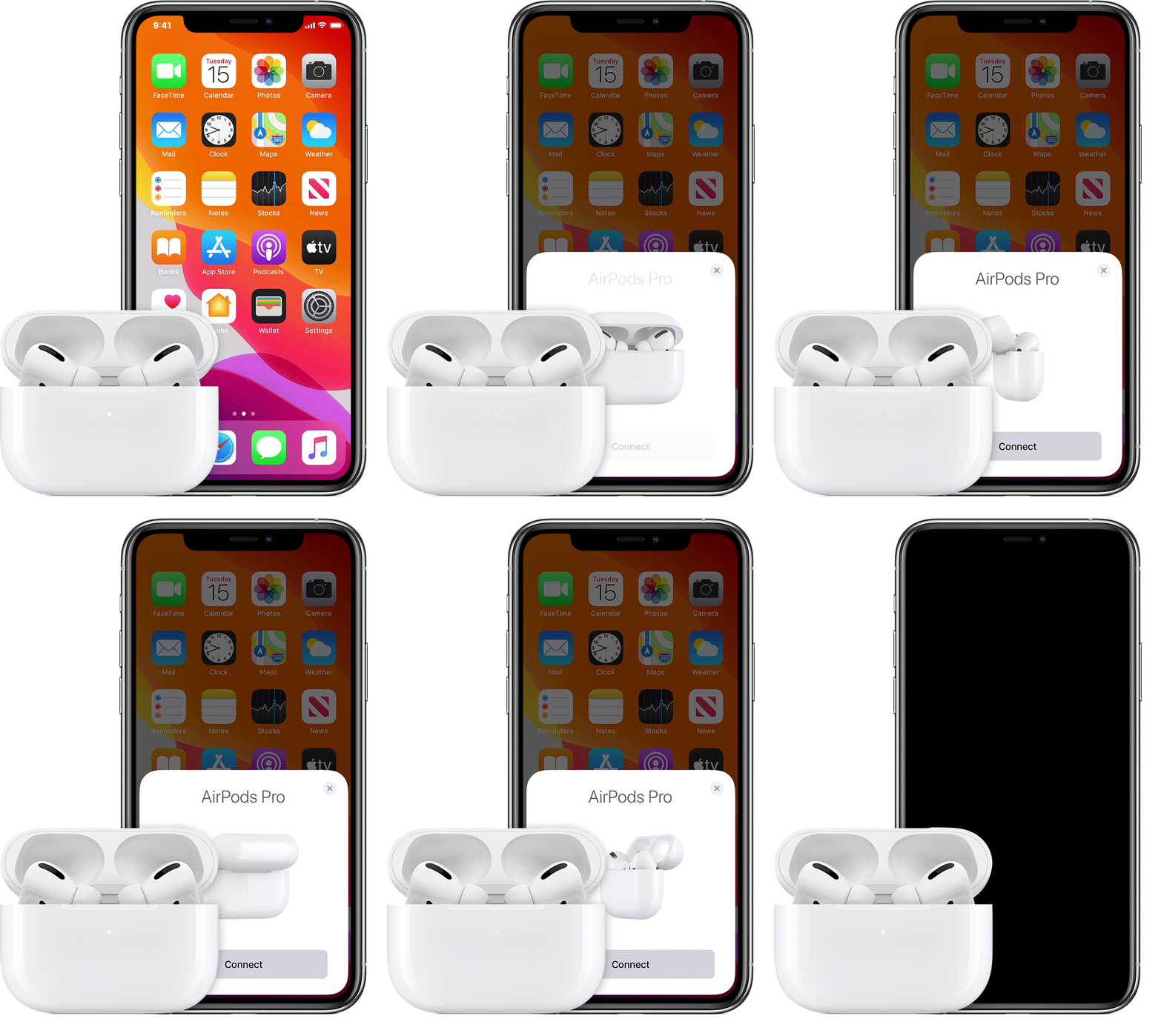
  1. Go to the Home screen.
  2. Open the case—with your AirPods inside—and hold it next to your iPhone.
  3. A setup animation appears on your iPhone.
  4. Tap Connect. 
  5. If you have AirPods Pro, read the next three screens.
  6. If you have AirPods Pro or AirPods (2nd generation) and you already set up "Hey Siri" on your iPhone, then "Hey Siri" is ready to use with your AirPods. If you haven't set up "Hey Siri" already and you have AirPods Pro or AirPods (2nd generation), you'll be guided through the setup.
  7. Tap Done.
  8. If you're signed in to iCloud, your AirPods are set up automatically with any of your supported devices that are signed in to iCloud with the same Apple ID."


Have a great day!

This thread has been closed by the system or the community team. You may vote for any posts you find helpful, or search the Community for additional answers.

How do I register my AirPods with my iCloud account?

Welcome to Apple Support Community
A forum where Apple customers help each other with their products. Get started with your Apple Account.