How do I take a full page screenshot and save to Photos instead of PDF?

Is there a way to save full-page screenshots as an image in Photos instead of saving as PDF? When I take a screenshot, and select the Full Page option, the only option given is "Save as PDF".


I'm on iPhone 7 iOS 13. Thanks!

Posted on Apr 1, 2020 8:36 AM

Reply
2 replies

Apr 1, 2020 8:38 AM in response to tstarchevsky

Screenshots are always saved as an image. I am not sure what you are referring screenshot as.


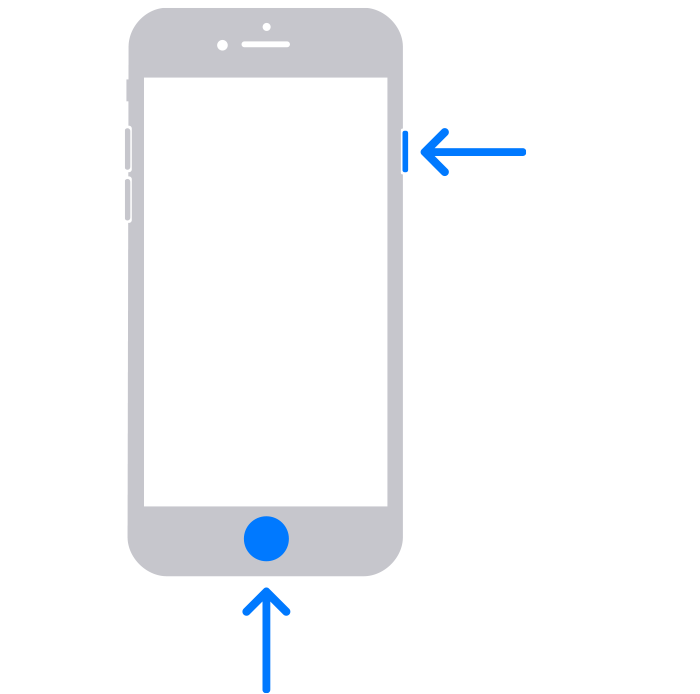
How to take a screenshot on iPhone 8, 7, or 6

  1. Press the side button and the Home button at the same time. 
  2. Quickly release both buttons.
  3. After you take a screenshot, a thumbnail temporarily appears in the lower-left corner of your screen. Tap the thumbnail to open it or swipe left to dismiss it. 


This thread has been closed by the system or the community team. You may vote for any posts you find helpful, or search the Community for additional answers.

How do I take a full page screenshot and save to Photos instead of PDF?

Welcome to Apple Support Community
A forum where Apple customers help each other with their products. Get started with your Apple Account.