
iCloud Drive app
I can't find the iCloud Drive app only a file that is labeled iCloud Drive (Archive).
I can't find the iCloud Drive app only a file that is labeled iCloud Drive (Archive).
Your brief description leads me to believe that you have previously enabled, iCloud Desktop & Documents, and subsequently turned off Desktop & Documents. Is the "file" which is labeled "iCloud Drive (Archive)" actually a file, or a folder? According to: Add your Desktop and Documents files to iCloud Drive - Apple Support
"If you turn off iCloud Drive or sign out of iCloud, you have the option to keep a local copy of your files that are in iCloud Drive. Whether you decide to keep a local copy or not, a new Desktop and Documents folder is created in your home folder. If you choose to keep a local copy, your files in iCloud Drive are copied to a folder called iCloud Drive (Archive) in your home folder. Then you have the option to move any files that were in your iCloud Desktop and Documents, back to your new local Desktop and Documents."
Is iCloud Drive selected in your System Preferences...>Apple ID>iCloud?
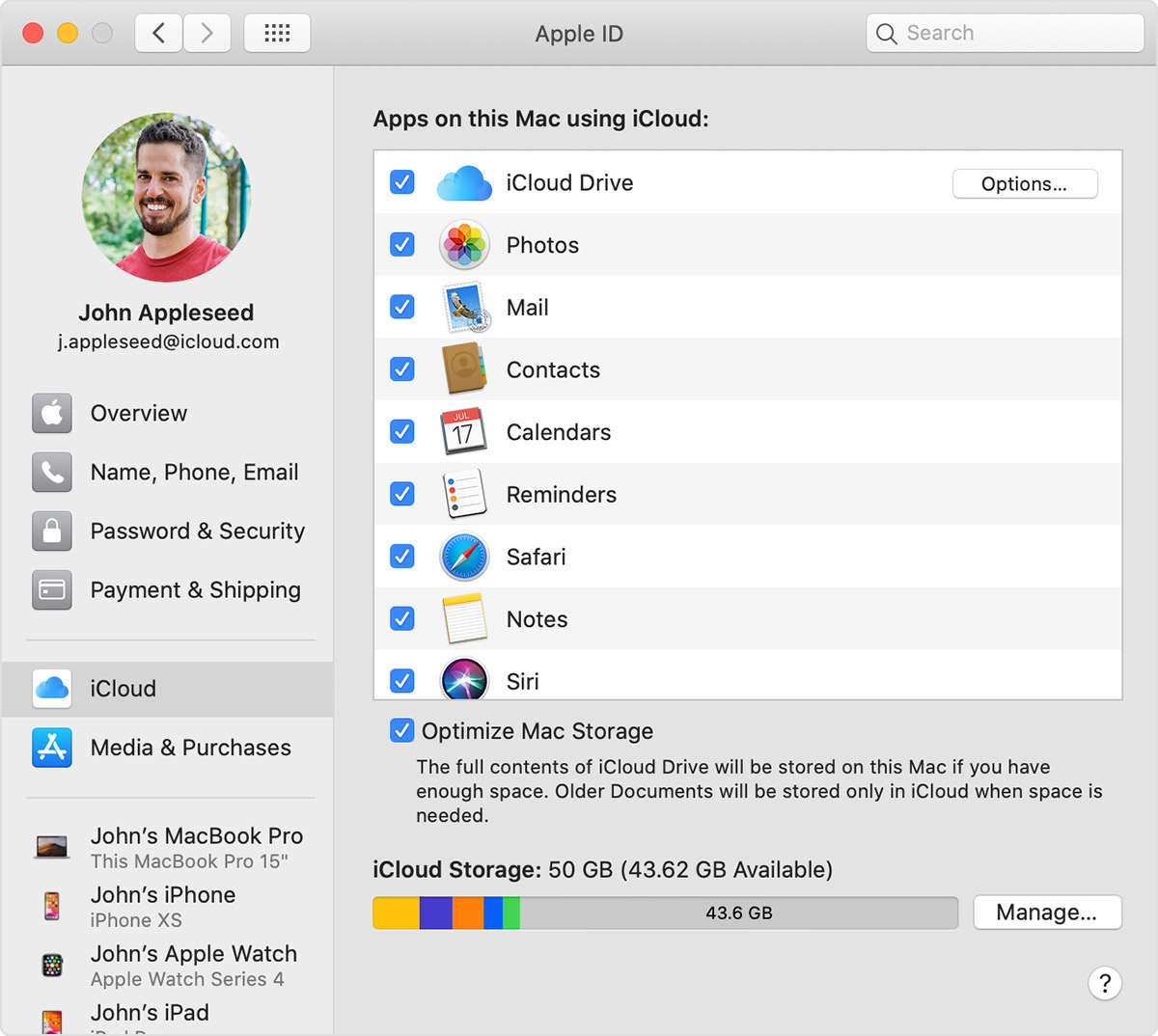
If it is open a Finder window, and select "Finder>Preferences...>Sidebar> check iCloud Drive, and the iCloud Drive icon will appear in the sidebar of your finder window.
Your brief description leads me to believe that you have previously enabled, iCloud Desktop & Documents, and subsequently turned off Desktop & Documents. Is the "file" which is labeled "iCloud Drive (Archive)" actually a file, or a folder? According to: Add your Desktop and Documents files to iCloud Drive - Apple Support
"If you turn off iCloud Drive or sign out of iCloud, you have the option to keep a local copy of your files that are in iCloud Drive. Whether you decide to keep a local copy or not, a new Desktop and Documents folder is created in your home folder. If you choose to keep a local copy, your files in iCloud Drive are copied to a folder called iCloud Drive (Archive) in your home folder. Then you have the option to move any files that were in your iCloud Desktop and Documents, back to your new local Desktop and Documents."
Is iCloud Drive selected in your System Preferences...>Apple ID>iCloud?
If it is open a Finder window, and select "Finder>Preferences...>Sidebar> check iCloud Drive, and the iCloud Drive icon will appear in the sidebar of your finder window.
The Files app on IOS is an iCloud app, but the OP asked about the iCloud Drive app, which was removed a couple of IOS versions ago if I remember correctly.
Confusing to be sure:
Consider the "Files" App on iOS an iCloud App?
Eric Root wrote:
The Files app on IOS is an iCloud app, but the OP asked about the iCloud Drive app, which was removed a couple of IOS versions ago if I remember correctly.
You are correct, I was just trying to point out why there may be some confusion. 🤔
There isn't an iCloud Drive app in the OS or IOS.
iCloud Drive app

