update payment information

My payment was declined once because of insufficient funds. Because of this I have a persistent notification to update my payment info. I have several subscriptions and I don’t want to add another payment. I also cannot remove the payment info to try and reset this notification. Why can you not just clear this icon.

iPhone XS Max

Posted on Apr 24, 2020 12:04 PM

Reply
3 replies

May 25, 2020 9:48 PM in response to Joseph_S.

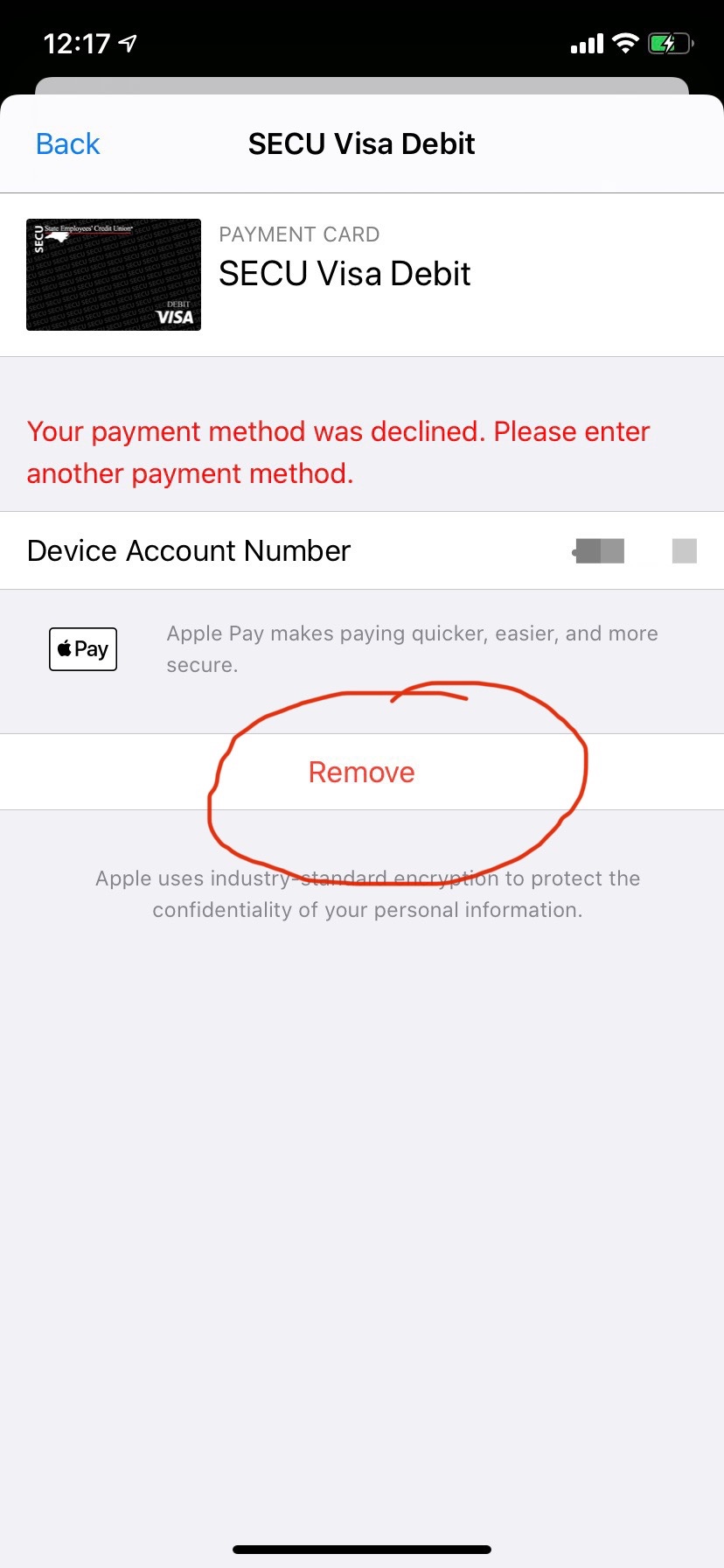
I’m experiencing this issue also, and I’m unable to simply go in and retry the payment, which would solve this. The only prompt I receive is to remove the payment method.


I also have two payment methods before the one that’s flagged. They both now have enough funds to process the payment, and have for over 24 hours, but the prompt to update is still there.


When this had occurred previously, when I clicked the declined card, the payment would be retried and everything would clear. For some time now, that notification persists until I delete the declined card, then I need to re-add it. I shouldn’t need to do that for this notification to clear. When I click the card, nothing happens. There should be an edit or retry option, or it should retry automatically. are adequate funds, and there have been adequate funds for over 24 hours.
Apr 26, 2020 7:50 AM in response to The_Deej

Hello The_Deej,


I understand you would like to know how to stop getting a notification telling you to update your payment information. Also, this notification started after a payment was declined. I'd like to give you some information about this.


While it is possible to use your iPhone with no payment method, you would not be able to while you have an unpaid balance. This would be why you're unable to remove the payment method that has insufficient funds. Only after updating that card, or adding a new payment method that has funds available, would that notification no longer appear. You can view more on this here: If you can't remove your last payment method or use no payment method with your Apple ID.


Thanks for using Apple Support Communities.


Take care.

This thread has been closed by the system or the community team. You may vote for any posts you find helpful, or search the Community for additional answers.

update payment information

Welcome to Apple Support Community
A forum where Apple customers help each other with their products. Get started with your Apple Account.
