Hello Brenden
I don't think so. Please have a look at attached screenshots. The usage for last 24 hours in "time" view and "percentage" view. Still the same - dashes instead of precentage values. Any other suggestions, ideas?
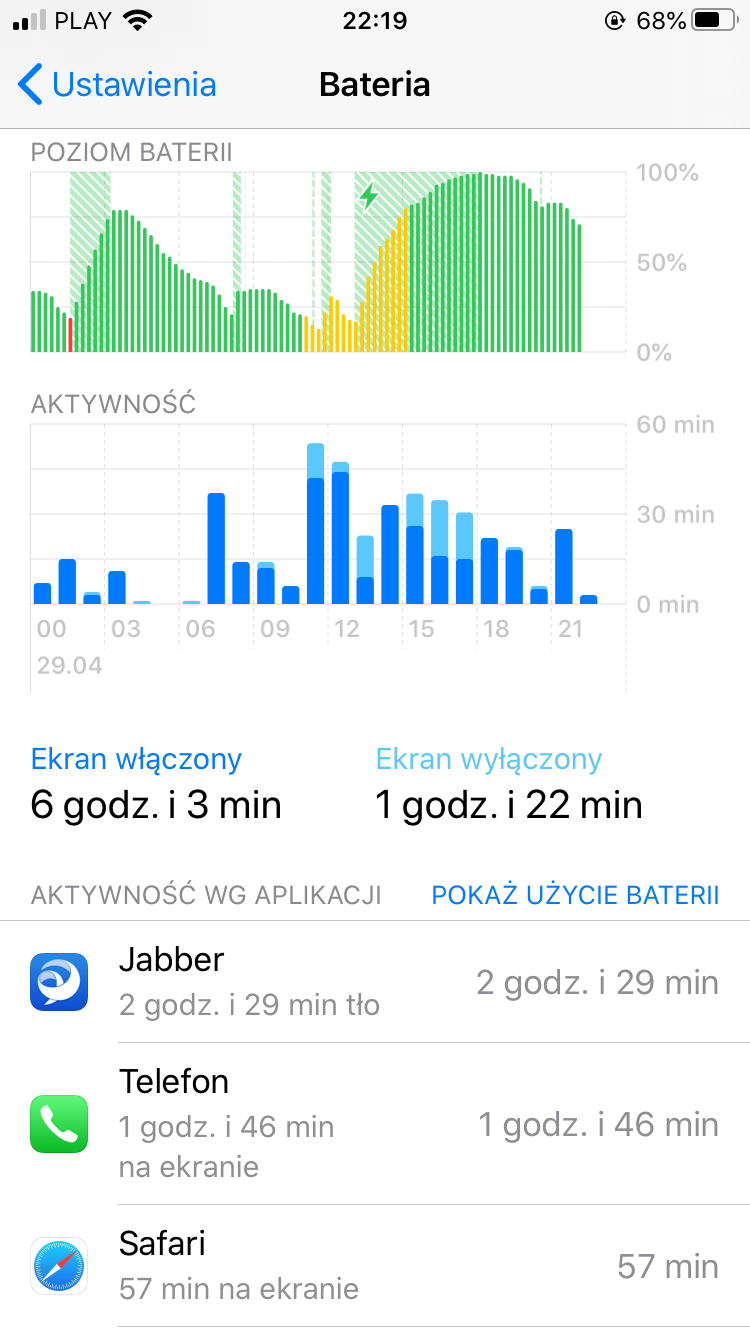
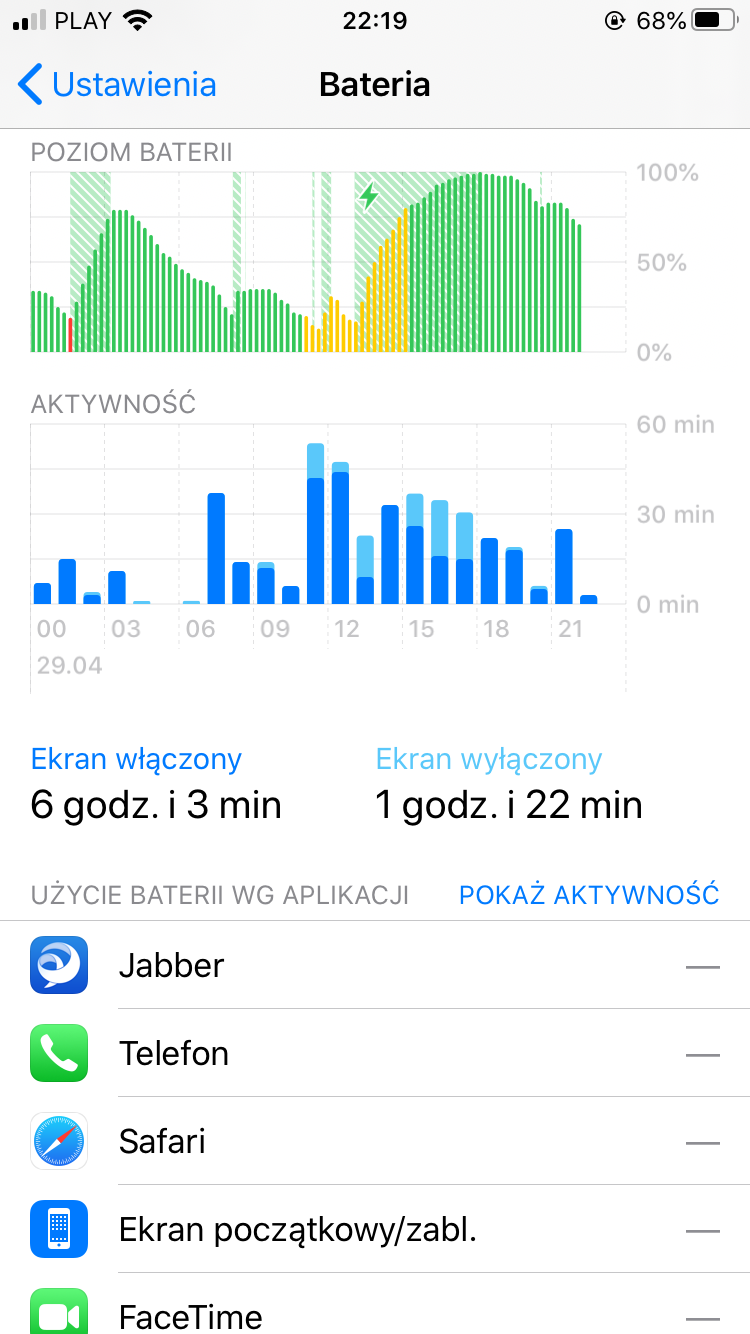
Additional info - I noticed that some system internal process/processes consumes a lot of CPU power (30%-50%) which drains/drain battery (sometimes it can consume completely fully charged new battery in a few hours) . On network firewall I observe that time a lots of data exchanged with some apple servers. Only device restart solve the problemy for a while.
I have iCloud Photos with device disk optimization enabled. The iCloud Photos are synced, but maybe the device is doing image downsizing to conserve disk space. Unfortunately that internal process/processes are not reflected in battery application and system processes are not reflected too. If you need any other data to identify the source of CPU high usage, let me know, I will share them with you.
Have a nice day.
Andrzej.


