Force restart iPhone - Apple Support... ⬅︎⬅︎⬅︎ try this again...
⬇︎⬇︎⬇︎
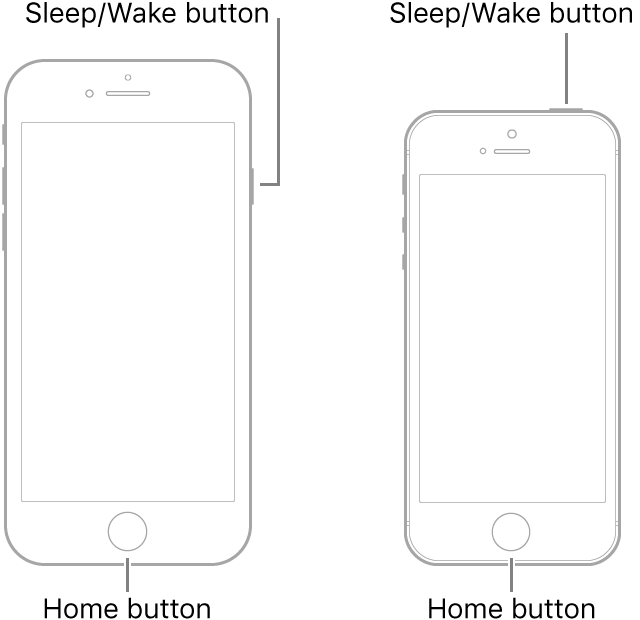
Force restart iPhone 6s, iPhone 6s Plus, or iPhone SE
- Press and hold both the Sleep/Wake button and the Home button.
- When the Apple logo appears, release both buttons.
If your iPhone, iPad, or iPod touch won't turn on or is frozen - Apple Support ⬅︎ see this...
See full instructions in the link above... ⬆︎⬆︎⬆︎
Try Recovery Mode...Connect your device to a computer. On a Mac with macOS Catalina 10.15, open Finder. On a Mac with macOS Mojave 10.14 or earlier, or on a PC, open iTunes.
Press and hold both the Home and the Top (or Side) buttons at the same time. Keep holding them until you see the recovery mode screen...

