
I placed my agreement number but the response is enter valid agreement number.
I placed the agreement number on my new iPhone SE as required but it's not reportedly valid. WHAT IS THE PROBLEM?
I placed the agreement number on my new iPhone SE as required but it's not reportedly valid. WHAT IS THE PROBLEM?
Hello, margaretfromtyler.
If you're still having troubles with the Agreement Number, contact Apple Support.
Cheers!
What agreement number are you talking about?
what’s asking for this information?
I bought an iPhone as was s AppleCare. Whenever I attempt to verify the Apple Care, the message says to enter a valid agreement number which I put in but it's not accepted. I haven't chosen a provider yet. None of the providers' stores are open yet in Texas.
I copy and pasted both the agreement number as well as the serial number directly from the receipt which I saved. The serial number worked but not the agreement number. What do I do?
I purchased the Apple Care insurance; the policy requires the information
Hello, margaretfromtyler.
Welcome to Apple Support Communities.
I understand you're trying to add the agreement number for your new iPhone SE. I'd be glad to help. Check out these two articles about adding the agreement number:
AppleCare Help Desk Support: How to find the registration number
"Learn more
After you find your registration number, you can activate your agreement online at AppleCare Agreement Support.
Apple registration numbers and Apple hardware product serial numbers may sometimes contain the number "0" (zero), but not the letter "O".
Find the Agreement Number for your AppleCare Protection Plan
Find the Agreement Number
If you bought your AppleCare Protection Plan individually, look inside the box for a card or booklet that says "Web Registration Instructions." The card or booklet includes the Agreement Number.
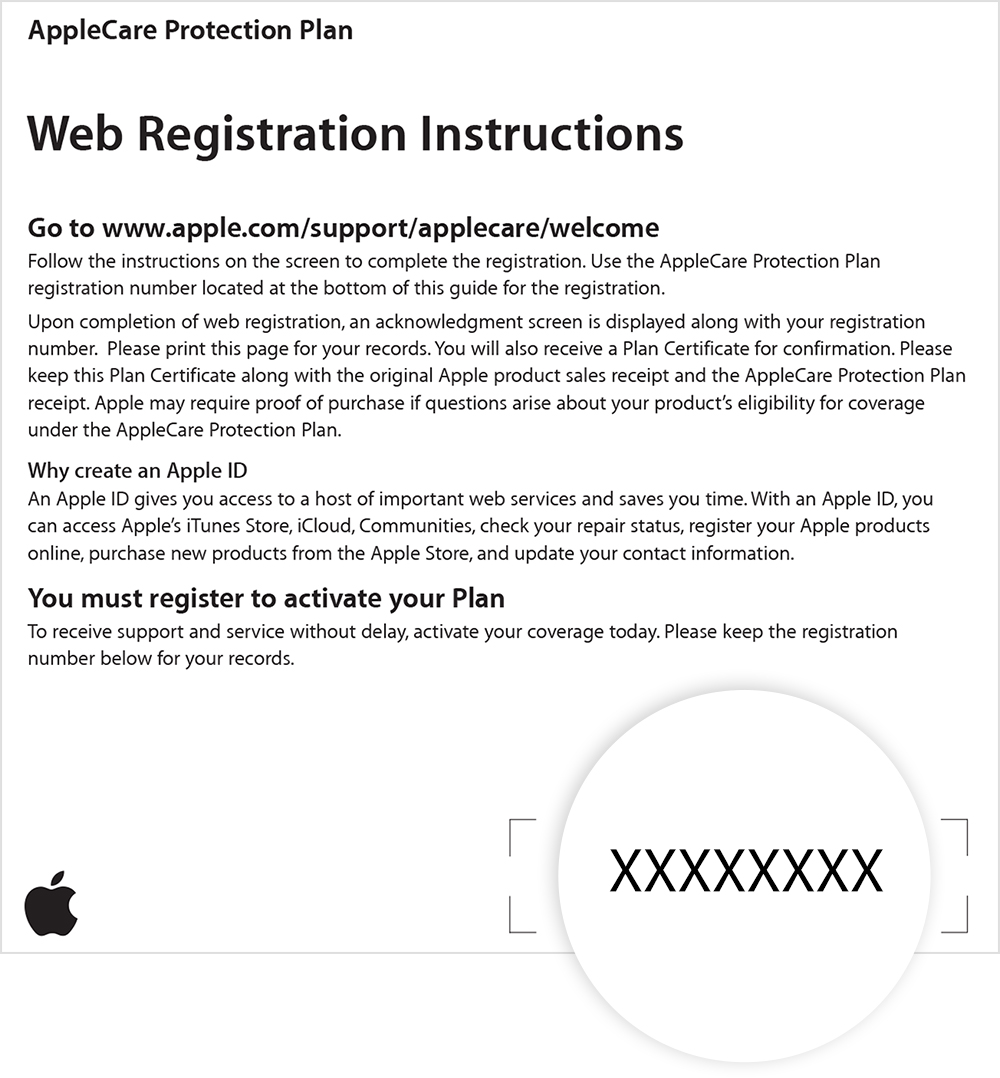
If you can't find the Agreement Number, contact Apple Support. Make sure that you have your sales receipt and the serial number of your Apple device. Learn how to find the serial number of your Apple device.
After your AppleCare Protection Plan is registered, you can find it on My Support under My Devices. If you buy your Apple device and AppleCare Protection Plan at the same time, we automatically register it for you. If you don't see it on My Support, learn what to do".
Best regards.
I placed my agreement number but the response is enter valid agreement number.



