Turn off the Repeat function.
- Drag the Now Playing screen upwards. You will then see the additional play control buttons, Shuffle and Repeat:
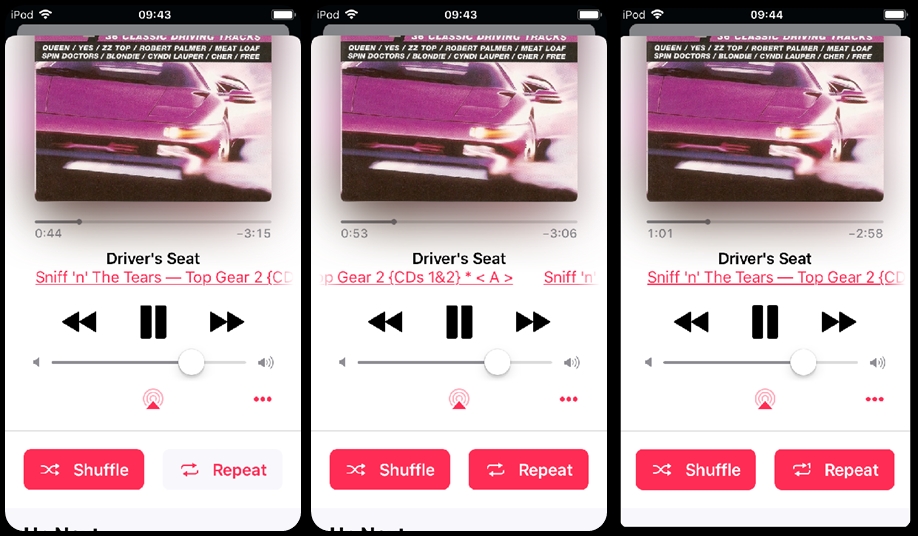
- if the button is red, with white text, the function is on
- if the button is white, with red text, the function is off
- In the screenshot above:
- left picture - Shuffle is on, Repeat is off
- middle picture - Shuffle is on, Repeat is on
- right picture - Shuffle is on, Repeat 1 is on. Note that the repeat arrows have a small 1 in them
The repeat function has three modes:
- Off - Repeat is off. When the current list ends, the player stops
- Repeat - Repeat list is on. When the current list ends, the same list plays again
- Repeat 1 - Repeat song is on. When the current song finishes, it plays again
- Off - Repeat is off
So if you are in repeat mode and press the Repeat button, the player will then be in Repeat 1 mode.

