
i need to update modem firmware iphone 11
need help updating modem firmware
iPhone 11 Pro Max, iOS 13
need help updating modem firmware
iPhone 11 Pro Max, iOS 13
Before you update
Make a backup of your device using iCloud or your computer.

Update your device wirelessly
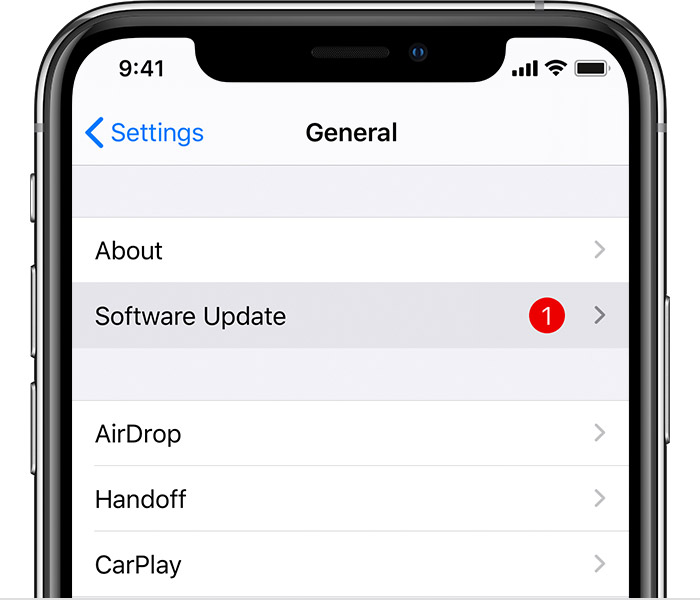
If a message says that an update is available, tap Install Now. You can also follow these steps:
If you see an error or need more space when updating wirelessly
If you see an error message while trying to update your device wirelessly, learn what to do. If you need more space for a wireless update, you can update using your computer or delete content manually from your device. Whether you use your computer or update wirelessly, you'll have the same amount of free space on your device after you update.
Some software updates aren't available wirelessly. VPN or proxy connections might prevent your device from contacting the update servers.
Update automatically
With iOS 12 or later, or iPadOS, you can have your device update automatically. To turn on automatic updates, go to Settings > General > Software Update, then tap Automatic Updates. Your device will automatically update to the latest version of iOS or iPadOS. Some updates might need to be installed manually.
Update your device using your computer
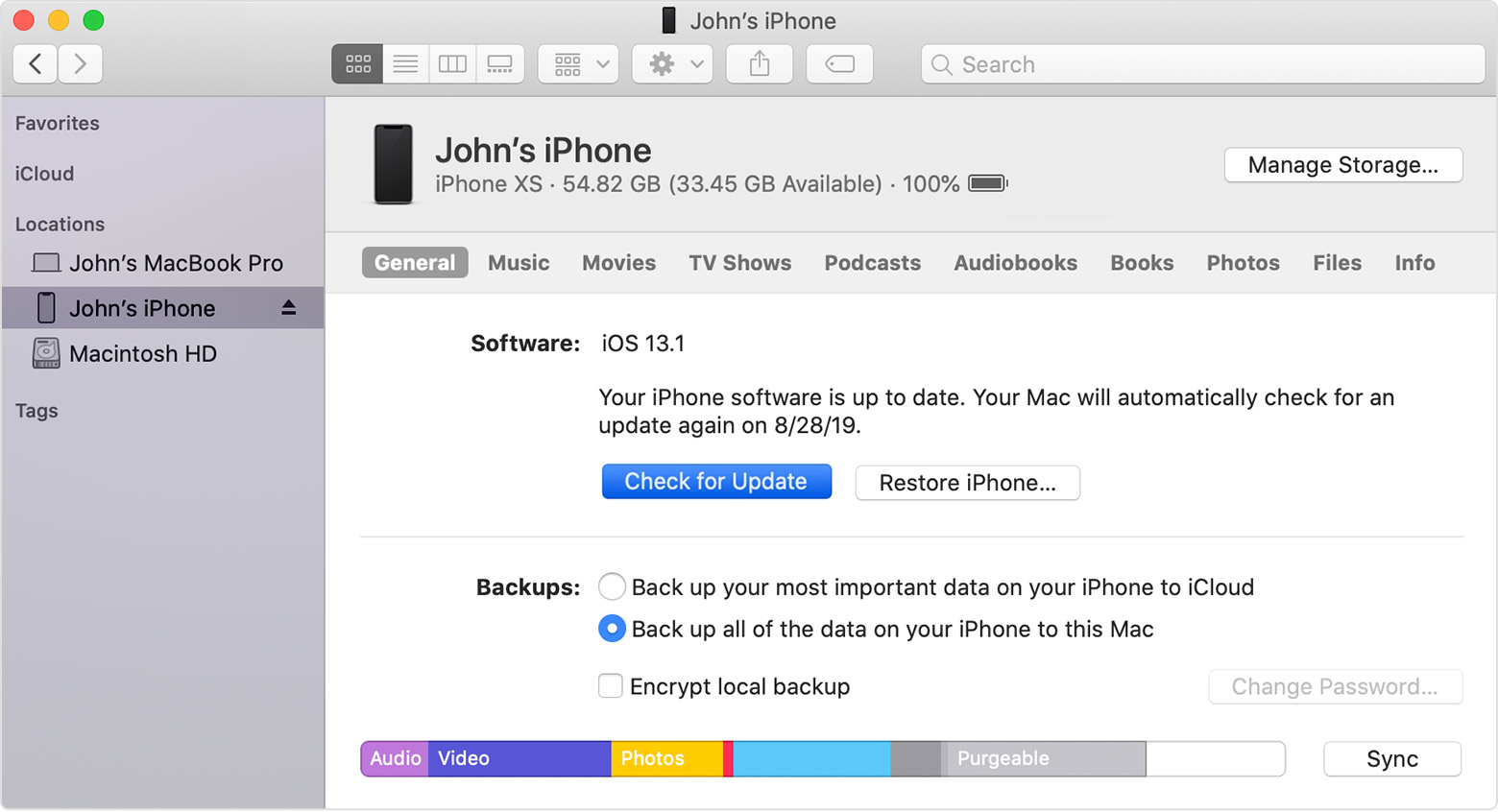
If you can’t update wirelessly on your device, you can update manually using a computer that you trust. If your computer is using Personal Hotspot on the device that you’re updating, connect your computer to a different Wi-Fi or Ethernet network before you update.
If you see error messages on your computer or need more space to update
Get help if you see error messages while updating your device with your computer. Or if you need more space for an update, you can delete content from your device manually.
* Upgrading to the latest version of iOS or iPadOS software provides the latest features, security updates, and bug fixes. Not all features are available on all devices or in all regions. Battery and system performance may be influenced by many factors including network conditions and individual use; actual results may vary.
Before you update
Make a backup of your device using iCloud or your computer.
Update your device wirelessly
If a message says that an update is available, tap Install Now. You can also follow these steps:
If you see an error or need more space when updating wirelessly
If you see an error message while trying to update your device wirelessly, learn what to do. If you need more space for a wireless update, you can update using your computer or delete content manually from your device. Whether you use your computer or update wirelessly, you'll have the same amount of free space on your device after you update.
Some software updates aren't available wirelessly. VPN or proxy connections might prevent your device from contacting the update servers.
Update automatically
With iOS 12 or later, or iPadOS, you can have your device update automatically. To turn on automatic updates, go to Settings > General > Software Update, then tap Automatic Updates. Your device will automatically update to the latest version of iOS or iPadOS. Some updates might need to be installed manually.
Update your device using your computer
If you can’t update wirelessly on your device, you can update manually using a computer that you trust. If your computer is using Personal Hotspot on the device that you’re updating, connect your computer to a different Wi-Fi or Ethernet network before you update.
If you see error messages on your computer or need more space to update
Get help if you see error messages while updating your device with your computer. Or if you need more space for an update, you can delete content from your device manually.
* Upgrading to the latest version of iOS or iPadOS software provides the latest features, security updates, and bug fixes. Not all features are available on all devices or in all regions. Battery and system performance may be influenced by many factors including network conditions and individual use; actual results may vary.
i need to update modem firmware iphone 11
